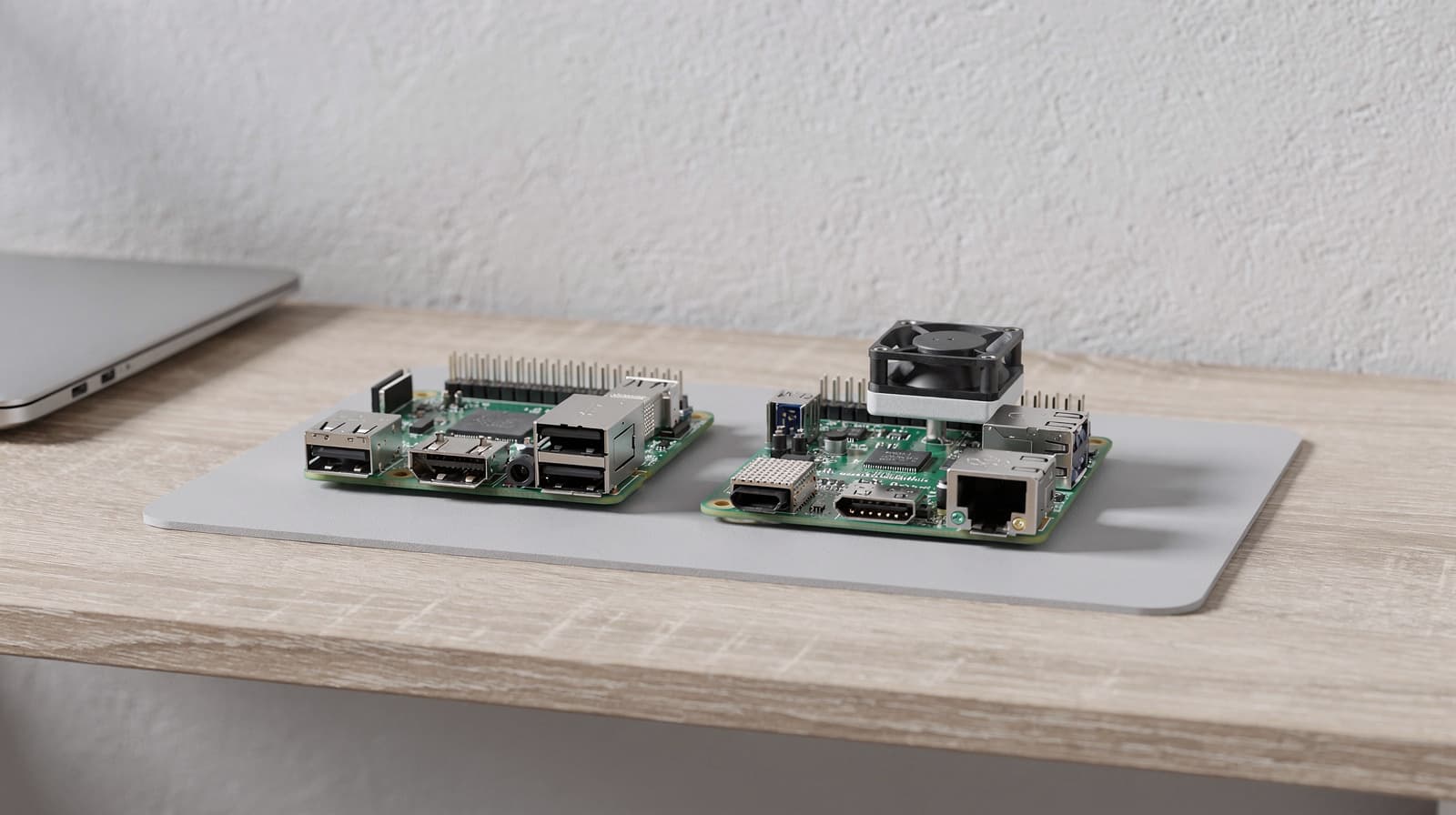
Most people should buy the Raspberry Pi 5. It has a faster processor, more memory options and a PCIe interface for an SSD. Buy the Raspberry Pi 4 only if you already have a Pi 4 case and power supply and the job is simple, or if your project needs hardware H.264 video encoding, which the Pi 5 dropped. If your goal is a home server that does a lot, a mini PC is often the better buy, as we explain in our complete guide to mini PCs for a home server.
Our picks at a glance
- View at PiShop.us
Best for a new Raspberry Pi setup
- View at Adafruit
Best if you already own Pi 4 accessories
The picks in detail
- Top pick
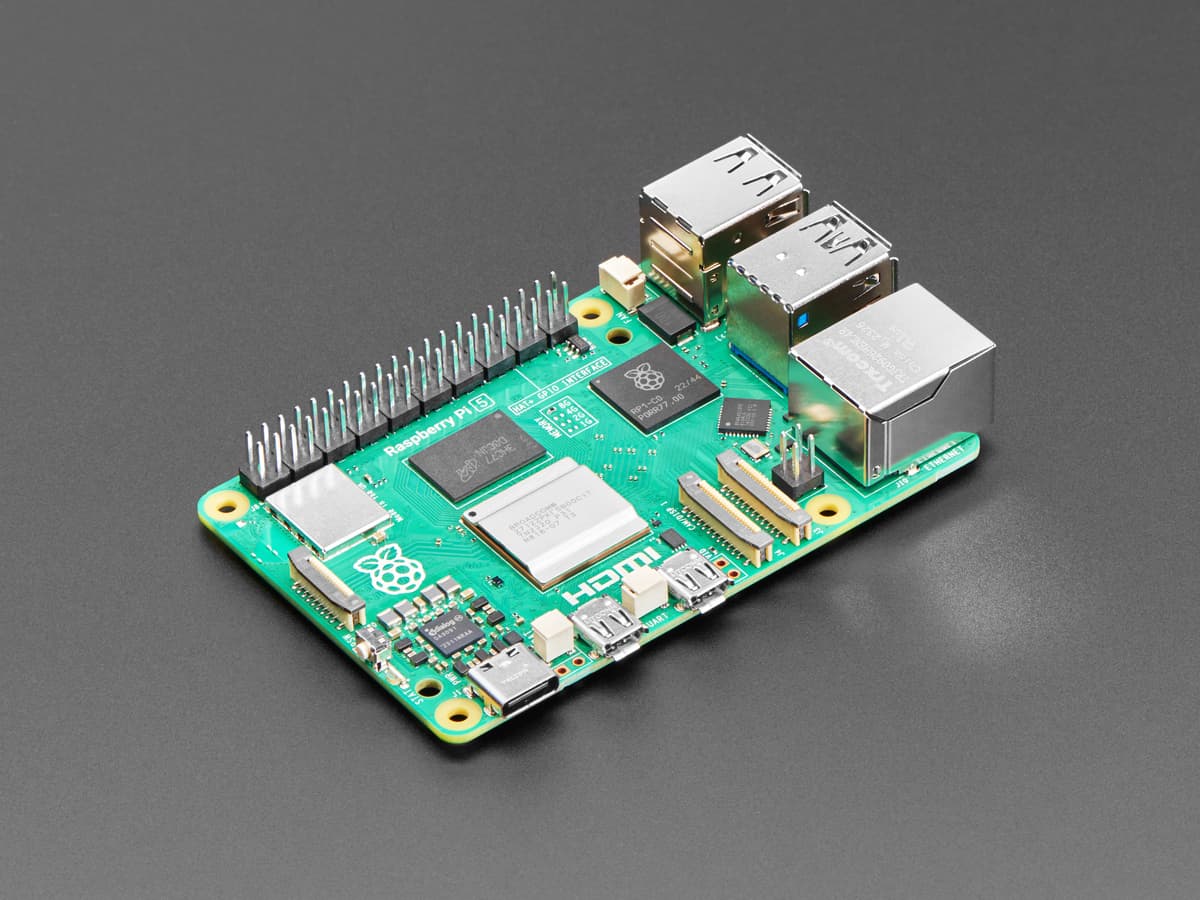
Best for a new Raspberry Pi setup
Raspberry Pi 5, 8GB (SC1112)
The Raspberry Pi 5 is the board most people should buy: a 2.4GHz quad-core Arm Cortex-A76 processor, memory up to 16GB (the 8GB version is linked), a PCIe interface for an SSD (with a separate M.2 HAT or adapter), a real-time clock and a power button.
View at PiShop.usPlan for a 5V/5A USB-C power supply and a case with a fan or the Active Cooler, because it performs best with active cooling. It won’t fit a Pi 4 case. Buy it for any new project, a desktop, or a small server on an SSD. Skip it if your project records or streams H.264 video in hardware: the Pi 5 has no H.264 hardware encoder or decoder.
What we like
- Faster processor and more memory options than the Pi 4
- PCIe interface for an SSD (needs a separate adapter)
- Real-time clock and power button
Watch out for
- Needs a stronger 5V/5A power supply
- Performs best with active cooling, so budget for a fan
- No hardware H.264 decode and no hardware video encoder at all
- Will not fit Pi 4 cases
- Best if you already own Pi 4 accessories
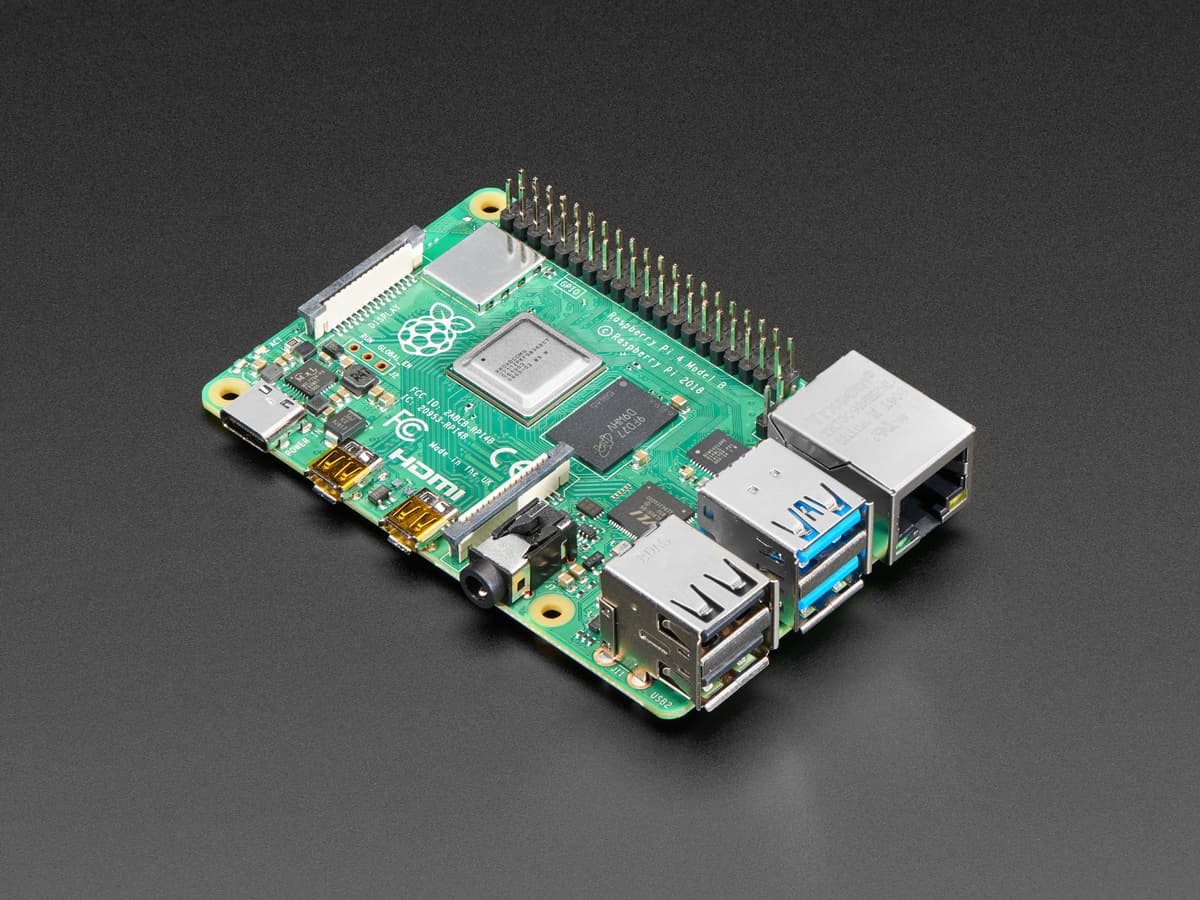
Raspberry Pi 4 Model B, 4GB (SC0194)
The Raspberry Pi 4 Model B has a 1.8GHz quad-core Cortex-A72 processor, up to 8GB of memory (the 4GB version is linked), two USB 3.0 ports, Gigabit Ethernet and dual-band Wi-Fi.
View at AdafruitIt runs from a 15W USB-C power supply and without a fan for light jobs, though it throttles under long, heavy loads unless you add a heatsink. It stays in production until at least January 2034. Buy it if you already own a Pi 4 case and power supply, or your project needs hardware H.264 encoding, such as a camera that records or streams. Skip it for anything new and demanding.
What we like
- Works with existing Pi 4 cases and 15W power supplies
- Runs without a fan for light jobs
- Hardware H.264 decode (1080p60) and encode (1080p30)
- In production until at least January 2034 (Raspberry Pi)
Watch out for
- Slower processor than the Pi 5
- Throttles under sustained heavy load without a heatsink
- No PCIe interface, real-time clock or power button in Raspberry Pi’s spec list
Quick answer: Pi 4 or Pi 5?
- Starting from scratch: Raspberry Pi 5. Raspberry Pi rates it up to three times faster than the Pi 4, and it takes more memory (up to 16GB).
- Already have a Pi 4 kit: stay with the Pi 4 for simple jobs. The Pi 5 doesn't fit the Pi 4 case, and a Pi 4 power supply may be under-powered for it.
- Want a fast SSD: Pi 5. It has a PCIe interface for one, though you buy an M.2 HAT or another adapter separately. The Pi 4 has no PCIe interface.
- Recording or streaming H.264 video: Pi 4. It has hardware H.264 encoding; the Pi 5 has none.
- Want a quiet board: the Pi 4 runs without a fan for light jobs, but add a heatsink if it will work hard for long periods. The Pi 5 performs best with active cooling.
- Want a proper always-on home server: look at a mini PC, or another board, instead of either. See Best Mini PCs for a Home Server and our Raspberry Pi alternatives guide.
Raspberry Pi 4 vs Pi 5: side-by-side specs
Everything in this table comes from Raspberry Pi’s product pages and documentation, read on 29 September and 18 October 2026.
Spec | Raspberry Pi 4 Model B | Raspberry Pi 5 |
|---|---|---|
Processor | Broadcom BCM2711, quad-core Cortex-A72 at 1.8GHz | Broadcom BCM2712, quad-core Cortex-A76 at 2.4GHz |
Memory | 1GB, 2GB, 3GB, 4GB or 8GB LPDDR4-3200 | 1GB, 2GB, 4GB, 8GB or 16GB LPDDR4X-4267 |
Wi-Fi and Bluetooth | Dual-band 802.11ac Wi-Fi, Bluetooth 5.0 | Dual-band 802.11ac Wi-Fi, Bluetooth 5.0 |
Ethernet | Gigabit, PoE support (separate PoE HAT) | Gigabit, PoE+ support (separate PoE+ HAT) |
USB | 2 x USB 3.0, 2 x USB 2.0 | 2 x USB 3.0 (5Gbps at the same time), 2 x USB 2.0 |
Video output | 2 x micro-HDMI, up to 4Kp60 | 2 x micro-HDMI, dual 4Kp60 with HDR |
Hardware video | HEVC (H.265) 4Kp60 decode; H.264 1080p60 decode and 1080p30 encode | HEVC 4Kp60 decode only; H.264 and all encoding run on the CPU |
Storage | microSD | microSD (high-speed SDR104), PCIe 2.0 x1 interface (needs a separate M.2 HAT or adapter) |
Power | 5V USB-C, minimum 3A | 5V/5A USB-C with Power Delivery support |
Also on the board | 40-pin header, MIPI DSI and CSI ports, 4-pole audio and composite video port | 40-pin header, two 4-lane MIPI camera/display ports, real-time clock (external battery), power button, UART debug port |
Production until | At least January 2034 | At least January 2036 |
What you actually notice in daily use
Speed. Raspberry Pi calls the Pi 5 "up to three times faster than the previous generation", and the newer Cortex-A76 cores at 2.4GHz back that up on paper against the Pi 4's Cortex-A72 at 1.8GHz. You will notice it most in a desktop browser, compiling code and anything that leans on the processor; a Pi-hole or a sensor logger won't feel any different.
Memory. The Pi 5 goes up to 16GB, the Pi 4 up to 8GB. Both are sold in fixed memory sizes, and you choose the size when you buy, so pick for the most you expect to run.
Storage. Both boards boot from a microSD card. The Pi 5 adds a PCIe interface for an M.2 SSD, which needs a separate M.2 HAT or other adapter. The Pi 4 has no such interface. For anything that runs all day, an SSD is the better home for your data than a memory card.
Networking. No change. Both have Gigabit Ethernet and the same dual-band Wi-Fi and Bluetooth 5.0. If you need faster than Gigabit on a wired connection, neither board has it; the x86 ODROID-H5 in our Raspberry Pi alternatives guide has 10GbE.
Small conveniences. The Pi 5 adds a real-time clock (kept running by an external battery), a power button and a UART debug port. The Pi 4 has none of them.
Video. This is the gotcha. The Pi 5 has a hardware HEVC (H.265) decoder for 4Kp60, but no hardware H.264 decoder and no hardware encoder at all; Raspberry Pi says other codecs run in software on the processor. The Pi 4 has hardware H.264 decode (1080p60) and encode (1080p30) as well as HEVC decode. Software H.264 adds load to the Pi 5's processor, and if your project records or streams H.264, such as a camera, a video doorbell or a streaming box, the Pi 4 does that work in hardware and the Pi 5 doesn't. Both boards have two micro-HDMI ports and drive two 4K displays.
Who should buy which
Buy the Raspberry Pi 5 if
- you are buying your first board, or building a new setup;
- you want to boot from and store data on an SSD;
- you want more than 8GB of memory;
- you like having a power button and a real-time clock.
Buy the Raspberry Pi 4 if
- you already have a Pi 4 case and a 15W USB-C power supply;
- the job is simple and always on, and you prefer a board that runs without a fan;
- your project records or streams H.264 video and you want hardware encoding;
- you want a board that stays in production until at least January 2034.
Buy neither if
- you need a network faster than Gigabit, several drives, or a computer that also runs desktop software;
- you want a Plex media server that transcodes. Neither board has the Intel Quick Sync hardware Plex uses, and the Pi 5 has no hardware encoder at all, so see Best Mini PCs for Plex first.
Power, cooling and accessories to plan for
The two boards do not share everything, and the differences add up when you buy the extras.
- Power supply. The Pi 4 needs 5V at a minimum of 3A, which its 15W USB-C supply provides. The Pi 5 wants a good 5V/5A USB-C supply such as Raspberry Pi's 27W model, and a Pi 4 supply may be under-powered for it.
- Case. The Pi 5 doesn't fit the Pi 4 case. Raspberry Pi's case for the Pi 5 clips together and has a built-in fan, full GPIO access and case stacking.
- Cooling. The Pi 5 performs best with active cooling, and Raspberry Pi sells an Active Cooler for use without a case. The Pi 4 runs without a fan for light jobs, but both boards slow their processors between 80°C and 85°C, so a Pi 4 doing sustained heavy work needs at least a heatsink.
- Storage. A microSD card on both. For an SSD on the Pi 5, add an M.2 HAT or another PCIe adapter.
- Display cables. Both boards use micro-HDMI, so your Pi 4 cables work on a Pi 5.
- Operating system. The Pi 5 runs Raspberry Pi OS Trixie (current) and Bookworm (previous), but not older versions.
When a mini PC makes more sense
A Raspberry Pi is a good, small board for learning and for simple always-on jobs. It stops being the obvious choice when you want a server for a home office: faster wired networking, room for more storage, a memory slot you can upgrade, and a normal desktop operating system.
The two mini PCs in our home-server guide, the ASUS NUC 14 Essential and the MINIX Z150-0dB, have 2.5G Ethernet and Intel processors that run standard PC software, and the ASUS has two M.2 slots. Read the full breakdown in Best Mini PCs for a Home Server: How to Choose. If you want a Pi-sized board from another maker, our Raspberry Pi alternatives guide covers boards with GPIO headers.
How we put this comparison together
This comparison is research-based. We have not tested either board or run benchmarks. Every figure comes from Raspberry Pi’s own product pages and documentation, linked under Sources. We read Raspberry Pi’s product pages and the Pi 4 specifications on 29 September 2026, and its processor and getting-started documentation on 18 October 2026. We linked shops that had the exact model in stock, and we don’t compare prices. The 8GB Pi 5 and the 4GB Pi 4 are examples; both come in other memory sizes, so pick the size you need.
Questions people ask
Is the Raspberry Pi 5 better than the Raspberry Pi 4?
For almost every job, yes: it has a faster processor (2.4GHz Cortex-A76 against 1.8GHz Cortex-A72), memory up to 16GB, a PCIe interface and a real-time clock. The exception is hardware H.264 video encoding, which only the Pi 4 has.
Can I use my Raspberry Pi 4 power supply and case with a Pi 5?
The case, no: the Pi 5 doesn’t fit it. The power supply, possibly not: a Pi 4 supply may be under-powered, so use a 5V/5A USB-C supply. Your micro-HDMI cables do carry over.
Does the Raspberry Pi 5 need a fan?
It performs best with one. Raspberry Pi sells a case with a built-in fan and a separate Active Cooler. The Pi 4 runs without a fan for light jobs, but add a heatsink for sustained heavy work.
Can the Raspberry Pi 5 use an SSD?
Yes, through its PCIe interface, with a separate M.2 HAT or other adapter. The Raspberry Pi 4 has no PCIe interface.
Does the Raspberry Pi 5 have hardware H.264 encoding?
No. The Pi 5 has a hardware HEVC decoder only; H.264 decoding and all video encoding run on its processor. The Pi 4 has hardware H.264 decode and encode.
Is a Raspberry Pi or a mini PC better for a home server?
A mini PC is usually the easier fit for a home office server, because models like the ASUS NUC 14 Essential and MINIX Z150-0dB come with 2.5G Ethernet and M.2 SSD slots. A Raspberry Pi is still fine for simple jobs.
Sources we used
- Raspberry Pi 5 product page and specification (Raspberry Pi)
- Raspberry Pi 4 Model B product page (Raspberry Pi)
- Raspberry Pi 4 Model B specifications (Raspberry Pi)
- Raspberry Pi processors: BCM2711 and BCM2712 video hardware (Raspberry Pi documentation)
- Getting started: micro-HDMI on Raspberry Pi 4 and 5 (Raspberry Pi documentation)
- Raspberry Pi hardware documentation: cooling and throttling temperatures
- Plex Media Server requirements (Plex)