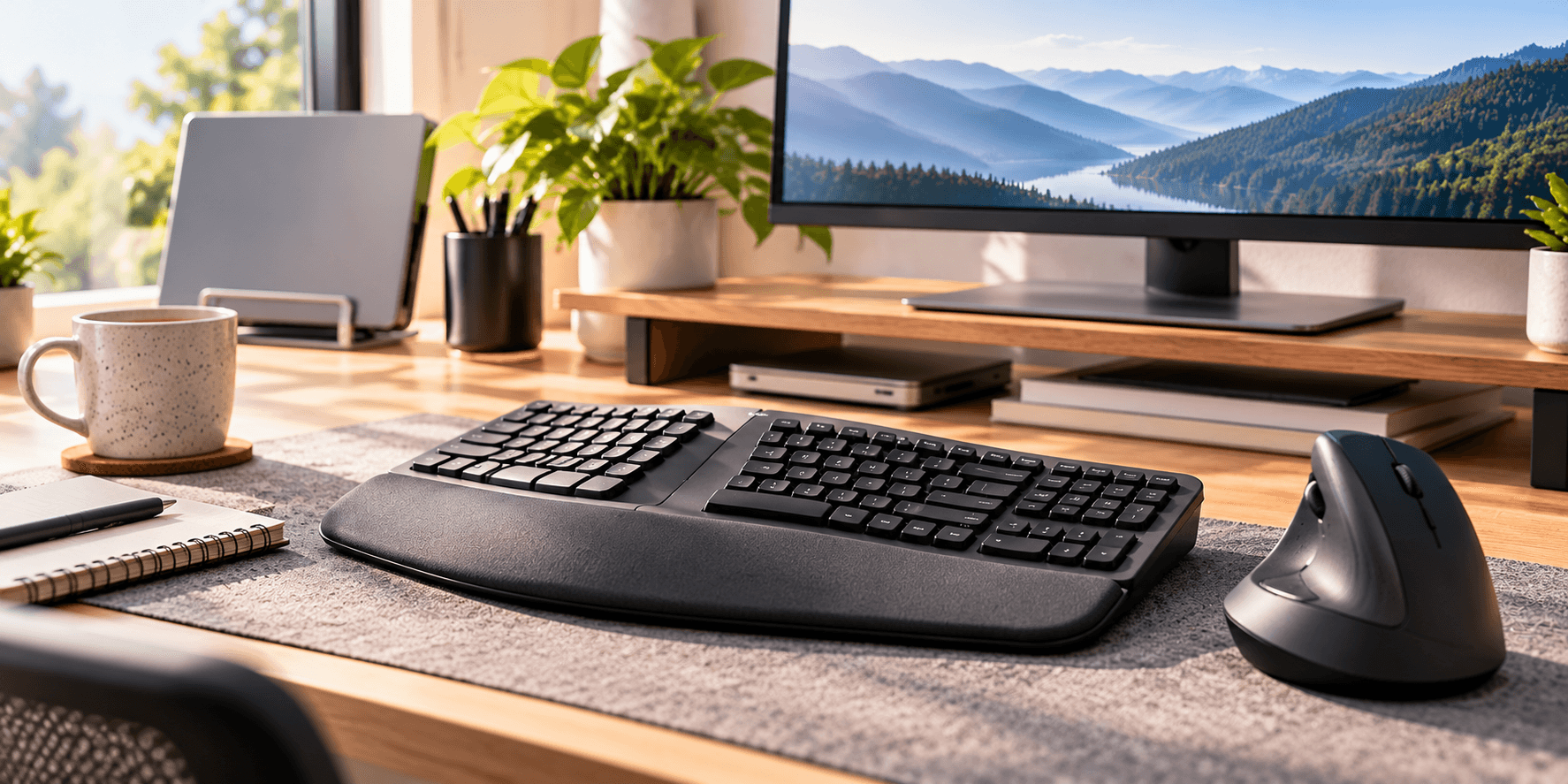
Most people choosing an ergonomic keyboard and mouse for the first time should start with the Logitech Wave Keys and Lift Combo. It pairs a compact wave-shaped keyboard that keeps its number pad with a vertical mouse, on one receiver, so you can try both ideas with one purchase. If you want a clearer split, buy the Logitech ERGO K860 and choose your own mouse.
Our picks at a glance
- View at Office Depot
Best starter combo
- View at Office Depot
Best full-size curved keyboard
- View at B&H Photo
Best vertical mouse for small to medium hands
Logitech Lift Vertical Ergonomic Mouse, Graphite (910-006466)
- View at Logitech
Best thumb trackball for medium to large hands
Logitech MX Ergo S Wireless Trackball Mouse, Graphite (910-007259)
The picks in detail
- Top pick
Best starter combo
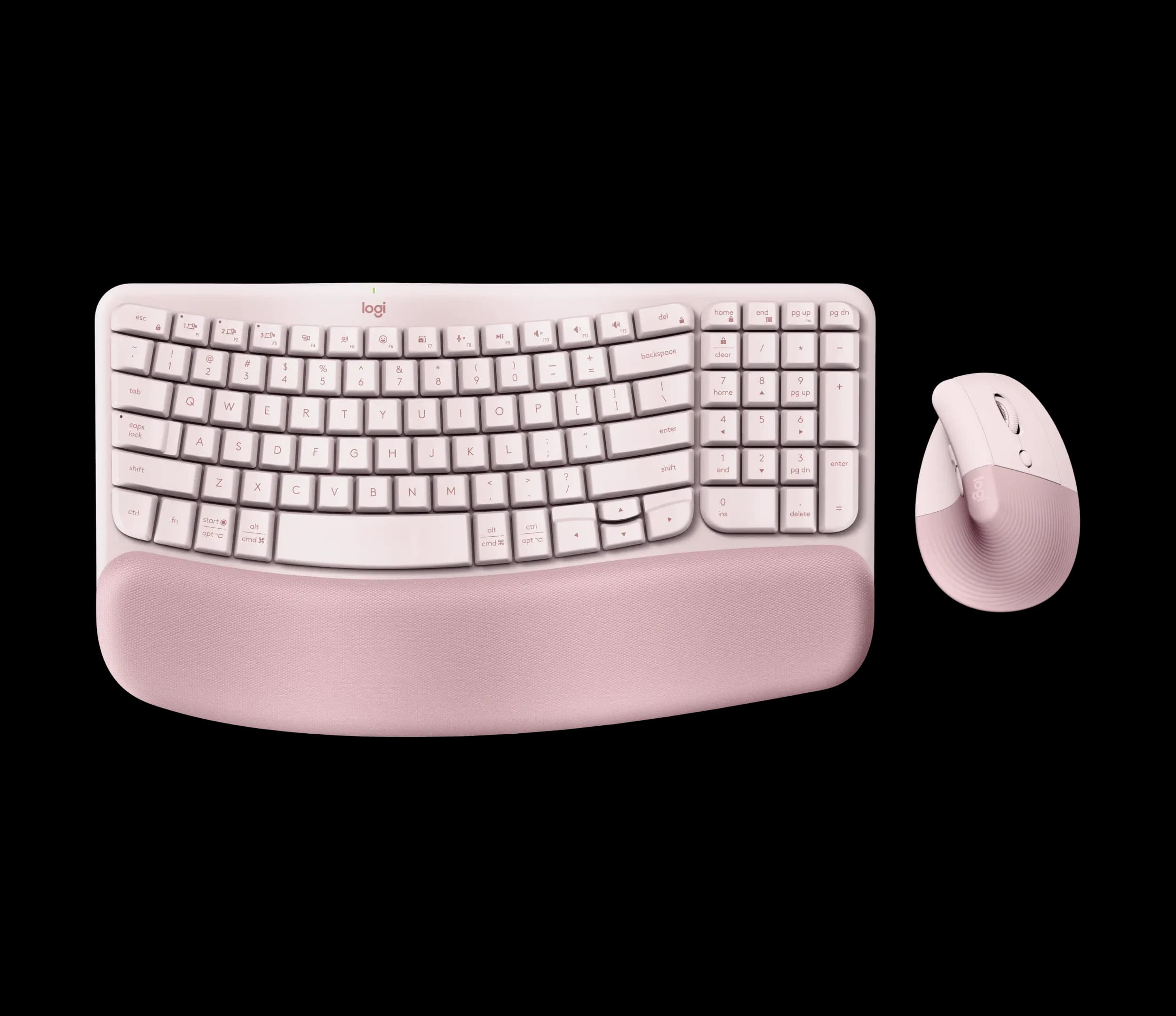
Logitech Wave Keys and Lift Combo, Rose (920-013612)
Most people trying ergonomic gear for the first time should start with this combo.
View at Office DepotYou get the Wave Keys, a compact wave-shaped keyboard that keeps its number pad, and the Lift, a vertical mouse set at a 57° angle. Both connect through one included Logi Bolt receiver or Bluetooth Low Energy, switch between three devices and work with Windows and macOS. The keyboard runs for up to 36 months on two AAA batteries and the mouse for up to 24 months on one AA. Skip it if you have large hands, because the Lift is sized for small to medium ones, or if you already know you want a fully split keyboard.
What we like
- A keyboard and a vertical mouse in one box, on one receiver
- Compact keyboard that still has a number pad
- Up to 36 months (keyboard) and 24 months (mouse) on ordinary batteries
Watch out for
- The keyboard’s palm rest is permanently attached
- Neither device is backlit
- The mouse is sized for small to medium hands
- Best full-size curved keyboard
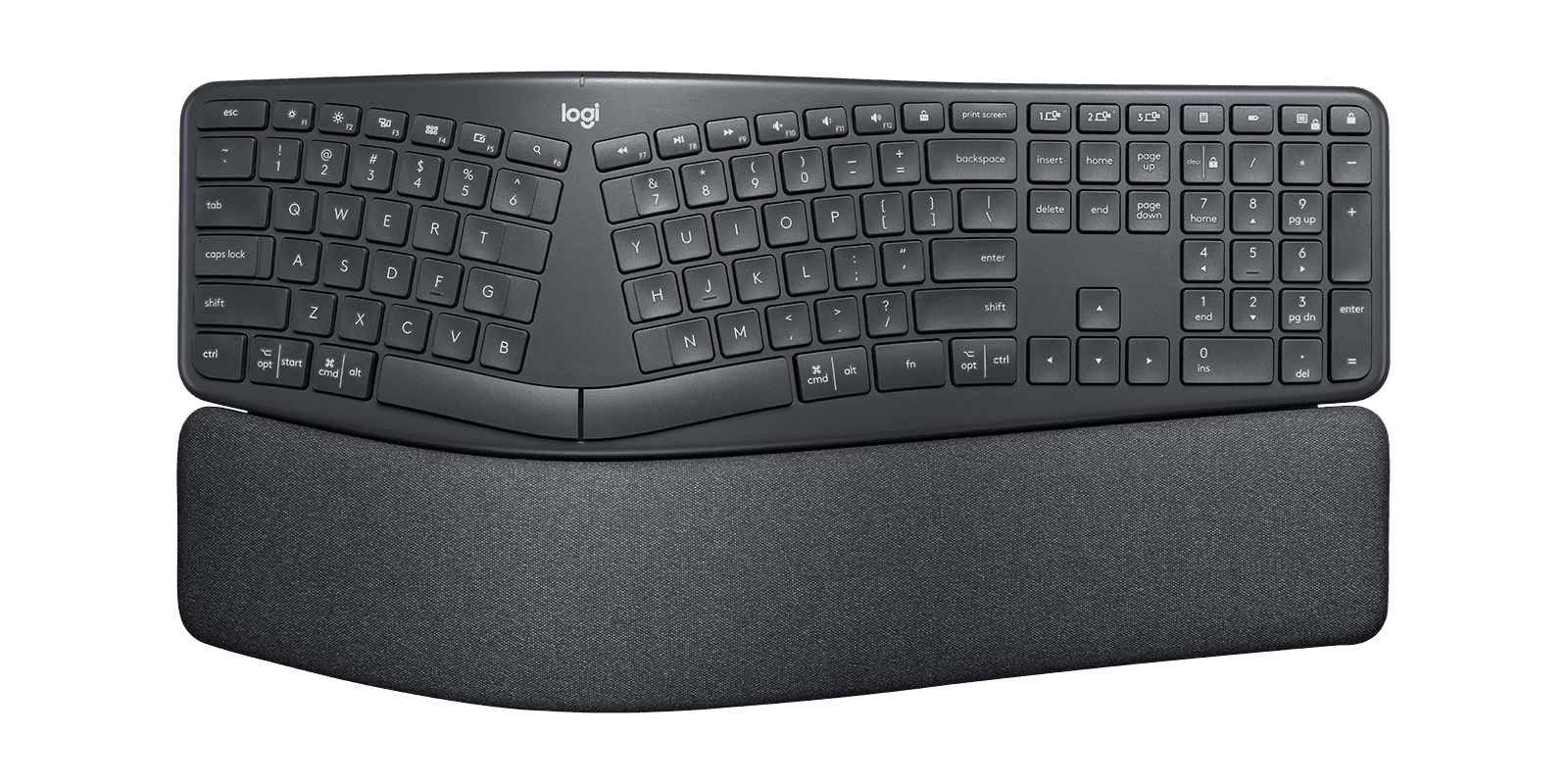
Logitech ERGO K860 Split Ergonomic Keyboard (920-009166)
The Logitech ERGO K860 is the keyboard to buy if you want a clear split without two loose halves.
View at Office DepotIt keeps a full-size layout with a number pad, curves and splits the keys in one piece, and has a pillowed wrist rest built in. Its legs set the front edge at 0°, -4° or -7°. It connects by Bluetooth Low Energy or Logitech’s Unifying receiver, pairs with three devices and runs for up to 24 months on two AAA batteries. Pair it with any mouse. Skip it if your desk is narrow, since it is about 18 inches wide, or if you want a removable rest.
What we like
- Curved split layout with a full number pad
- Three tilt settings: 0°, -4° and -7°
- Up to 24 months on 2 x AAA; pairs with 3 devices
Watch out for
- Wrist rest is fixed and can’t be removed
- Uses the older Unifying receiver, so it can’t share a Logi Bolt mouse’s receiver (Bluetooth works for both)
- No backlighting
- Best vertical mouse for small to medium hands
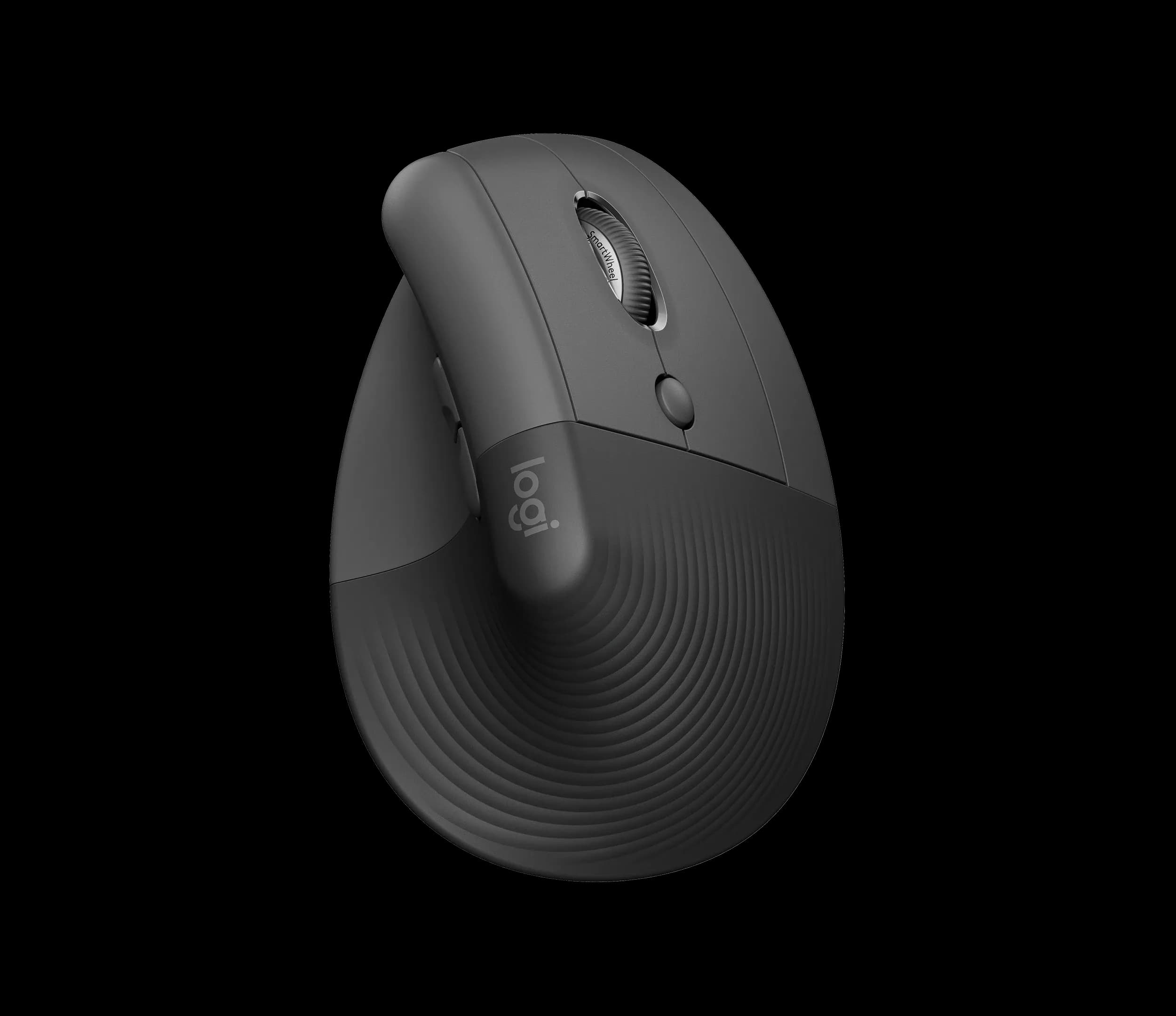
Logitech Lift Vertical Ergonomic Mouse, Graphite (910-006466)
The Logitech Lift stands the mouse on its side at 57°, so your hand grips it like a handshake, with a textured grip and a thumb rest.
View at B&H PhotoIt is made for small to medium hands, and a separate left-handed model exists. It runs on one AA battery for up to 24 months, connects by Bluetooth Low Energy or the included Logi Bolt receiver, pairs with three devices and has a sensor that goes up to 4000 DPI. Buy it if you want a vertical mouse and your hands are not large. Skip it if they are, or if you scroll sideways a lot.
What we like
- Vertical 57° angle with a thumb rest
- Left-handed model available
- Up to 24 months on one AA battery; 3 devices
Watch out for
- Sized for small to medium hands
- No side-scroll wheel (shortcuts can be mapped in Logi Options+)
- Best thumb trackball for medium to large hands
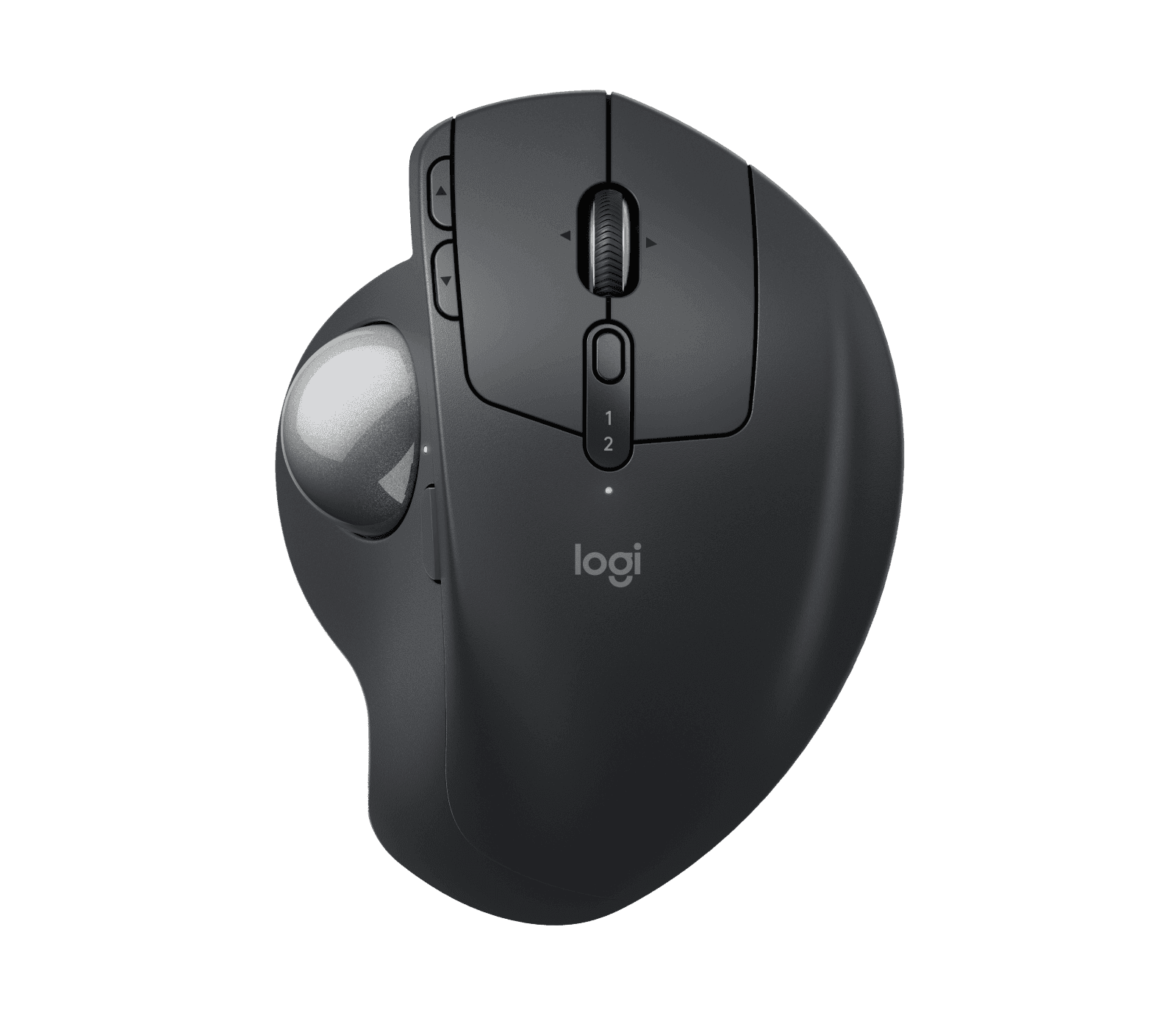
Logitech MX Ergo S Wireless Trackball Mouse, Graphite (910-007259)
The MX Ergo S is a trackball: the body stays put and you move the ball with your thumb, so it needs very little desk space.
View at LogitechA hinge tilts the whole trackball between 0° and 20°. It suits medium to large hands, charges over USB-C (up to 120 days on a full charge), connects by Bluetooth or the Logi Bolt receiver to two devices, and has a precision button that slows the cursor on the fly. Buy it if you are right-handed and short of room beside the keyboard. Skip it if you are left-handed, as it is made only for the right hand.
What we like
- Hinge tilts the trackball from 0° to 20°
- Rechargeable over USB-C; up to 120 days per charge
- Precision button and Logitech Flow across computers
Watch out for
- Right-handed only
- Logitech doesn’t include a USB-C charging cable
- Pairs with two devices, one fewer than the Lift
We have not tested these products. Every product figure comes from the maker's spec pages, linked under Sources. For five keyboards compared side by side, see our best ergonomic keyboards guide.
The short version
- Easiest first step: the Logitech Wave Keys and Lift Combo, a compact wave keyboard and a vertical mouse in one box.
- Keyboard: decide how far from a normal keyboard you want to go: a gentle wave, a curved split in one piece or two separate halves. Then check tilt, the wrist rest and whether you need a number pad.
- Mouse: decide between a standard, vertical or trackball design, then match the maker's hand-size guidance and your handedness.
- Measure the desk: a full-size curved keyboard plus a mouse takes more width than most people expect.
- Buy where returns are easy: there is no single best design, and only your own hands can tell you which shape you like.
What "ergonomic" means for a keyboard and mouse
"Ergonomic" is a marketing label, not a standard. In practice it describes a shape: keys that are angled, curved or split, a mouse that stands on its side, or a trackball that moves the pointing job to your thumb. Adjustability is the other half: tilt legs, tenting, hinges and rests you can add or remove.
No design suits everyone. The Canadian Centre for Occupational Health and Safety (CCOHS) says there is "no universally agreed on 'best' keyboard design" and suggests trying different models. That is the most useful buying advice in this guide: if you can, buy from a shop with a simple returns policy.
Plan the desk before you buy
An ergonomic keyboard usually takes more room than the one it replaces, so measure first.
- Width. The K860 is about 18 inches wide; the Wave Keys is 14.8 inches long. CCOHS gives a regular keyboard as about 18 inches and a short one as about 14 inches. Add the width of your mouse and some room to move it.
- Depth. Built-in wrist rests make a keyboard deeper. If you use a keyboard tray, check it is deep enough for the rest and wide enough for the mouse too.
- Laptops. A separate keyboard and mouse let you put the laptop on a stand or connect a monitor. Our laptop guide for working from home covers the laptop side, and our home-office monitor guide covers the screen.
- Chair and desk height. If the rest of the desk needs work, our guide to office chairs for a home office covers the adjustments to look for.
How to choose an ergonomic keyboard
Size and the number pad
A number pad makes a keyboard noticeably wider. If you enter numbers all day, a compact keyboard that keeps its number pad, like the Wave Keys, is a middle route. If you don't, a tenkeyless keyboard is shorter still and lets the mouse sit closer. Left-handed users can also look for a separate number pad that sits on the left.
Split, curved and wave designs
- Wave, one piece. The rows rise and fall in a gentle curve. The Logitech Wave Keys is the example here, and it is the smallest change from a flat keyboard.
- Curved split, one piece. The keys are split down the middle and the frame curves upward, as on the ERGO K860. It looks unusual but needs no setup.
- Fully split. Two separate halves you place yourself, like the Kinesis Freestyle2 Blue in our keyboards guide. The most adjustable option, with the most to set up.
- Tented. The middle is raised so the two halves slope down to the sides. Some keyboards build it in; others offer it as an add-on kit.
Whichever you choose, expect a few days of typos while you get used to a new layout.
Tilt and wrist rests
Most keyboards have feet at the back that raise the rear edge. Negative tilt does the opposite and raises the front. The ERGO K860's legs set it at 0°, -4° or -7°; the Wave Keys only tilts the conventional way, at +4°.
On both Logitech keyboards in this guide the palm rest is permanently attached. That suits most people, since there is nothing to line up, but if you already have a rest you like, or want one you can wash or replace, look for a keyboard without one built in.
Key feel
Key feel is personal and impossible to judge from a spec sheet, which is one more reason to buy where returns are easy. If you want mechanical switches on an ergonomic shape, our keyboards guide includes the Kinesis mWave.
Wireless and batteries
Check how a keyboard connects (Bluetooth, a USB receiver or both), how many devices it pairs with, and whether it uses replaceable batteries or a rechargeable one. One detail catches people out with Logitech: the K860 uses the older Unifying receiver and the Wave Keys and Lift use Logi Bolt. The two types don't mix, so a K860 and a Lift need two receivers, or Bluetooth.
How to choose an ergonomic mouse
Standard, vertical or trackball
- Standard. A conventional mouse shape, usually symmetrical, in many sizes.
- Vertical. The mouse stands on its side so you hold it with your palm facing inward, as in a handshake. You still move the whole mouse. The Logitech Lift sits at 57°.
- Trackball. The body stays still and you move a ball with your thumb or fingers. It needs much less desk space, because only the ball moves. The Logitech MX Ergo S is a thumb trackball.
Our vertical mouse vs trackball comparison goes into the difference in more detail.
Fit and hand size
Makers say which hand sizes a mouse suits, and it is worth taking seriously. Logitech makes the Lift for small to medium hands and the MX Ergo S for medium to large ones. Handedness matters just as much: the Lift has a separate left-handed model, while the MX Ergo S is right-handed only.
Buttons and speed
Both Logitech mice have programmable buttons in the free Logi Options+ app. The MX Ergo S adds a precision button that slows the cursor while you hold it, handy for small, careful movements. The Lift's sensor goes up to 4000 DPI, so you can set a fast cursor that crosses a large screen with little movement.
Ergonomic keyboard and mouse combos
A combo saves you from matching two devices and gives you one receiver for both. The trade-off is choice: the mouse that comes in the box may not be the right size for your hand.
The Logitech Wave Keys and Lift Combo pairs the compact Wave Keys with the Lift vertical mouse. Both connect through Bluetooth Low Energy or the included Logi Bolt receiver, switch between three devices and work with Windows and macOS. Neither is backlit, and the Lift is sized for small to medium hands.
If the combo doesn't suit you, buy each half separately. The ERGO K860 works with any mouse, so you can pair it with the Lift, the MX Ergo S or the mouse you already own.
Our four picks compared
Pick | Type | Best for | Connection | Power |
|---|---|---|---|---|
Logitech Wave Keys and Lift Combo | Wave keyboard with number pad plus vertical mouse | Trying ergonomic gear with one purchase | Bluetooth LE or Logi Bolt receiver; 3 devices each | Keyboard 2 x AAA (up to 36 months); mouse 1 x AA (up to 24 months) |
Logitech ERGO K860 | Curved, split, full-size keyboard | A clear split and a number pad | Bluetooth LE or Unifying receiver; 3 devices | 2 x AAA, up to 24 months |
Logitech Lift | Vertical mouse, 57° | Small to medium hands; left-handed model exists | Bluetooth LE or Logi Bolt receiver; 3 devices | 1 x AA, up to 24 months |
Logitech MX Ergo S | Thumb trackball, 0° to 20° hinge | Medium to large hands, right-handed | Bluetooth or Logi Bolt receiver; 2 devices | USB-C rechargeable, up to 120 days |
All four are Logitech. These are the models whose specifications and US sellers we could confirm, so compare other brands too. Our best ergonomic keyboards guide adds Kinesis and Kensington keyboards, including a fully split one and a mechanical one.
Which setup is right for you
- You want one easy first step: the Wave Keys and Lift Combo.
- You want a clear split and a number pad: the ERGO K860, with your own choice of mouse.
- You want a vertical mouse: the Lift, if your hand is small to medium (or its left-handed model).
- You are short of desk space or want the mouse to stay put: the MX Ergo S, if you are right-handed with a medium to large hand.
- You have a small desk: a shorter keyboard leaves room for the mouse.
- You are not sure yet: change the keyboard first and keep your mouse, or the reverse. Changing one thing at a time makes it easier to tell what you like.
How we chose
We have not tested these products. We picked one example of each main design (a combo, a full-size curved keyboard, a vertical mouse and a trackball) from makers that publish clear specifications, and checked that at least one US retailer or the maker's own store sells the exact model. We looked most closely at hand-size guidance, tilt and hinge adjustment, whether the rest is fixed, and connections and batteries.
Related guides
Questions people ask
Is there one best ergonomic keyboard and mouse?
No. CCOHS says there is no universally agreed best keyboard design and suggests trying different models. Buy from a shop with an easy returns policy so you can swap if a shape doesn’t suit you.
What is the difference between a vertical mouse and a trackball?
A vertical mouse stands on its side so you hold it like a handshake, and you still move the whole mouse. A trackball stays in place and you move a ball with your thumb or fingers, so it needs less desk space.
Is there an ergonomic mouse for left-handed people?
Yes. Logitech sells a separate left-handed version of the Lift vertical mouse. The MX Ergo S trackball is made only for the right hand.
Can I remove the wrist rest on the Logitech keyboards?
No. On both the ERGO K860 and the Wave Keys the palm rest is permanently attached. If you want to use your own rest, choose a keyboard without one built in.
Can I buy an ergonomic keyboard and mouse as a combo?
Yes. The Logitech Wave Keys and Lift Combo is sold as a pair, and both devices connect through one Logi Bolt receiver or Bluetooth. You can also pair a keyboard such as the ERGO K860 with any mouse.
Sources we used
- CCOHS: Office Ergonomics, Keyboard Selection and Use
- Logitech Wave Keys and Lift Combo product page
- Logitech ERGO K860 product page and specifications
- Logitech Lift Vertical Ergonomic Mouse product page
- Logitech MX Ergo S Wireless Trackball Mouse product page
- Logitech Wave Keys product page and specifications