
Our picks
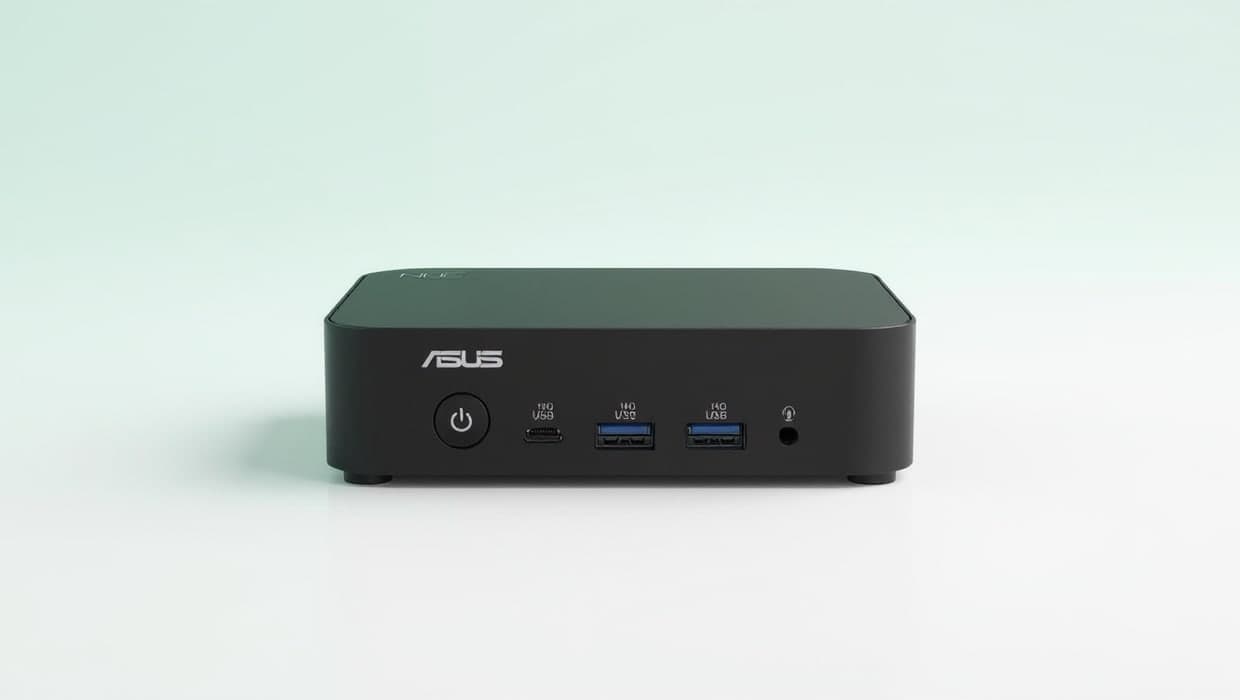
Best overall
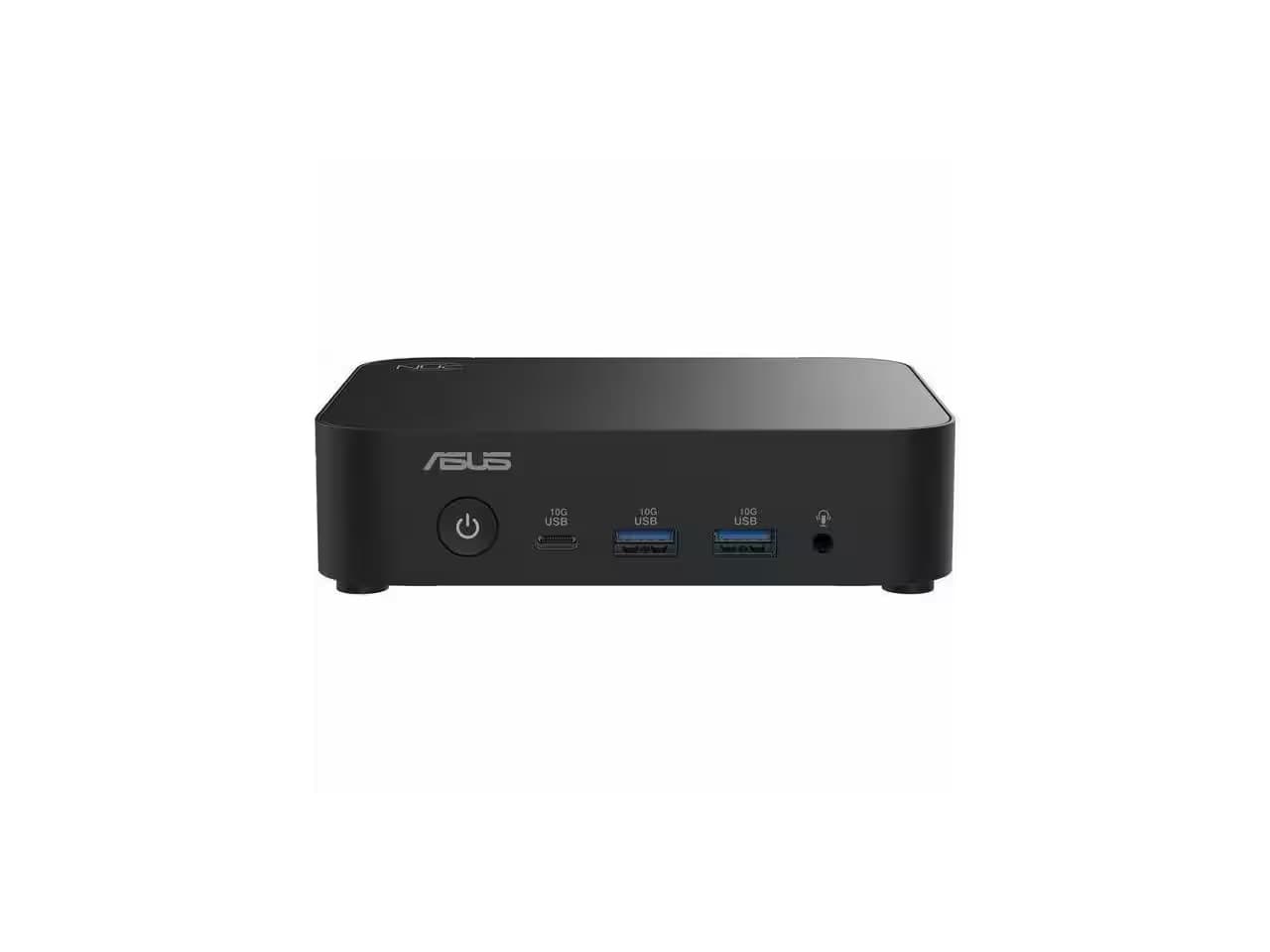
1. ASUS NUC 14 Essential Kit, Intel N150 (RNUC14MNK150000U)
The ASUS NUC 14 Essential is a small, finished computer rather than a bare board, and it covers the most jobs here. The N150 kit has 2.5G Ethernet, Wi-Fi 6E and Bluetooth 5.3, HDMI 2.1, DisplayPort 1.4 and a USB-C port with DisplayPort, and ASUS lists support for Windows 11, Red Hat Enterprise Linux and Ubuntu 24.04 LTS. It is a kit: it ships with no memory, storage or operating system, so you add one DDR5 SO-DIMM (up to 16GB) and an M.2 SSD. The 65W power adapter and a VESA bracket are in the box.
Pros
- 2.5G Ethernet plus Wi-Fi 6E and Bluetooth 5.3
- HDMI 2.1, DisplayPort 1.4 and USB-C with DisplayPort
- Two M.2 slots: one NVMe, one SATA
Cons
- No memory, storage or OS included
- Memory tops out at 16GB
Also at: Newegg
Best fanless mini PC
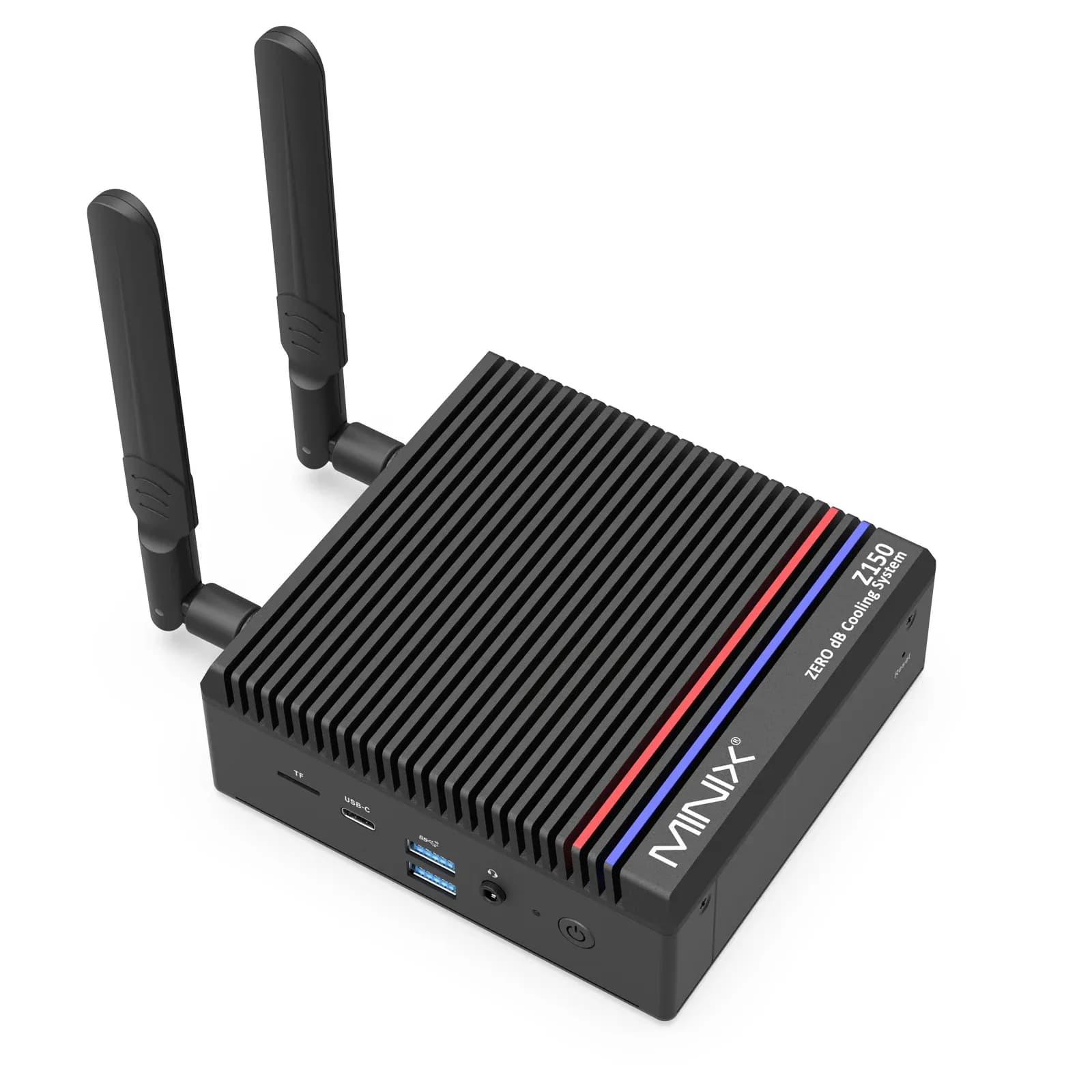
2. MINIX Z150-0dB Fanless Mini PC, 16GB/512GB (Z150-0dB)
The MINIX Z150-0dB has no fan, which suits a computer that stays on in a quiet office. The version we link comes ready to use with 16GB of DDR4, a 512GB NVMe SSD and Windows 11 Pro, and both can be upgraded (up to 32GB of memory and a 4TB SSD). It has 2.5G Ethernet, Wi-Fi 6, Bluetooth 5.2 and two HDMI 2.1 ports for two 4K screens at 60Hz. MINIX rates it at 12W typical and 25W maximum power use.
Pros
- Fanless design
- Ready to use: 16GB, 512GB SSD and Windows 11 Pro
- 12W typical power use (MINIX figure)
Cons
- Its USB-C port is data only, with no video
- Both retailer listings are marketplace sellers
Also at: Best Buy
Best board for a home server
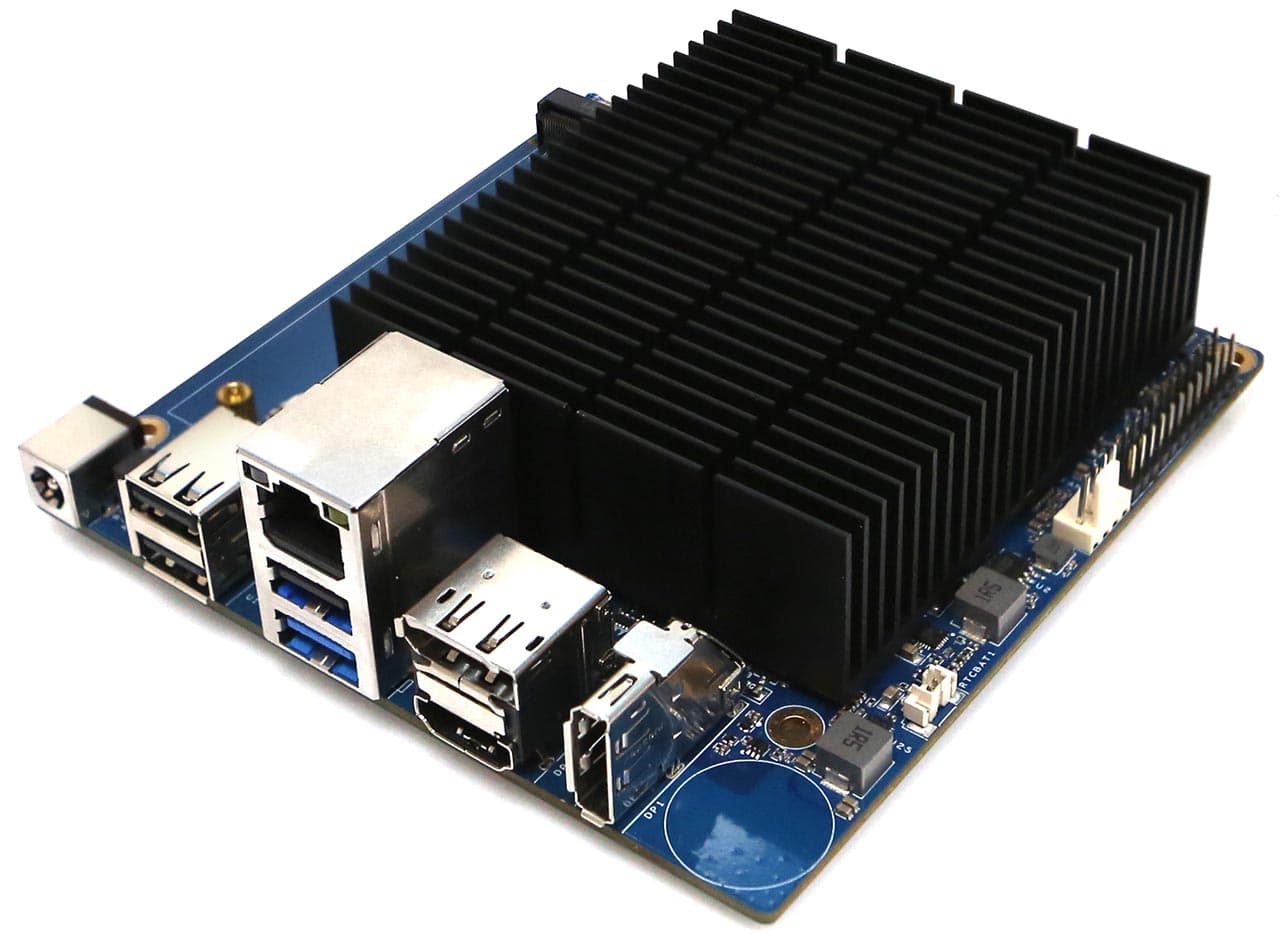
3. Hardkernel ODROID-H5 (ODROID-H5)
The ODROID-H5 is a single-board computer with an Intel Core i3-N300 (eight cores), and it is built for always-on server work. It has onboard 10GbE Ethernet, four M.2 slots for NVMe SSDs or add-in cards, and one DDR5 SO-DIMM slot that takes up to 64GB with in-band ECC support. Hardkernel measures about 3.3W at headless idle, and says its firmware TPM lets it run Windows 11. There is no Wi-Fi on the board, and it has a memory slot and M.2 slots rather than built-in memory or storage; Hardkernel recommends a 15V/4A power adapter.
Pros
- Onboard 10GbE Ethernet
- Four M.2 slots for SSDs or expansion cards
- About 3.3W at headless idle (Hardkernel figure)
Cons
- No onboard Wi-Fi
- Memory, storage and a case are separate purchases
Also at: ameriDroid
Best for a two-drive file server
4. Hardkernel ODROID-HC4 (ODROID-HC4)
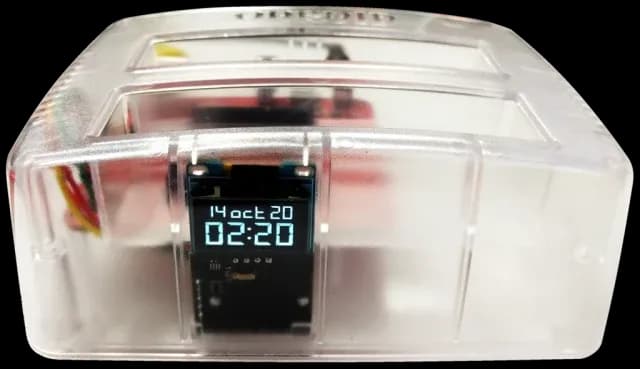
The ODROID-HC4 is a small board with a built-in dock for two SATA drives, 3.5-inch or 2.5-inch, which makes it a ready-made base for a file server or a backup target. It has a quad-core Amlogic S905X3, 4GB of DDR4, Gigabit Ethernet and a fan, and ameriDroid lists Ubuntu, Debian, Arch and OpenMediaVault (OMV) as systems it can run. Hardkernel measured about 5.88W at idle with two hard drives spun down. There is no Wi-Fi, and the 15V power adapter and microSD card are sold separately.
Pros
- Takes two 3.5-inch or 2.5-inch SATA drives
- About 5.88W idle with two drives spun down (Hardkernel figure)
- Fan and case included
Cons
- Gigabit Ethernet only, and one USB 2.0 port
- Power adapter and microSD card sold separately
Also at: ameriDroid
The best Raspberry Pi alternatives for a home office are a small Intel mini PC such as the ASUS NUC 14 Essential, or, if you want a bare board, the ODROID-H5. Both have 2.5G or faster Ethernet and M.2 slots for a proper SSD, which matter more than raw speed for a home server, an ad blocker like Pi-hole, or backups. If you want a quiet desk computer that works out of the box, pick the fanless MINIX Z150-0dB. For a simple two-drive file server, the ODROID-HC4 has the drive dock built in.
The short version
- Best overall: ASUS NUC 14 Essential (N150 kit). 2.5G Ethernet, Wi-Fi 6E, three video outputs. You add memory and an SSD.
- Best fanless mini PC: MINIX Z150-0dB. No fan, 16GB and 512GB, Windows 11 Pro installed.
- Best board for a home server: ODROID-H5. 10GbE, four M.2 slots and up to 64GB of memory.
- Best for a two-drive file server: ODROID-HC4. Two SATA drive bays on a small board.
How they compare
Model | Type | Processor | Memory | Ethernet | Wi-Fi | Power input |
|---|---|---|---|---|---|---|
ASUS NUC 14 Essential | Mini PC kit | Intel N150 | Add your own, up to 16GB DDR5 | 2.5G | Wi-Fi 6E | 19V, 65W adapter included |
MINIX Z150-0dB | Mini PC | Intel N150 | 16GB DDR4, up to 32GB | 2.5G | Wi-Fi 6 | 12V/3A DC |
ODROID-H5 | Board | Intel Core i3-N300 | Add your own, up to 64GB DDR5 | 10G | None | 11–20V DC (15V/4A recommended) |
ODROID-HC4 | Board with drive dock | Amlogic S905X3 | 4GB DDR4 | 1G | None | 15V DC (15V/4A recommended) |
For storage, the NUC 14 Essential has one NVMe and one SATA M.2 slot, the MINIX has one NVMe slot plus microSD, the ODROID-H5 has four M.2 slots and an eMMC connector, and the HC4 has two SATA drive bays and a microSD slot.
Board or mini PC: which do you need?
A single-board computer (SBC) is a whole computer on one small circuit board, like a Raspberry Pi. A mini PC is a small, ready-built desktop computer in a case, usually with an Intel or AMD processor.
Choose a mini PC if you want something that behaves like any other PC. The NUC and the MINIX use standard Intel processors, come in a case with a power adapter, and run Windows or mainstream Linux. That makes them the easier choice if you also want a light desk computer for web apps, email and documents. The MINIX even ships with Windows 11 Pro installed.
Choose a board if you want the lowest power use, a specific feature, or the tinkering itself. The ODROID-H5 is an Intel board with server features (10GbE, four M.2 slots, ECC support). The HC4 is built around two drive bays for 3.5-inch or 2.5-inch drives, and it can boot its system from the microSD card or from one of those drives.
Boards usually need extra parts. Neither board’s spec page lists a power adapter in the box, and the H5 also needs memory and storage. Plan for a case and a boot drive too.
What to look for in a Raspberry Pi alternative
Wired networking
For a home server, backups or a network-wide ad blocker, a wired connection matters more than Wi-Fi. Gigabit Ethernet tops out at about 1Gbps. Three picks here go faster: 2.5G on the NUC and the MINIX, and 10G on the ODROID-H5. You only get that speed if your router or switch supports it, but the extra headroom helps when several computers back up at once.
Storage
A microSD card is fine for trying things out, but an SSD is the better home for an always-on system. Every pick except the HC4 has an M.2 slot for an NVMe SSD. The HC4 takes two full-size SATA drives instead, which is what you want for a file server: mirror two drives (RAID 1) so a single failed disk does not lose your files. RAID is not a backup on its own, so keep a second copy of anything important somewhere else.
Memory
Network tools need very little memory. A file server, a few containers or a desk computer with a busy web browser need more. The HC4 is fixed at 4GB. The mini PCs and the H5 use a standard SO-DIMM slot you can upgrade: up to 16GB on the NUC, 32GB on the MINIX and 64GB on the H5. Our guide to how much RAM you need explains the sizes for everyday work.
Power use and noise
Not every maker publishes power figures, so compare only the ones that do. Hardkernel lists about 3.3W at headless idle for the ODROID-H5 and about 5.88W for the HC4 with two hard drives spun down. Under load, Hardkernel measured about 25W for the H5 in a combined CPU and graphics stress test, and about 15.59W for the HC4 while serving files over Samba. MINIX lists 12W typical and 25W maximum for the Z150-0dB. ASUS lists the NUC's 65W adapter rating, which is the most the adapter can supply, not what the computer normally draws. For noise, the MINIX has no fan at all, the H5 has a passive heatsink with an optional fan connector, and the HC4 has a small fan.
Operating system support
Check what the maker supports before you buy a board. ASUS lists Windows 11, Red Hat Enterprise Linux and Ubuntu 24.04 LTS for the NUC. Hardkernel says the H5 will run Windows 11 and tested it on Ubuntu. For the HC4, ameriDroid lists Ubuntu, Debian, Arch and OpenMediaVault (OMV). Whatever software you plan to run, check its own install notes for the systems it supports.
Which one for which job?
Pi-hole and other network tools
An ad blocker such as Pi-hole, a VPN server or a small DNS server needs little memory or storage, but should stay on and be wired to your router. The ODROID-H5, with 10GbE Ethernet, is the natural board. If you would rather have a finished box, the NUC 14 Essential covers the same jobs and more.
A file server and backups
For shared folders and a backup target for your laptops, the ODROID-HC4 is the simplest route: two drives, Gigabit Ethernet, and OpenMediaVault among the listed systems. If you want faster transfers or room for more drives, the ODROID-H5's 10GbE and four M.2 slots give you more headroom.
A light desk computer
For email, documents and web apps on a spare screen, the MINIX Z150-0dB is the easiest pick because it arrives ready to use, drives two 4K monitors over HDMI and makes no fan noise. The NUC 14 Essential supports three displays, through HDMI 2.1, DisplayPort 1.4 and a USB-C port with DisplayPort, but needs memory, an SSD and an operating system first. The MINIX's USB-C port is data only, so both of its screens connect over HDMI. Pair either with a good screen from our home-office monitor guide.
How we chose
These recommendations are research-based: we have not tested these products ourselves. Every figure quoted here comes from the manufacturer’s or a retailer’s own published spec sheet (linked under Sources), not from a shopping listing title. We started from real single-board computers and mini PCs sold to US buyers, and kept only models we could confirm are in stock at a named store. We then looked at:
- Wired networking. Every pick but the HC4 has 2.5G or faster Ethernet, and the HC4 earns its place with its two drive bays.
- Proper storage. An M.2 SSD slot or SATA drive bays, not just a microSD card.
- Published specs. We only quote power figures, ports and memory limits the maker publishes.
- Where you can buy it. We link to every store we could confirm sells the exact model and say when a listing is a marketplace seller; we don't compare prices.
We left out the Radxa ROCK 5B because no US store we checked had it in stock.
FAQs
What is the best alternative to a Raspberry Pi for a home server?
For most people, a small Intel mini PC such as the ASUS NUC 14 Essential, because it comes in a case with a power adapter and runs Windows or mainstream Linux. If you want a board, the ODROID-H5 adds 10GbE Ethernet, four M.2 slots and up to 64GB of memory.
Can a mini PC run Pi-hole instead of a Raspberry Pi?
Pi-hole is software, so it does not need Raspberry Pi hardware; check Pi-hole’s own install notes for the systems it supports. A mini PC like the NUC 14 Essential, which ASUS lists for Ubuntu 24.04 LTS, can run it alongside other network tools.
Which of these picks is silent?
The MINIX Z150-0dB is fanless. The ODROID-H5 uses a passive heatsink with an optional fan connector, while the ODROID-HC4 includes a small fan.