If you are replacing your desk anyway, most people should buy a full standing desk such as the UPLIFT V3: it lifts 355 lb, the whole surface moves, and your keyboard sits on the same level as everything else. A converter makes sense when you want to keep the desk you have. The Vari Pro Plus 36 suits a laptop or one monitor, and the electric UPLIFT E7 handles up to three screens. For the rest of the room, start with our complete home office setup guide.
Our picks at a glance
- View at Vari
Best manual converter to try first
- View at UPLIFT Desk
Best electric converter for several monitors
- View at UPLIFT Desk
Best full standing desk
The picks in detail
- Top pick
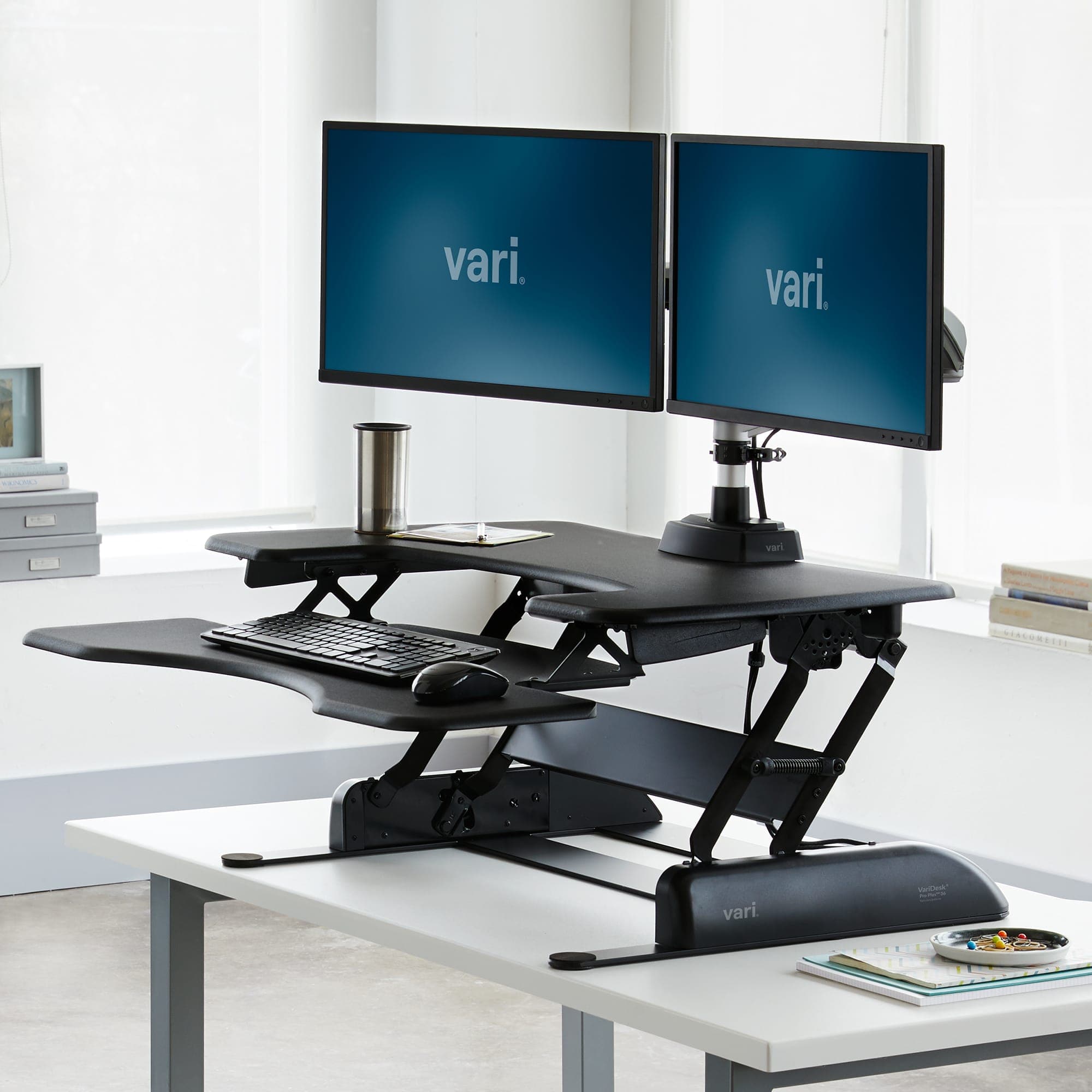
Best manual converter to try first
Vari Pro Plus 36 Standing Desk Converter (DC-PP36)
The Vari Pro Plus 36 is the converter to try first if you work on a laptop or one monitor.
View at VariIt arrives fully assembled, lifts on springs with two handles through 11 settings from 4.5 to 17.5 inches above your desk, and has a lower deck for the keyboard. Its limit is 35 lb, which rules out two big monitors on an arm. Buy it if you want to keep your desk and your load is light. Skip it if your desk is shallower than 25.75 inches, if you need more than one screen, or if you can’t lift a 52 lb box onto the desk.
What we like
- Arrives fully assembled; no tools
- 11 height settings and a lower keyboard deck
- Lifetime warranty against defects (non-transferable)
Watch out for
- 35 lb capacity: a laptop or one monitor, not a multi-screen setup
- Weighs 52.15 lb and needs a desk about 25.75 in. deep
- Vari doesn’t publish the keyboard deck’s height below the top
- Best electric converter for several monitors
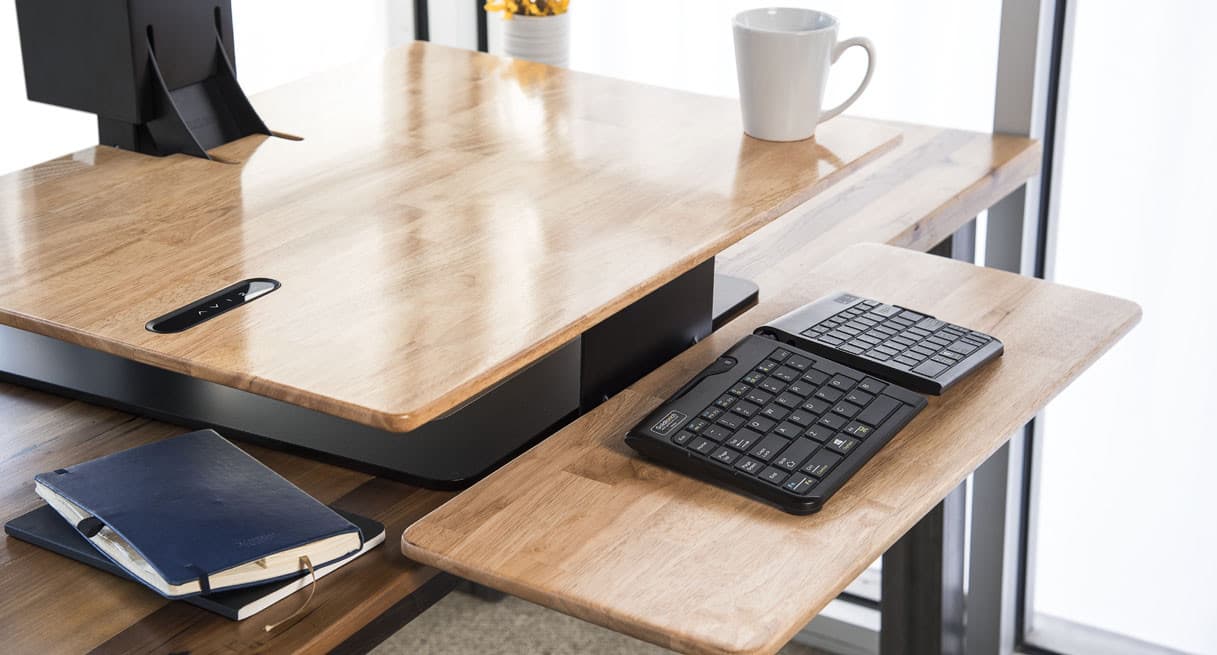
UPLIFT E7 Electric Standing Desk Converter (UDA115)
The UPLIFT E7 is the converter for a bigger setup.
View at UPLIFT DeskAn electric motor, rated at 50 dB, moves it through 21 inches of travel, it lifts up to 110 lb, and it takes up to three monitors with the right mount (one mount is included). Its tiered keyboard tray drops below the desktop, and a memory keypad stores your sitting and standing heights. UPLIFT gives it 15 years of warranty. Buy it if you want to keep your desk but run two or three screens. Skip it if your desk is small: UPLIFT’s page doesn’t list the converter’s footprint or weight, so you have to ask before you order.
What we like
- Electric lift; up to 110 lb capacity
- Up to three monitors with the dual or triple mount
- Memory keypad; keyboard tray sits below the desktop
Watch out for
- Footprint, weight and required desk depth aren’t on UPLIFT’s product page
- Dual and triple monitor mounts are extra configuration choices
- Best full standing desk
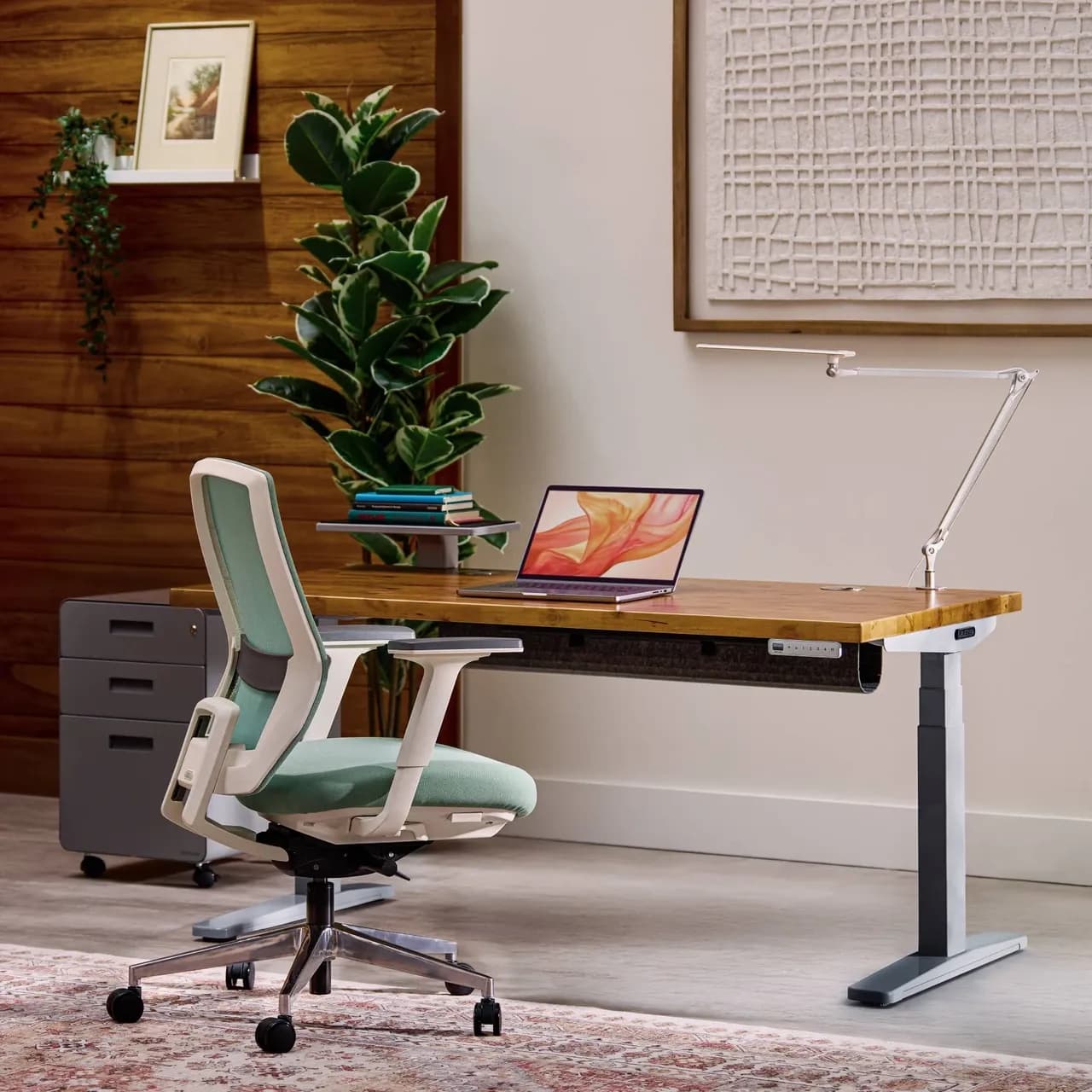
UPLIFT V3 Standing Desk (UPL960)
The UPLIFT V3 is our overall pick in the best standing desks guide, and the desk to compare a converter against.
View at UPLIFT DeskThe whole desktop moves from 22.6 to 48.7 inches, the dual motors lift 355 lb, tops run from 42 to 80 inches wide, and the 15-year warranty covers the desktop, frame, motors and electronics. Buy it if you are replacing a desk anyway or have a heavy setup. Skip it if you want to keep the desk you have, or if a full assembly and a desk-sized delivery are more than you want to take on.
What we like
- Whole desktop moves: 22.6 to 48.7 in.
- 355 lb lifting capacity; dual-motor; no lower crossbar
- 15-year warranty on desktop, frame, motors and electronics
Watch out for
- Replaces your desk, so it is a bigger delivery and assembly job
- Saved heights need the optional advanced keypad; the preset count isn’t given
The short version
- Capacity: the Vari converter is rated for 35 lb and the UPLIFT E7 for up to 110 lb. The UPLIFT V3 desk lifts 355 lb.
- Keyboard height: on a two-tier converter you type on the lower deck, which sits below the top figure. Check the deck, not just the rise.
- Space: a converter needs a deep enough desk and clear space above it. A full desk needs floor space, but brings its own top.
- Setup: the Vari converter arrives assembled but weighs 52 lb. A full desk is a bigger delivery and assembly job.
- Our picks: the Vari Pro Plus 36 for a light setup, the UPLIFT E7 for several monitors, and the UPLIFT V3 if you are replacing the desk. More desks are in our best standing desks guide.
Standing desk converter vs standing desk at a glance
| Standing desk converter | Full standing desk |
|---|---|---|
What it is | A platform that sits on your desk and lifts your keyboard and screen | A desk whose whole surface moves up and down |
Setup | Vari Pro Plus 36 arrives fully assembled (52.15 lb); UPLIFT doesn't describe E7 assembly on its product page | UPLIFT V3 parts click together or use one included tool |
Capacity | Vari 35 lb; UPLIFT E7 up to 110 lb | UPLIFT V3 355 lb lifting |
How high it goes | Vari: 4.5 to 17.5 in. above the desk; UPLIFT E7: 21 in. of travel | UPLIFT V3: 22.6 to 48.7 in. from the floor |
Your existing desk | You keep it, and it carries the converter's weight too | It is replaced |
Keyboard | On a lower deck or tray, below the top surface | On the desktop, which moves as one |
Warranty | Vari lifetime (defects, non-transferable); UPLIFT 15 years | UPLIFT 15 years, desktop included |
Capacity: the biggest difference
Converters carry far less than a full desk. The Vari Pro Plus 36 is rated for 35 lb, the UPLIFT E7 for up to 110 lb, and the UPLIFT V3 for 355 lb. Add up what goes on top: monitors, arms, laptop, dock and keyboard. A laptop and one monitor fit the Vari; two larger monitors on an arm point you to the E7 or a full desk. For arms and stands, see our monitor stands and arms guide.
The keyboard deck gotcha
This is the converter detail that's easiest to miss. On a two-tier converter you type on the lower deck, so your keyboard ends up below the top deck's height. Vari's 17.5 inch figure is the top deck; it doesn't publish how far below that the keyboard deck sits.
A worked example: on a typical 29-inch desk, the Vari's top deck reaches 46.5 inches (29 + 17.5) at full height. Your keyboard sits lower than that, by an amount Vari doesn't list. If your standing elbow height is near the top of that range, check the keyboard deck's height with Vari before you buy, or look at a full desk. The UPLIFT E7 lists 21 inches of travel but not its keyboard tray's height either.
A full desk avoids the problem: the UPLIFT V3's desktop goes to 48.7 inches, and the keyboard sits on it.
Space, weight and setup
A converter uses your desk. Vari recommends a work surface 25.75 inches deep, with room above for the converter to rise 17.5 inches before you add the monitor. Measure the desk's depth and any shelf above it. Your desk also carries the converter's own weight: the Vari weighs 52.15 lb before you put 35 lb on it, so a light or wobbly desk underneath shows through.
Delivery is different too. The Vari arrives assembled, so the job is one heavy lift onto the desk. The UPLIFT V3 arrives as parts that click together or use one included tool, but it is a full desk: plan for two people and floor space to build it.
Wobble at full height. Any converter or desk sways most at its highest setting. Vari claims its "Dual Stability Bars" reduce lateral movement across all 11 settings, and the UPLIFT V3 meets the ANSI/BIFMA X5.5 desk standard without a lower crossbar. We haven't tested either.
Your seated position still matters
You'll still sit for much of the day, so check the seated position first. With a converter, your desk's own height sets the seated working height, and the converter lowers onto it. Both converters put the keyboard below the top when lowered: Vari on its lower deck, and UPLIFT on a tray it describes as dropping below desktop height. With a full desk, the whole top lowers, to 22.6 inches on the UPLIFT V3. Our chair guide covers seat height ranges.
Which should you choose?
- You want to keep your desk and use a laptop or one monitor: the Vari Pro Plus 36.
- You want to keep your desk but run two or three monitors: the UPLIFT E7 with the right mount.
- You are replacing the desk, or have heavy equipment: a full desk such as the UPLIFT V3, or another from our best standing desks guide.
- You are tall: check the keyboard deck height on any converter, or choose a full desk with a high maximum.
How we chose
We have not tested these products. We picked one converter of each lift type, manual and electric, and one full desk from our standing desk guide, and compared capacity, rise, setup, space and warranty as each maker publishes them on its product page (linked under Sources). We link each product at its maker's own store and don't compare prices. Where a maker leaves out a figure, such as the UPLIFT E7's size, we say so rather than guess.
Related guides
Questions people ask
Is a standing desk converter as good as a standing desk?
For a light setup on a desk you want to keep, yes. A full desk carries much more (355 lb on the UPLIFT V3, against 35 lb on the Vari and 110 lb on the UPLIFT E7) and keeps your keyboard on the same level as the top.
Do standing desk converters work on any desk?
No. Vari recommends a work surface about 25.75 inches deep for the Pro Plus 36, with clearance for it to rise 17.5 inches plus your monitor. The desk also has to carry the converter’s own weight, 52.15 lb for the Vari.
How much weight can a standing desk converter hold?
The Vari Pro Plus 36 is rated for 35 lb and the UPLIFT E7 for up to 110 lb. Add up your monitors, arms, laptop and keyboard and compare the total with the rating.
How high does a standing desk converter go?
Add its rise to your desk height. On a 29-inch desk, the Vari’s top deck reaches 46.5 inches, but you type on the lower deck, which sits below that. Vari doesn’t publish the keyboard deck height, so check it if you are tall.
Which is better for two monitors, a converter or a full desk?
Either works if the load is within the rating. The UPLIFT E7 takes up to three monitors with a dual or triple mount. A full desk such as the UPLIFT V3 leaves far more capacity in reserve.