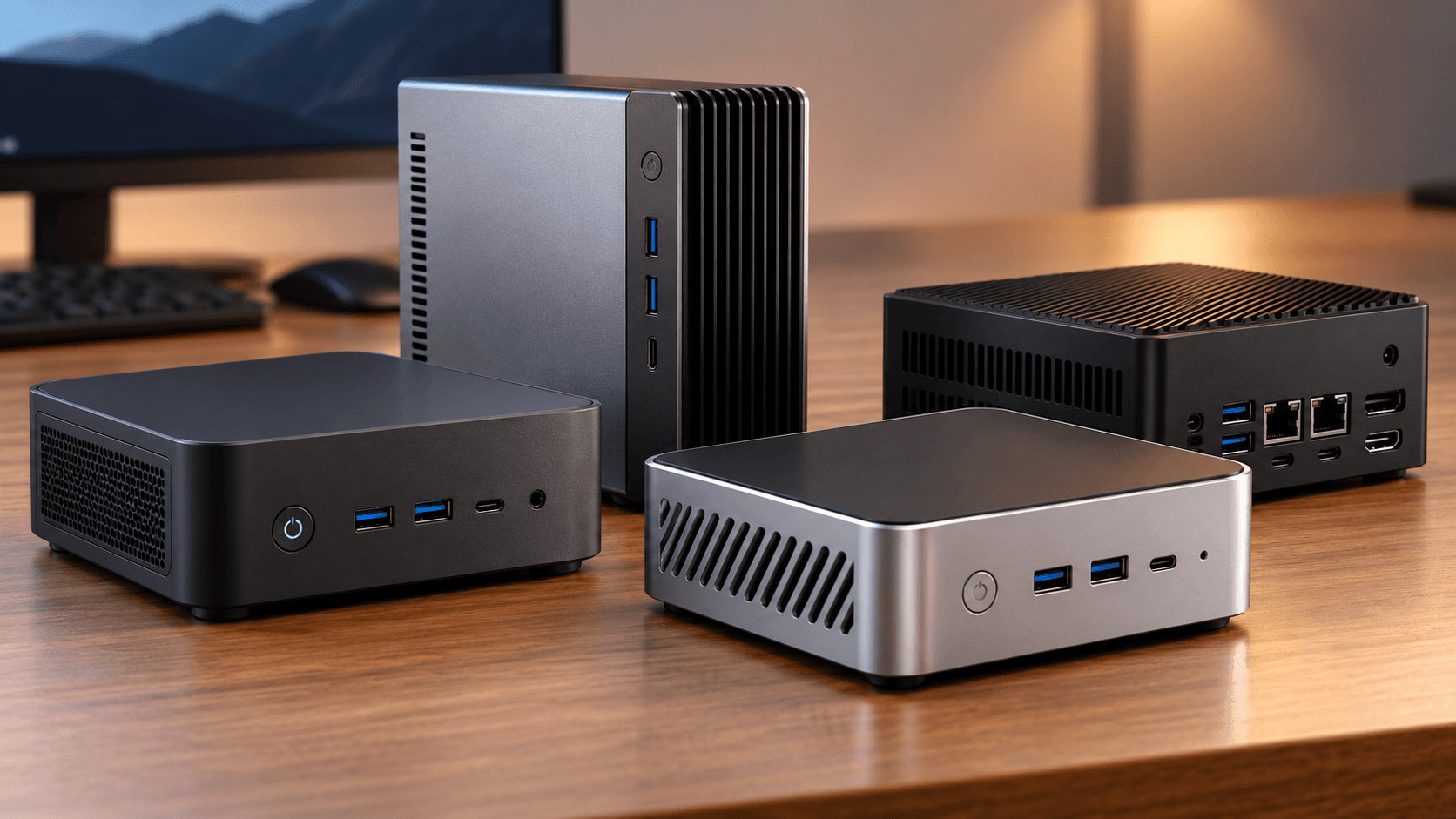
Most home offices should start with the ASUS NUC 14 Essential (N150 kit): it has 2.5G Ethernet, two M.2 slots and room for memory, which is what a home server needs, and it runs file sharing, backups and a handful of small services without breaking a sweat. If the server will sit within earshot, buy the fanless MINIX Z150-0dB instead. The ODROID-H5 board is for people who want to build the machine themselves. A home server is simply a small computer that stays on all day to share files, hold backups and run background tools for everyone on your network.
Our picks at a glance
- View at Best Buy
Best mini PC for most home servers
- View at Newegg
Best quiet mini PC
- View at Hardkernel
Best bare board for a tinkerer
The picks in detail
- Top pick
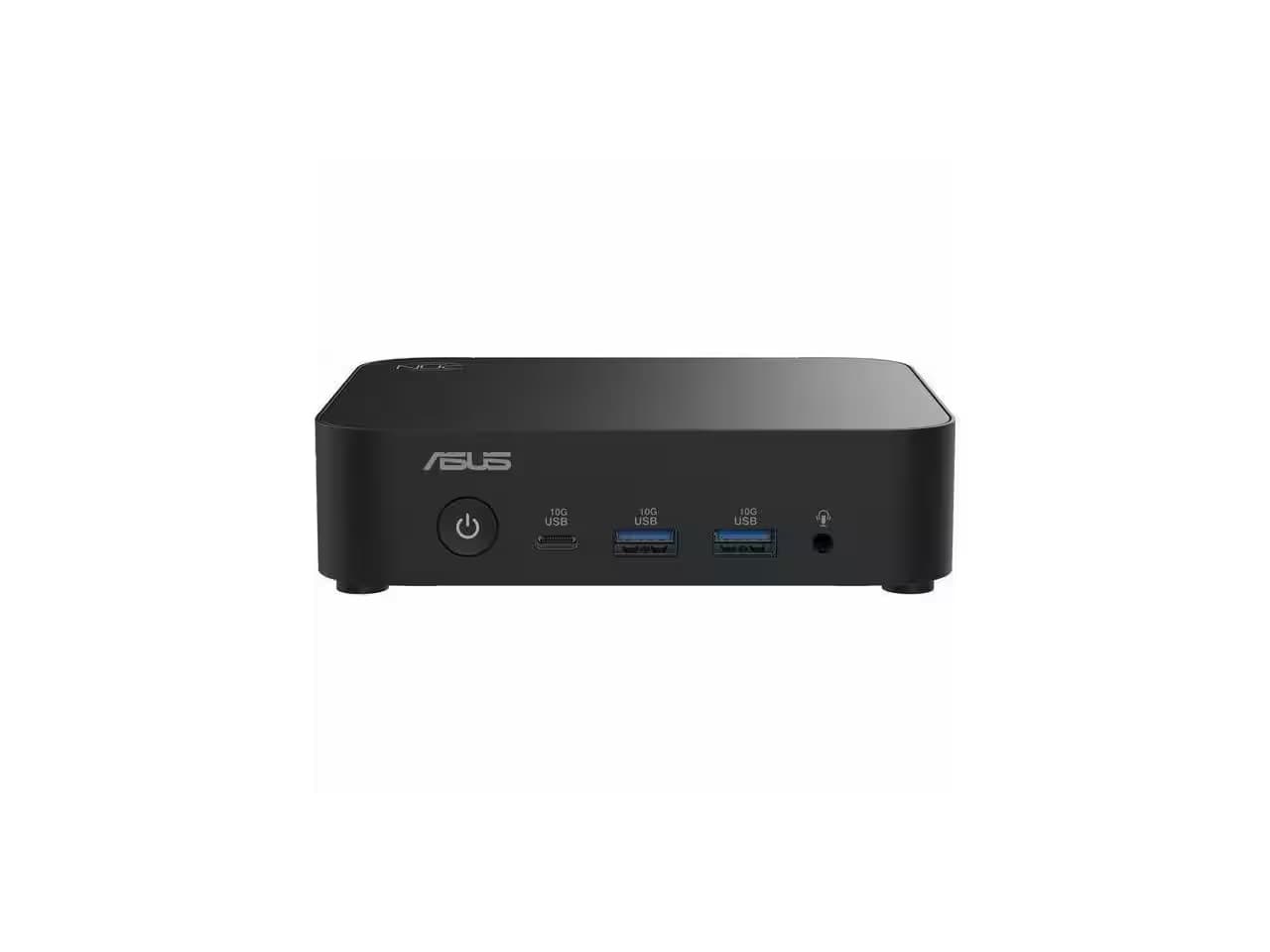
Best mini PC for most home servers
ASUS NUC 14 Essential Kit, Intel N150 (RNUC14MNK150000U)
The ASUS NUC 14 Essential is a small, finished computer with an Intel N150 processor, and it covers the most jobs on this page.
View at Best BuyThe N150 kit has 2.5G Ethernet, Wi-Fi 6E and Bluetooth 5.3, plus two M.2 slots (one NVMe, one SATA), and ASUS lists Windows 11, Red Hat Enterprise Linux and Ubuntu 24.04 LTS as supported. It is a kit: it ships with no memory, storage or operating system, so you add one DDR5 SO-DIMM (up to 16GB) and an SSD. The 65W power adapter and a VESA bracket are in the box. Buy it if you are happy to install memory, an SSD and Linux or Windows yourself. Skip it if you want a server that works the day it arrives, or near-silence: ASUS publishes no noise figure.
What we like
- 2.5G Ethernet plus Wi-Fi 6E and Bluetooth 5.3
- Two M.2 slots: one NVMe, one SATA
- Power adapter and VESA bracket included
Watch out for
- No memory, storage or operating system included
- Memory tops out at 16GB
- No published noise figure, and it has a fan
- Best quiet mini PC
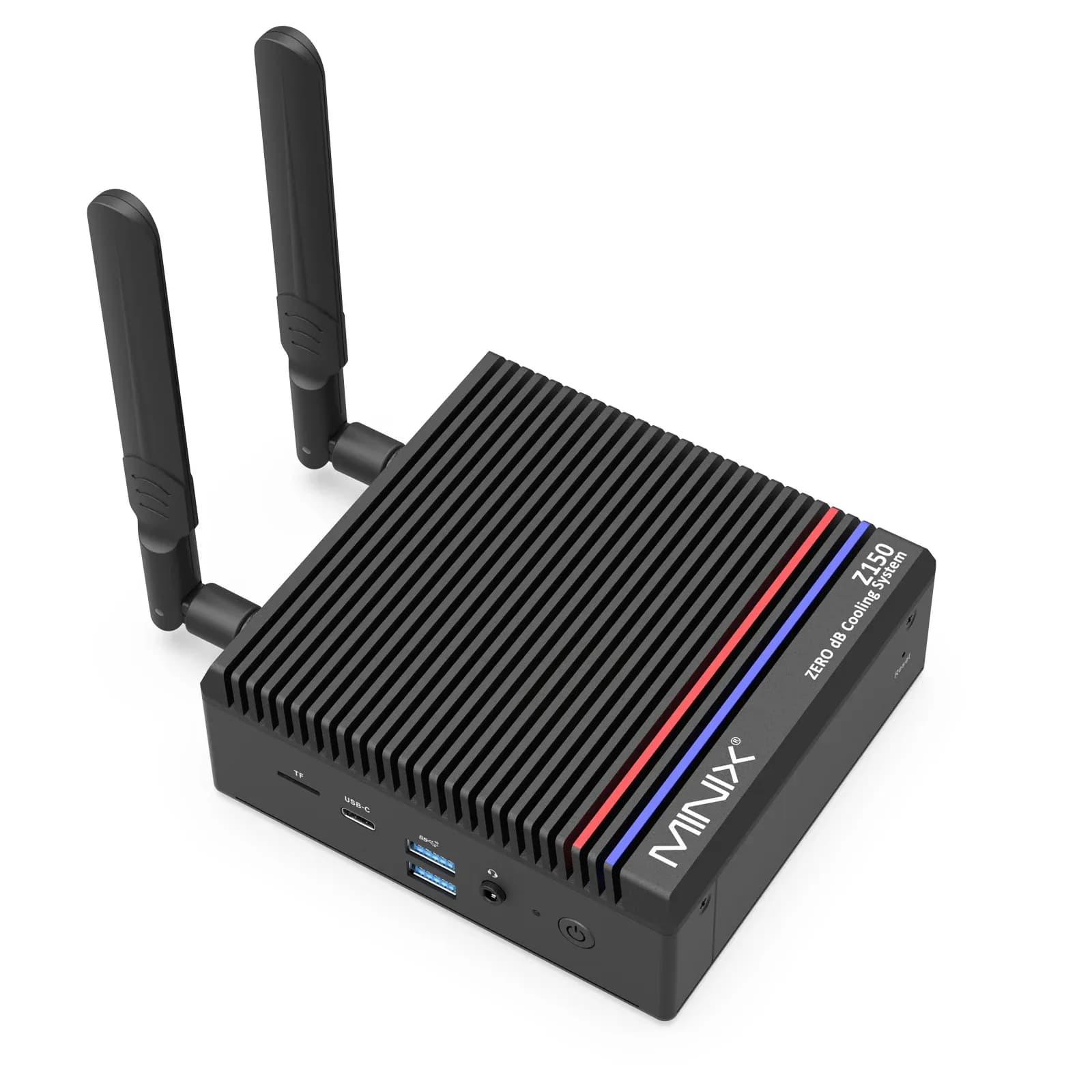
MINIX Z150-0dB Fanless Mini PC, 16GB/512GB (Z150-0dB)
The MINIX Z150-0dB has no fan at all, which suits a server that sits on or under a desk and stays on.
View at NeweggThe version we link comes ready to use with 16GB of DDR4, a 512GB NVMe SSD and Windows 11 Pro, and MINIX lists 2.5G Ethernet, Wi-Fi 6 and Bluetooth 5.2. It has one M.2 slot for an NVMe SSD and a microSD slot. MINIX rates the power use at 12W typical and 25W maximum. It uses the same Intel N150 processor as the ASUS. Buy it if the server will sit within earshot or you want it running on day one. Skip it if you want two internal drives, or Wi-Fi 6E rather than Wi-Fi 6.
What we like
- Fanless design
- Ready to use: 16GB, 512GB SSD and Windows 11 Pro
- 12W typical power use (MINIX figure)
Watch out for
- Only one M.2 slot
- Its USB-C port is data only
- Both retailer listings are marketplace sellers
- Best bare board for a tinkerer
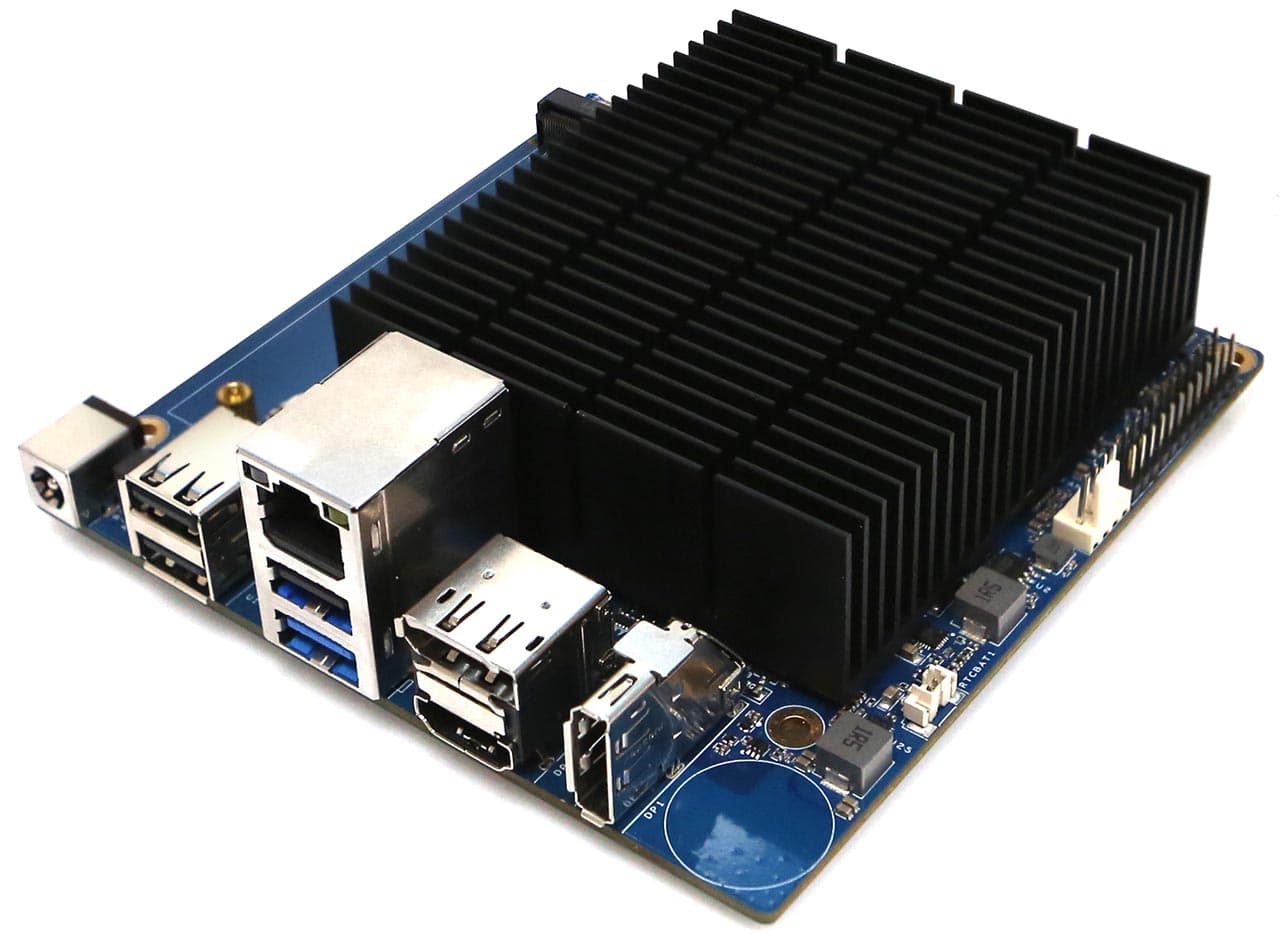
Hardkernel ODROID-H5 (ODROID-H5)
The ODROID-H5 is not a boxed mini PC but a single-board computer with an eight-core Intel Core i3-N300 and server-style features: onboard 10GbE Ethernet, four M.2 slots, and one DDR5 SO-DIMM slot with in-band ECC support.
View at HardkernelHardkernel measures about 3.3W at headless idle. It has no Wi-Fi, and you supply the memory, storage, case and a 15V/4A power adapter. Buy it if you want to build a fast, low-power server and enjoy the assembly. Skip it if you want a finished box, or a long production future: Hardkernel warns that parts for future H5 production are hard to secure.
What we like
- Onboard 10GbE Ethernet
- Four M.2 slots and an upgradeable DDR5 SO-DIMM slot
- About 3.3W at headless idle (Hardkernel figure)
Watch out for
- No onboard Wi-Fi
- Memory, storage, case and power adapter are separate purchases
- Hardkernel warns that parts for future H5 production are hard to secure
The short version
- Best for most people: ASUS NUC 14 Essential (N150 kit). 2.5G Ethernet, Wi-Fi 6E, two M.2 slots. You add memory, an SSD and an operating system.
- Best quiet mini PC: MINIX Z150-0dB. No fan, 16GB of memory and a 512GB SSD, with Windows 11 Pro installed.
- Best bare board for a tinkerer: ODROID-H5. 10GbE, four M.2 slots and an upgradeable memory slot, but no memory, storage or case included.
- Raspberry Pi 5 instead? Fine for a small, low-effort server. See Raspberry Pi 4 vs Pi 5 and our Raspberry Pi alternatives guide.
- Mainly for Plex? Read Best Mini PCs for Plex for the video features that matter.
What a mini PC home server does in a home office
A home server is a computer that runs all day, out of sight, and does jobs for the other devices on your network. In a home office that usually means four things:
- File sharing. One place for project folders that your laptop, desktop and phone can all reach.
- A backup target. Your laptops copy themselves to the server on a schedule, so a lost laptop is not a lost year of work.
- A private cloud. Your own sync-and-share service, so files do not have to live on somebody else’s servers.
- Small always-on tools. A network-wide ad blocker such as Pi-hole, a media server such as Plex, or a small app only you use.
None of this needs a big machine. It needs a computer that stays on reliably, is quiet enough to sit near you, and is easy to reach over the network. That is why a mini PC is a popular choice: it is a small, ready-built desktop computer, usually with an Intel or AMD processor, that fits on a shelf.
What is a mini PC?
A mini PC is a complete desktop computer in a box small enough to sit in your hand or mount behind a monitor. It has the same parts as a bigger desktop: a processor, memory, storage and ports. The ASUS NUC 14 Essential measures 135 x 115 x 36 mm and weighs 470 g, and the MINIX Z150-0dB measures 12.3 x 12 x 4.6 cm.
A single-board computer (SBC) is different: it is a whole computer on one bare circuit board, like a Raspberry Pi. You usually add a case, a power supply and storage yourself. Both kinds can be home servers; the difference is how much of the building you want to do.
Mini PC or Raspberry Pi 5 for a home server?
For a light server that only handles a few jobs, a Raspberry Pi 5 can do it. For a server that is also a general-purpose computer, or one that needs fast storage and networking, a mini PC is usually the easier route.
The Pi 5 has a 2.4GHz quad-core Arm Cortex-A76 processor, 1GB to 16GB of memory (you pick the amount when you buy), Gigabit Ethernet, a microSD card slot, and 5V/5A power over USB-C. For a faster drive it has a PCIe interface, which needs a separate M.2 HAT or adapter. It performs best with active cooling, so a fan or cooler is part of the plan.
Compare that with the picks on this page:
- Network speed. Both mini PCs have 2.5G Ethernet, and the ODROID-H5 has 10GbE. The Pi 5 has Gigabit Ethernet. You only get the faster speeds if your router or switch supports them.
- Storage. The NUC has two M.2 slots and the H5 has four. On the Pi 5, an SSD needs the extra adapter.
- Memory. The mini PCs and the H5 use a standard SO-DIMM slot you can upgrade later. The Pi 5 is sold in fixed memory sizes.
- Software. A mini PC with an Intel processor runs Windows 11 or mainstream Linux, so almost any server software has a version for it. The Pi uses a different kind of processor (Arm), so check that the software you want supports it.
The Pi 5 wins on simplicity as a bare board, and Raspberry Pi sells its own case, cooler and power supply for it. If you are comparing Raspberry Pi models, start with Raspberry Pi 4 vs Pi 5. If you want other single-board computers, including Pi-sized Arm boards with GPIO, see our Raspberry Pi alternatives guide.
What to look for in a mini PC home server
Processor
For file sharing, backups and a handful of small services, a low-power processor is plenty. Both mini PCs here use the Intel Processor N150: four cores and four threads, a top speed of 3.6GHz, a 6MB cache and a base power of 6W (the processor alone, not the whole computer).
What an N150 can run in practice: file sharing, a backup target, Pi-hole, a media server and a handful of Docker containers, all at once. It is not a box for several Windows virtual machines or heavy databases. If that is your plan, look for more cores and memory than any pick here.
The N150 supports Intel's virtualization features, VT-x and VT-d, so a light Linux virtual machine or two is fine. If you plan to run many services at once, more cores help; the ODROID-H5's Core i3-N300 has eight.
ECC memory catches and fixes some memory errors. The N150 doesn't support it. Hardkernel lists in-band ECC (IBECC) for the H5, even though Intel's page for the i3-N300 lists ECC as unsupported; if ECC matters to you, confirm with Hardkernel before you buy. Most home offices don't need it.
Memory
Home servers often need less memory than a desk computer. Plex, for example, needs about 4GB for a typical install. 16GB is plenty for file sharing, backups and several containers. Our guide to how much RAM you need covers everyday work.
What matters more for a server is whether you can add memory later. Each pick has one slot:
- ASUS NUC 14 Essential: one DDR5-4800 SO-DIMM, up to 16GB. None is included.
- MINIX Z150-0dB: one DDR4-3200 SO-DIMM, with 16GB included in the version we link.
- ODROID-H5: one DDR5 SO-DIMM. None is included.
Intel officially lists 16GB for both the N150 and the i3-N300. MINIX lists up to 32GB and Hardkernel up to 64GB, but 16GB is the only figure Intel guarantees, so buy 16GB unless you have a reason to experiment.
Storage
Storage is where mini PCs differ most from a NAS, so look at the slots:
- ASUS NUC 14 Essential: an M.2 2280 NVMe slot and an M.2 2242 SATA slot (each 128GB to 2TB).
- MINIX Z150-0dB: one M.2 2280 NVMe slot (up to 4TB) and a microSD slot.
- ODROID-H5: four M.2 slots for SSDs or add-in cards, plus an eMMC connector.
None of the three has a bay for a 3.5-inch hard drive. That is fine for a project folder or a backup of a few laptops. If you want several large drives, read the section on when a NAS is the better choice below. A microSD card is fine for trying things out, but an SSD is the better home for anything that runs all day.
Network ports
A server should use a cable. A wired connection is steadier than Wi-Fi, and it keeps a busy server from competing with your phones and laptops for the same airwaves. Check the port speed:
- The NUC and the MINIX have 2.5G Ethernet.
- The ODROID-H5 has a 10GbE port.
- The Raspberry Pi 5 has Gigabit Ethernet.
Faster ports only help if the router or switch at the other end supports them. Wi-Fi is a backup plan: the NUC has Wi-Fi 6E, the MINIX has Wi-Fi 6, and the H5 has none on the board.
Noise
A server sits near where you work, so noise matters. The MINIX Z150-0dB has no fan, so it makes no noise at all. The ODROID-H5 has a passive heatsink with an optional fan connector. The ASUS NUC has a fan and ASUS publishes no noise figure, so if silence matters, choose the MINIX. The Pi 5 performs best with a fan too.
Power use
A server that stays on all year is worth checking for power. Not every maker publishes figures, so compare only the ones that do:
- MINIX Z150-0dB: 12W typical and 25W maximum (MINIX figures).
- ODROID-H5: about 3.3W at headless idle and about 25W under a combined processor and graphics stress test (Hardkernel figures).
- ASUS NUC 14 Essential: ASUS lists a 65W adapter. That is the most the adapter can supply, not what the computer normally uses.
Electricity cost depends on your rate and how hard the machine works, so we don't estimate bills.
Operating system
Decide before you buy. The MINIX ships with Windows 11 Pro installed. The ASUS kit has no operating system, and ASUS supports Windows 11, Red Hat Enterprise Linux and Ubuntu 24.04 LTS. The H5 runs Windows 11 and Ubuntu. For a server, most people end up on Linux or a server-focused system such as a NAS or hypervisor distribution. Whatever software you plan to run, check its own install notes for the systems it supports.
Which pick for which job?
File sharing and backups. The ASUS NUC 14 Essential is the most flexible: 2.5G Ethernet, an NVMe slot for the system and a second M.2 slot for data. Keep a second copy of important files on an external drive. Our guide to external SSDs covers fast portable options, and how to back up your computer covers the routine.
A private cloud or a few small tools. Any of the three will start the job. The MINIX is the easiest if you want it working the day it arrives, because it comes with 16GB of memory, a 512GB SSD and Windows 11 Pro. The ASUS suits you if you would rather install Linux yourself; ASUS lists Ubuntu 24.04 LTS.
A network-wide ad blocker such as Pi-hole. This needs almost nothing: any board or mini PC that stays on and is wired to your router will do. If the machine will only do this, a small Arm board from our Raspberry Pi alternatives guide is enough.
A media server. All three picks have Intel Quick Sync Video, which Plex uses for hardware transcoding. That needs a Plex Pass, and since 2025 so does watching your own library away from home (or a Remote Watch Pass). We cover the details in Best Mini PCs for Plex.
A quiet desk. If the server sits within earshot, the fanless MINIX Z150-0dB is the pick.
How the picks compare
Model | Type | Processor | Memory | Storage slots | Ethernet | Wi-Fi | Fan | Power figure |
|---|---|---|---|---|---|---|---|---|
ASUS NUC 14 Essential | Mini PC kit | Intel N150 | Add your own, up to 16GB DDR5 | M.2 NVMe and M.2 SATA | 2.5G | Wi-Fi 6E | Not stated by ASUS | 65W adapter |
MINIX Z150-0dB | Mini PC | Intel N150 | 16GB DDR4 included | M.2 NVMe and microSD | 2.5G | Wi-Fi 6 | None | 12W typical, 25W max |
ODROID-H5 | Board | Intel Core i3-N300 | Add your own DDR5 | Four M.2 slots | 10G | None | Passive, optional fan connector | About 3.3W idle (headless) |
Our picks
We chose two boxed mini PCs and one board so you can see the trade-off. The two mini PCs use the same processor, so the choice is about what surrounds it. The ASUS gives you a second M.2 slot and Wi-Fi 6E, and you fit your own memory and SSD. The MINIX arrives ready to use and makes no noise.
The ODROID-H5 shows what a bare board adds: 10GbE, four M.2 slots and eight cores. It also asks the most of you: memory, storage, a case and a 15V/4A power adapter are all extra.
When a NAS is the better choice
A NAS (network-attached storage) is a small computer built around drive bays. A mini PC is built around a processor and a few M.2 slots. The two overlap, and each is better at something.
Choose a NAS if:
- you need several large drives, or a lot of storage that will keep growing;
- the server’s main job is storing files, not running other software;
- you want room to add more drives later.
Choose a mini PC if:
- you want to run software beyond file storage, such as a media server or small apps;
- you want a fast SSD and fast networking in a very small box;
- you would rather use a standard desktop operating system.
Two cautions. First, RAID (using two or more drives so one can fail without losing data) is not a backup; keep a second copy of anything important somewhere else, such as on an external SSD. Second, most consumer NAS devices have weak processors, and some can't transcode video for Plex at all, so check Plex's compatibility list before you buy one as a media server. Our NAS guide covers the drive-bay side. We cover that in Best Mini PCs for Plex.
If you like the idea of a small file server with two drive bays but want a board, the ODROID-HC4 is covered in our Raspberry Pi alternatives guide.
Setting one up: first steps
These steps are general, and the details depend on the software you choose. Follow your operating system’s own instructions for each.
- Connect it by cable. Plug the Ethernet port into your router or switch before you turn it on.
- Install the operating system. Ready-to-use models like the MINIX come with one. For a kit like the ASUS, install one of the systems its maker lists.
- Update everything first. Install the latest system updates before you add any software.
- Give it a fixed address. In your router’s settings, reserve one address for the server so the other devices can always find it.
- Add one service at a time. Get file sharing working first, then add the next tool. It is easier to fix one problem than five.
- Set up backups. Copy the server’s important files to a second place. A server is a single machine, and machines fail.
How we chose
This guide is research-based. We have not tested these machines. The figures come from each maker’s spec page, Intel’s processor pages, Raspberry Pi’s product page and Plex’s support pages, all linked under Sources. We re-read the spec pages and Intel’s processor pages on 29 September 2026, and checked the ODROID-H5 details again on 18 October 2026. We looked at:
- Wired networking. A port that can go beyond Gigabit, or at least a steady one.
- Proper storage. An M.2 SSD slot, not just a microSD card.
- Room to grow. A memory slot you can upgrade.
- Published figures. Power, memory and port details only where the maker or Intel publishes them.
- Where you can buy it. Shops we could confirm sell the exact model; we note marketplace sellers and don't compare prices.
This is a short list, not a survey of every mini PC brand.
Questions people ask
What is the best mini PC for a home server?
For most home offices, the ASUS NUC 14 Essential N150 kit: 2.5G Ethernet, two M.2 slots and a memory slot you can upgrade, though you add memory, storage and an operating system yourself. The MINIX Z150-0dB is the pick if you want a fanless machine that arrives ready to use.
Is a mini PC better than a Raspberry Pi 5 for a home server?
For most people, yes: the mini PCs here have 2.5G Ethernet and M.2 slots built in and run standard x86 software, while the Raspberry Pi 5 has Gigabit Ethernet and needs an adapter for an SSD. A Pi 5 is still fine for a small, single-job server such as Pi-hole.
How much memory does a home server need?
16GB covers file sharing, backups and several containers, and it is the most Intel officially supports on the N150. Plex alone needs about 4GB. Choose a mini PC with an upgradeable memory slot.
Can I use a mini PC as a NAS?
Yes, for small amounts of storage: the picks here have M.2 slots for SSDs, not bays for 3.5-inch hard drives. If you need several large drives, a NAS built around drive bays is usually the better choice.
What can an Intel N150 mini PC run as a home server?
File sharing, a backup target, Pi-hole, Plex and a handful of Docker containers at the same time. It is not a machine for several Windows virtual machines.
Should a home server use Wi-Fi or a cable?
A cable, if you can. A wired connection is steadier than Wi-Fi, and the NUC and MINIX offer 2.5G Ethernet (the ODROID-H5 has 10GbE), though you only get those speeds if your router or switch supports them.