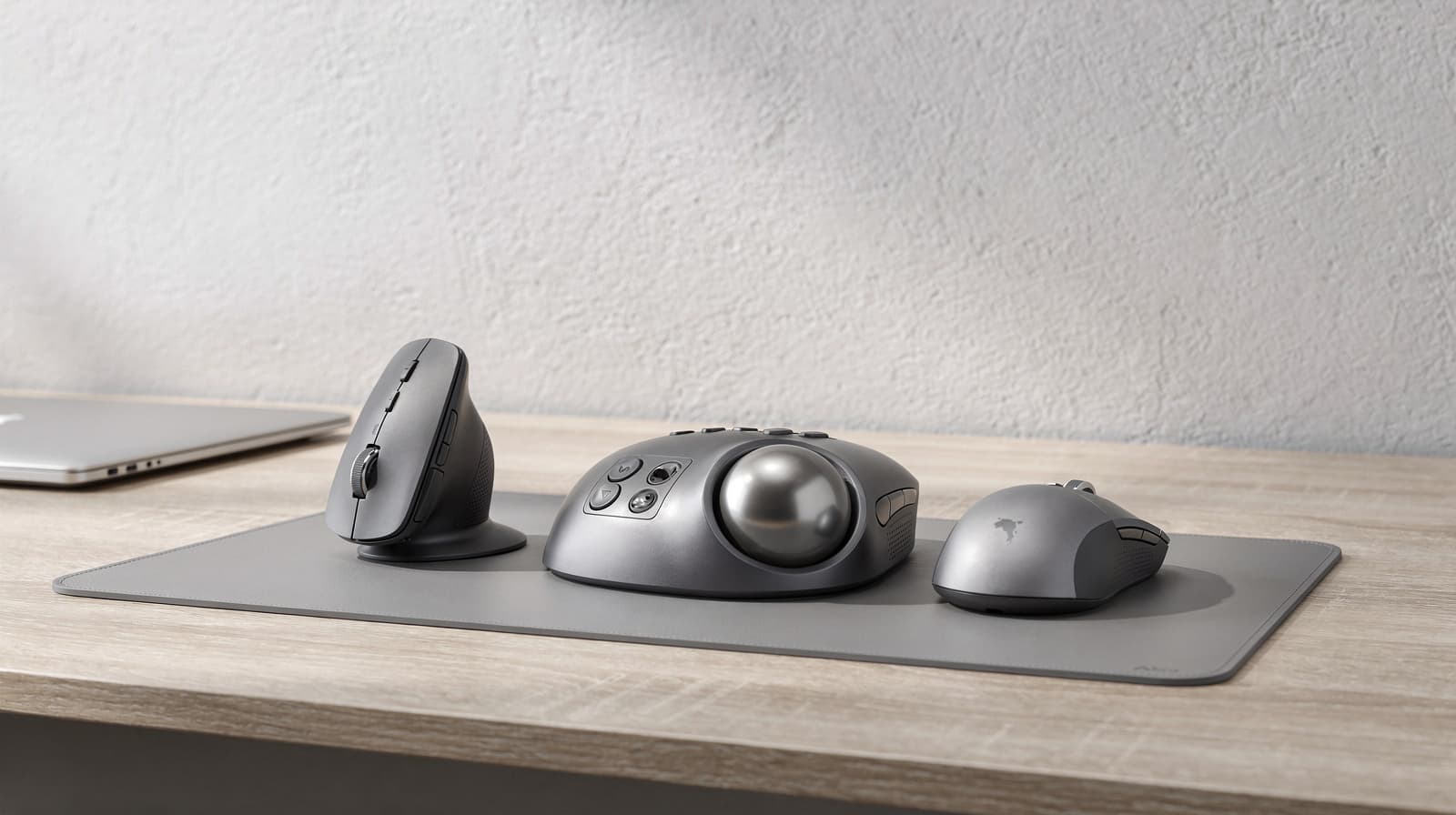
Most people who want to try something other than a flat mouse should start with the Logitech Lift, a vertical mouse: it changes your grip but not how you point, so there is almost nothing to relearn. Buy the Logitech MX Ergo S trackball instead if you are right-handed, have medium to large hands and want a pointer that never moves across the desk. This guide goes deeper than our ergonomic keyboard and mouse guide, which covers the whole desk.
Our picks at a glance
- View at B&H Photo
Best vertical mouse for small to medium hands
Logitech Lift Vertical Ergonomic Mouse, Graphite (910-006466)
- View at Logitech
Best trackball for medium to large hands
Logitech MX Ergo S Wireless Trackball Mouse, Graphite (910-007259)
The picks in detail
- Top pick
Best vertical mouse for small to medium hands
Logitech Lift Vertical Ergonomic Mouse, Graphite (910-006466)
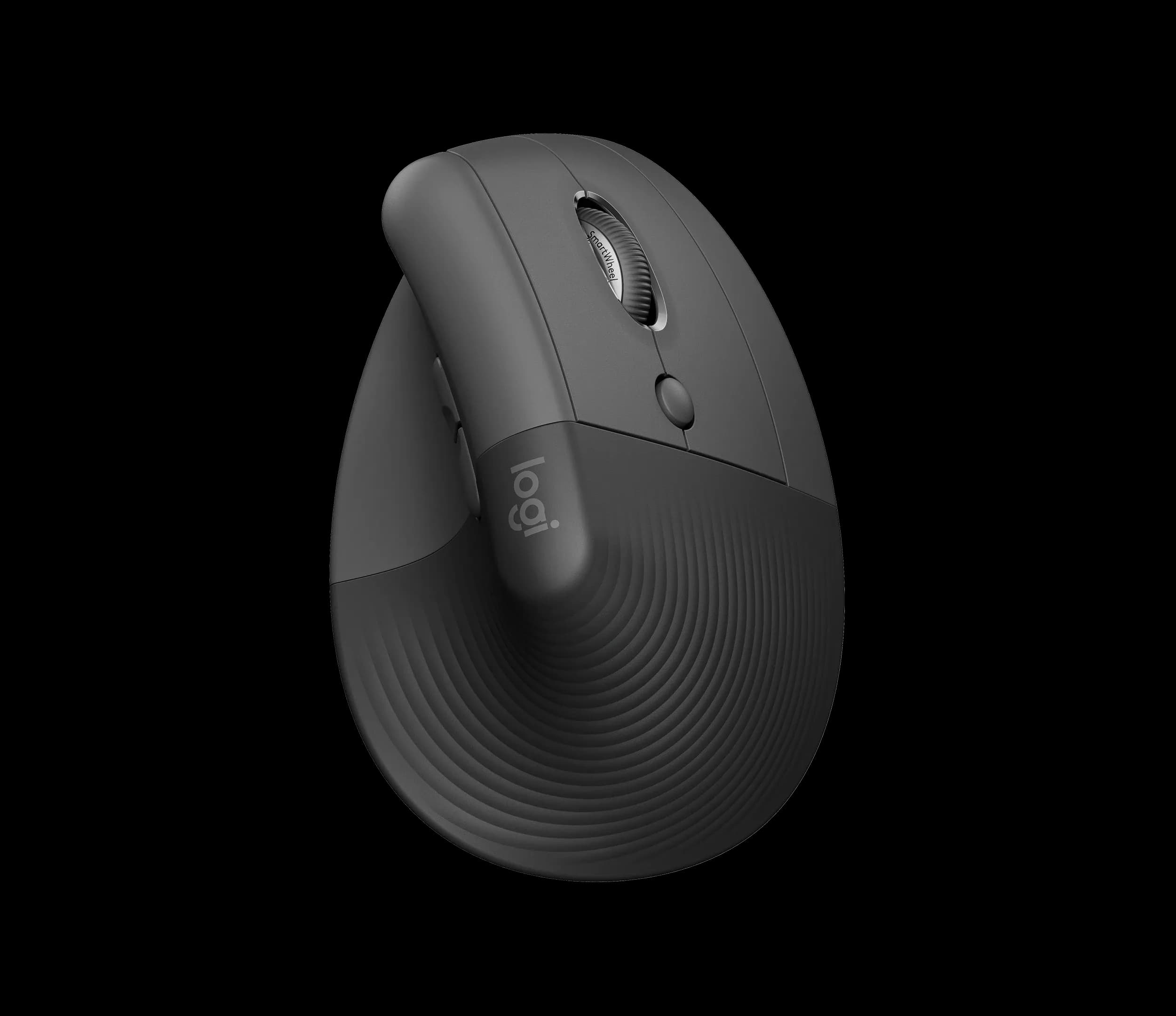
The Logitech Lift is the one to try first if you want a different mouse but not a different way of pointing.
View at B&H PhotoIt stands your hand up at 57 degrees, thumb on top, and you still slide it across the desk as before. Logitech sizes it for small to medium hands, and it is the only one of our two picks with a left-handed model. One AA battery lasts up to 24 months, and it connects by Bluetooth Low Energy or the included Logi Bolt receiver to up to three devices. Skip it if your hands are large or you want to stop moving the mouse altogether.
What we like
- Upright 57-degree grip with almost no change to how you point
- Left-handed model sold separately
- Up to 24 months on one AA battery; quiet clicks
Watch out for
- Sized for small to medium hands; large hands may overhang it
- No side-scroll wheel (shortcuts can be mapped in Logi Options+)
- Still needs as much desk space as a standard mouse
- Best trackball for medium to large hands
Logitech MX Ergo S Wireless Trackball Mouse, Graphite (910-007259)
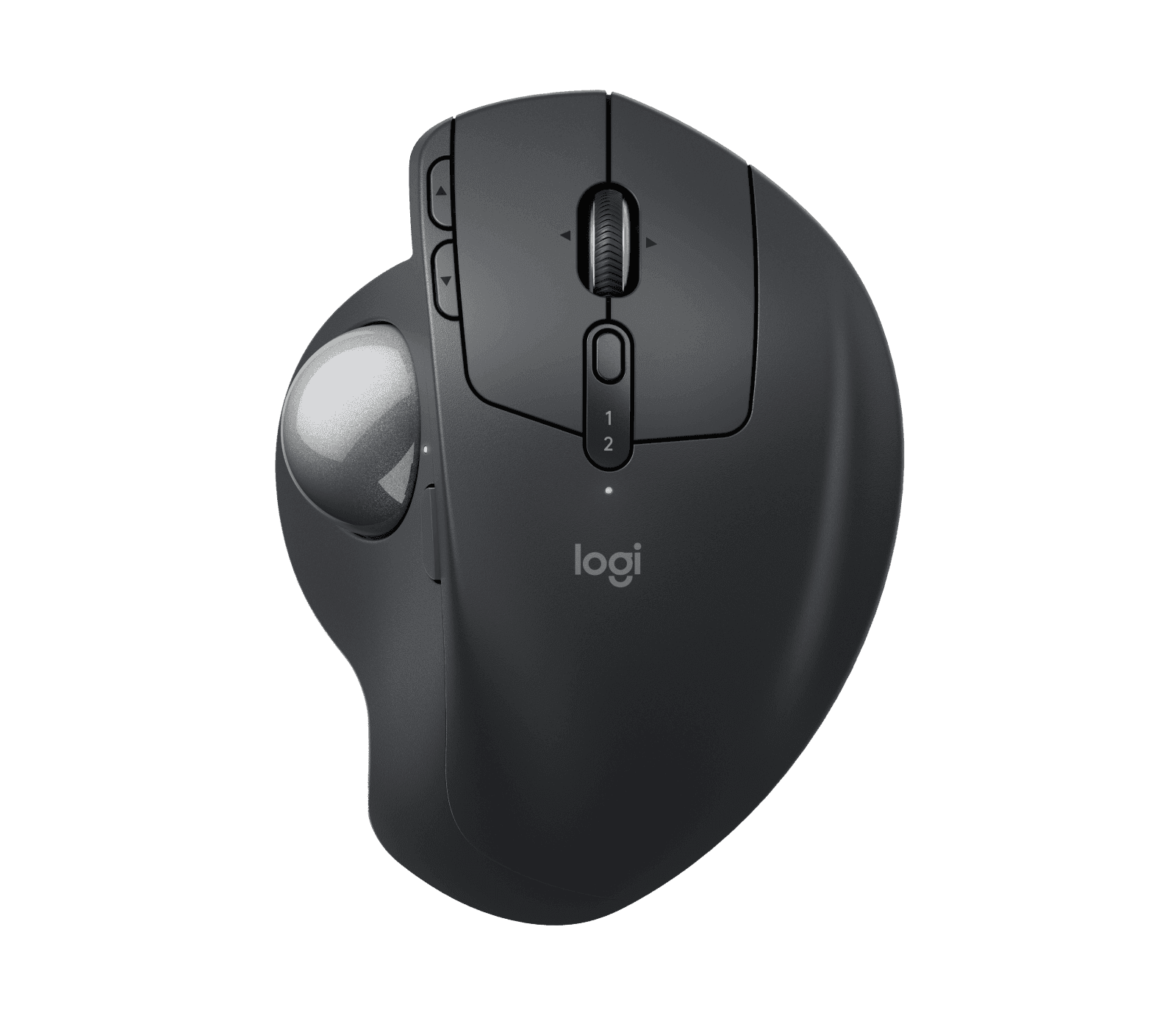
The MX Ergo S is for right-handed people with medium to large hands who would rather not move a mouse at all.
View at LogitechThe body stays put, your thumb rolls the ball, and a hinge tilts the whole thing from flat to 20 degrees. It has a precision button that slows the cursor on the fly, quiet clicks, and a USB-C battery that lasts up to 120 days per charge. Expect a few days of learning to point with your thumb, and plan to clean the ball now and then. Skip it if you are left-handed, have small hands or need it to work out of the box with no cable of your own.
What we like
- Only the ball moves, so it needs no travel space
- Hinge tilts from 0 to 20 degrees; precision-mode button
- Up to 120 days per USB-C charge; Logitech Flow across computers
Watch out for
- Right-handed only
- Sized for medium to large hands
- USB-C charging cable not included in the box
- Thumb pointing takes time to learn, and the ball needs occasional cleaning
The short version
- Standard mouse: the flat, tear-drop shape most desks already have. It comes in more sizes than anything else. If you are happy with it, there is no need to change.
- Vertical mouse: the hand sits upright, thumb on top, and you still move the whole mouse. Get the Lift if your hands are small to medium, or if you are left-handed.
- Trackball: the device stays still and your thumb or fingers roll a ball. Get the MX Ergo S if you are right-handed with medium to large hands, your desk is tight, or you simply prefer not to slide anything.
- Whatever you pick, buy from a shop with an easy return policy. A new pointing device is something to try for a week or two before you decide.
Vertical mouse vs trackball vs standard mouse at a glance
| Standard mouse | Vertical mouse | Trackball |
|---|---|---|---|
What moves | The whole mouse | The whole mouse | Only the ball |
How you hold it | Palm flat on top | Hand upright, thumb on top, like a handshake | Hand rests on the body; on the MX Ergo S the thumb works the ball |
Desk space | Needs room to travel | Needs room to travel | Only its own footprint |
Sizes and hands | Many sizes, many symmetrical | Sized by model; Lift is for small to medium hands, with a left-handed model | Sized by model; MX Ergo S is for medium to large hands, right-handed only |
Learning curve | None if you already use one | Short: new grip, same pointing | Longer: you point with your thumb instead of your arm |
Our pick | None | Logitech Lift | Logitech MX Ergo S |
What a standard mouse does well
A standard mouse is the baseline the other two are measured against. It comes in the widest range of sizes and shapes, many of them symmetrical, so it is the easiest type to find in exactly the size you want, for either hand. Set the pointer speed so you can move the cursor with a light touch, and use keyboard shortcuts for the actions you repeat. Both habits make any mouse quicker to use.
We have not picked a standard mouse here, because almost any well-made one will do. The useful question is whether you want to change the shape you hold or the way you point.
What a vertical mouse changes
A vertical mouse changes the angle of your hand, not the way you point. You still slide it across the desk and click with your fingers, so after a short spell getting used to the upright grip, everything else works as it did.
The Lift is our pick. It sets your hand at a 57-degree angle, with a soft textured grip and a thumb rest. The details:
- Fit: Logitech states that the Lift is for small to medium hands. A left-handed version is sold separately; the model linked here (910-006466) is the right-handed Graphite one.
- Buttons and sensor: six buttons, customizable in the Logi Options+ app, with quiet clicks and an optical sensor that runs from 400 to 4000 DPI. It weighs 4.41 oz (125 g). There is no side-scroll wheel, though you can map a shortcut to one of the buttons.
- Power and connection: one AA battery, included, for up to 24 months. It connects by Bluetooth Low Energy or the included Logi Bolt USB receiver and switches between up to three devices.
Most people curious about a vertical mouse should buy the Lift, unless their hands are large. Then the fit is the problem, not the design.
What a trackball changes
A trackball changes how you point. Instead of moving the device, you roll a ball with your thumb (as on the MX Ergo S) or with your fingers on center-ball models. Your arm stays put, and the device takes up only its own footprint.
The MX Ergo S is our pick:
- Fit: a sculpted body with a soft rubber grip, sized by Logitech for medium to large hands. It is right-handed only.
- Tilt: a hinge tilts the trackball between 0 and 20 degrees, so you can set how far your hand rolls onto its side.
- Buttons and speed: six customizable buttons out of eight in total, quiet clicks, a scroll wheel that tilts left and right, and a precision-mode button that lowers the cursor speed on the fly. The sensor runs from 512 to 2048 DPI. It supports Logitech Flow, which moves the cursor between computers.
- Weight: 5.78 oz (164 g) without its magnetic metal base plate and 9.14 oz (259 g) with it, so it is much heavier than the Lift.
- Power and connection: rechargeable over USB-C, up to 120 days on a full charge, and a one-minute charge gives 24 hours of use. It connects by Bluetooth Low Energy or the included Logi Bolt receiver. The USB-C cable is not in the box; any USB-C or USB-A to USB-C cable you already own will do.
Buy it if you want to stop pushing a mouse around and you fit its hand size. Skip it if you are left-handed or would rather not spend the first week relearning how to point.
Vertical mouse vs trackball: the differences that matter
Movement. With a vertical mouse you still move your arm to point; with a trackball you do not. That is the biggest practical difference, and it decides most buyers. If pointing with your thumb sounds awkward, the vertical mouse is the smaller change.
Desk space. A trackball needs only its own footprint. A vertical mouse needs the same travel room as a standard mouse. On a small desk, or where the keyboard and mouse share a narrow tray, the trackball wins. A keyboard without a number pad also frees room for either one.
Hand size and handedness. Our two picks sit at opposite ends: the Lift for small to medium hands, with a left-handed model, and the MX Ergo S for medium to large hands, right-handed only. If you are left-handed and want a trackball, you need a symmetrical, finger-operated model from another brand; we don’t cover one here.
Power. The Lift runs for up to two years on a single AA battery. The MX Ergo S needs a USB-C top-up every few months, from a cable you supply.
Our two picks compared
| Logitech Lift | Logitech MX Ergo S |
|---|---|---|
Type | Vertical mouse, 57 degrees | Thumb trackball, 0 to 20 degree hinge |
Hand size (Logitech) | Small to medium | Medium to large |
Handedness | Right-handed; left-handed model sold separately | Right-handed only |
Connection | Bluetooth Low Energy or Logi Bolt receiver; up to 3 devices | Bluetooth Low Energy or Logi Bolt receiver |
Power | 1 x AA battery, up to 24 months | USB-C rechargeable, up to 120 days per full charge |
Buttons | 6 customizable | 8 in total, 6 customizable, including a precision-mode button |
Sensor range | 400 to 4000 DPI | 512 to 2048 DPI |
Weight | 4.41 oz (125 g) | 5.78 oz (164 g) without the metal base plate; 9.14 oz (259 g) with it |
Operating systems over Bluetooth | Windows 10 or 11, macOS 10.15 or later, iPadOS 14 or later, ChromeOS, Linux, Android 8 or later | Windows 10 or 11, macOS 12 or later, iPadOS 15 or later, ChromeOS, Linux, Android 12 or later |
In the box | Mouse, AA battery, Logi Bolt receiver | Trackball, Logi Bolt receiver; no USB-C cable |
Before you buy: four gotchas
- Left-handed? Only the Lift comes in a left-handed version, and it is a separate model. Check the listing says "Left" before you order. The MX Ergo S has no left-handed version.
- Hand size. Logitech states that the Lift is for small to medium hands and the MX Ergo S for medium to large hands. If you sit between the two, the shop’s return window matters more than the spec sheet.
- The learning curve. The Lift takes a short time to get used to, because only the grip changes. The MX Ergo S takes longer, because you are learning a new way to point; the precision button helps with fine work while you adjust. Give it at least a week before you judge it.
- Trackball cleaning. Any trackball collects dust and grime around the ball over time. To clean the MX Ergo S, remove the magnetic metal base plate, push the ball out through the hole underneath, and wipe the ball and the supports it sits on.
One more for Linux and ChromeOS users: both mice work there over Bluetooth, but Logitech’s Logi Options+ app, which customizes the buttons, runs only on Windows and macOS.
Which should you buy?
- Get the Lift if your hands are small to medium, you are left-handed, or you want an upright grip without relearning how to point.
- Get the MX Ergo S if you are right-handed with medium to large hands, your desk is short on space, or you would rather keep your arm still and point with your thumb.
- Keep your standard mouse if it already suits you. Nothing here makes it obsolete.
If you are changing your keyboard as well, change one thing at a time. Our best ergonomic keyboards guide compares five models, and our Logitech MX Keys S vs MX Mechanical comparison covers two standard-layout keyboards. For the rest of the desk, see our home office setup guide.
How we chose
We have not tested these mice. We picked one vertical mouse and one thumb trackball from a maker that publishes clear specifications, including the hand size each one is designed for, and we link only to sellers we could confirm list the exact model. Product figures come from Logitech’s own pages, linked under Sources. We don’t show or compare prices.
Related guides
- Ergonomic Keyboards and Mice: How to Choose: the complete guide to the desk, keyboard and mouse.
- Best Ergonomic Keyboards for Long Workdays: five keyboards compared.
- Logitech MX Keys S vs MX Mechanical: which of two Logitech keyboards to buy.
- Best Office Chairs for a Home Office
Questions people ask
Should I get a vertical mouse or a trackball?
Get a vertical mouse such as the Logitech Lift if you want a new grip but the same way of pointing. Get a trackball such as the MX Ergo S if you want the device to stay still and are happy to learn thumb pointing.
Is the Logitech Lift good for large hands?
Logitech states that the Lift is for small to medium hands. If your hands are large, the MX Ergo S, which Logitech sizes for medium to large hands, is the better fit of our two picks.
Can left-handed people use the MX Ergo S?
No. The MX Ergo S is right-handed only. The Lift comes in a separate left-handed model, and left-handers who want a trackball need a symmetrical, finger-operated one.
How long does it take to get used to a trackball?
Expect thumb pointing to take some getting used to. Give it at least a week before deciding, and use the MX Ergo S precision button for fine work while you adjust.
How do you clean the MX Ergo S trackball?
Remove the magnetic metal base plate, push the ball out through the hole underneath, then wipe the ball and the small supports it rests on before putting it back.
Does the MX Ergo S come with a charging cable?
No. The USB-C cable is not in the box. Any USB-C to USB-C or USB-A to USB-C cable you already have will charge it.