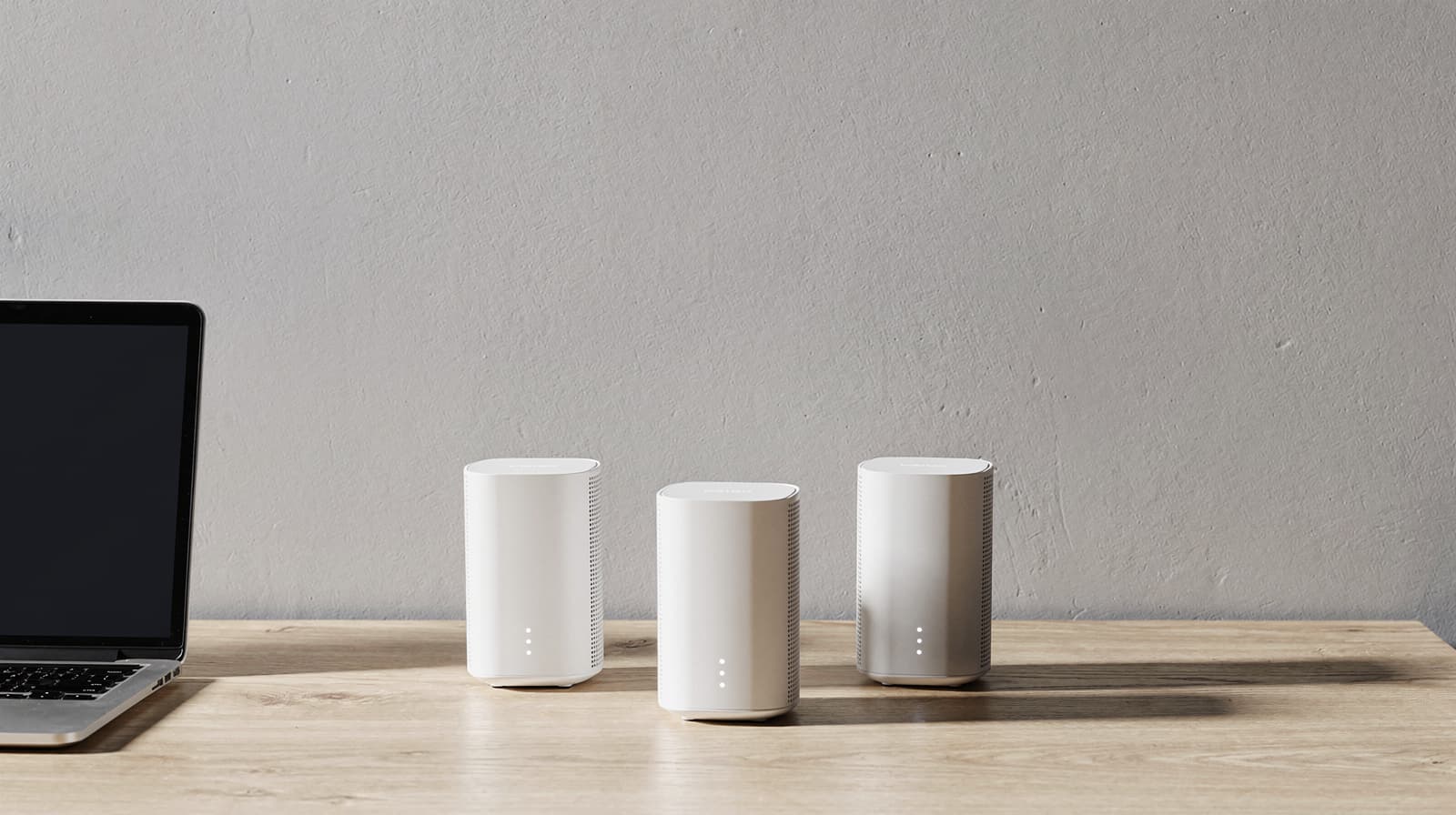
The best mesh Wi-Fi system for most large homes is the Netgear Orbi 770 three-pack. It is the only pick here with backhaul reserved for the nodes to talk to each other, which matters most when you can't run cable between floors, and its three units are rated for up to 8,000 sq. ft. If you can wire the nodes or have a multi-gig plan, the ASUS ZenWiFi BT10 is the better buy, and its security features need no subscription. The eero Pro 7 is the easiest to live with.
Our picks at a glance
- View at Netgear
Best for large homes
Netgear Orbi 770 Series Tri-Band WiFi 7 Mesh System, 3-pack (RBE773)
- View at ASUS
Best for multi-gig internet and no subscriptions
ASUS ZenWiFi BT10 Tri-Band WiFi 7 Mesh System, 2-pack (BT10 W-2-PK)
- View at eero
Easiest to set up and run
- View at TP-Link
Best for many wired devices
TP-Link Deco BE63 (Deco 7 Pro) BE10000 Tri-Band Mesh System, 2-pack
- View at TP-Link
Best if every node can be wired
TP-Link Deco BE25 (Deco 7) BE5000 Dual-Band Mesh System, 3-pack
The picks in detail
- Top pick
Best for large homes
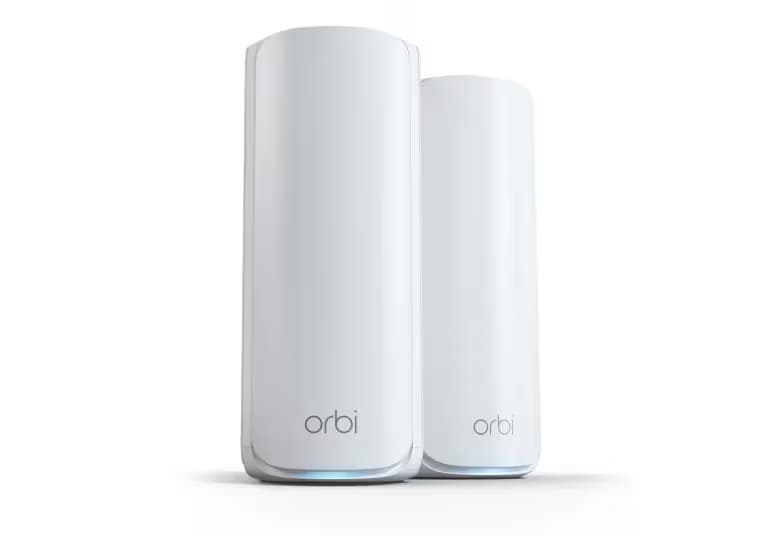
Netgear Orbi 770 Series Tri-Band WiFi 7 Mesh System, 3-pack (RBE773)
The Orbi 770 three-pack is the mesh system most large homes should buy.
View at NetgearIt is the only pick here whose maker reserves backhaul capacity for the nodes to talk to each other, which matters most when you can’t run cable between floors. The three units are rated for up to 8,000 sq. ft., the most of any pick. The router has a 2.5 Gig internet port, each satellite has two 2.5 Gig Ethernet ports for a desk or a TV, and you can wire the nodes together over 2.5 Gig if you can run cable. Buy it if your house is big, spread over floors and mostly unwired. Skip it if you have a lot of wired gear at each node, or more than about 100 devices on the network.
What we like
- Dedicated backhaul, so the node-to-node link doesn’t compete with your devices
- The largest coverage rating here: up to 8,000 sq. ft. for three units
- 2.5 Gig ports throughout, with a 2.5 Gig wired backhaul option
Watch out for
- Rated for up to 100 devices, fewer than the eero or the Decos
- Only two Ethernet ports on each satellite
- Armor security and Smart Parental Controls Premium are paid subscriptions
- Best for multi-gig internet and no subscriptions
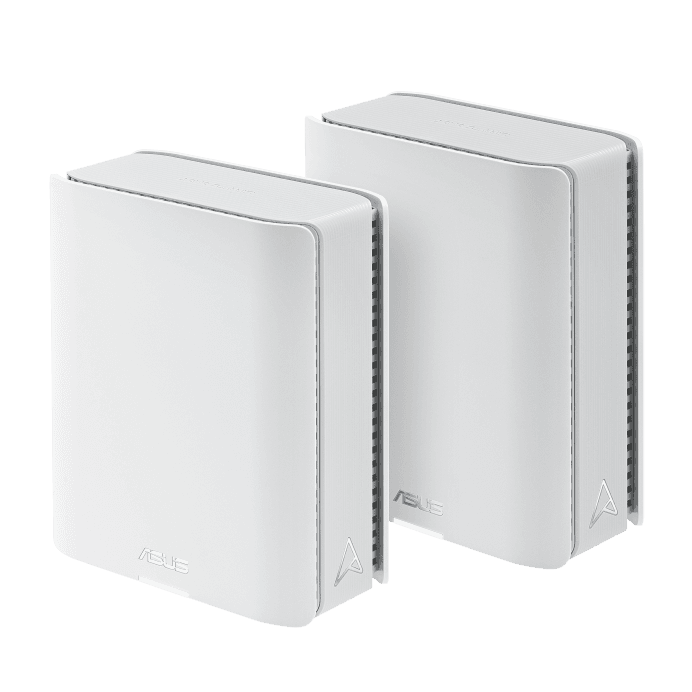
ASUS ZenWiFi BT10 Tri-Band WiFi 7 Mesh System, 2-pack (BT10 W-2-PK)
The ZenWiFi BT10 is the pick for a fast fiber plan and a house you can at least partly wire.
View at ASUSEach unit has two 10G Ethernet ports, one of which can be the internet port, and ASUS lets you use 10G as a wired backhaul between nodes. It is tri-band Wi-Fi 7 with 6 GHz and 320 MHz channels, and the two-pack is rated for up to 6,000 sq. ft. Its security suite, AiProtection Pro, and its parental controls are subscription-free, which no other pick here can say. Buy it if you have a multi-gig plan or a 10G device and want everything included. Skip it if you need several wired devices at each node: the third port is only 1G.
What we like
- Two 10G ports per unit, and 10G wired backhaul
- AiProtection Pro and parental controls with no subscription
- Router, access point and AiMesh node modes, plus a USB 3.0 port
Watch out for
- Three Ethernet ports per unit, and one of them is only 1G
- Two units, so a large house may need a third node
- ASUS doesn’t say it reserves a band for backhaul
- Easiest to set up and run
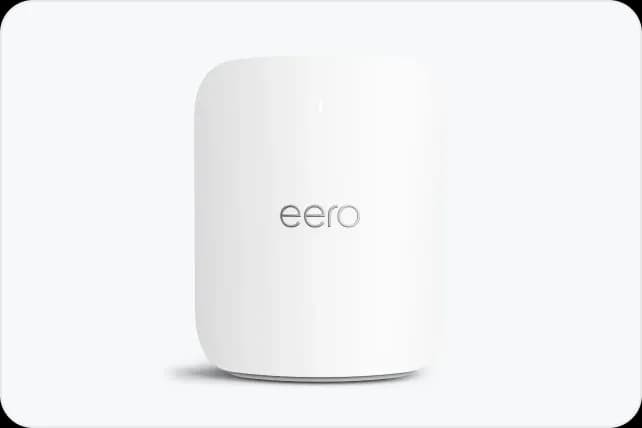
eero Pro 7 Tri-Band Mesh Wi-Fi 7 System, 3-pack
The eero Pro 7 is the system to buy if you want mesh you set up from your phone and then forget.
View at eeroEach of the three units is rated for up to 2,000 sq. ft. and 200+ devices, so the pack covers about 6,000 sq. ft. in total. Every unit has two auto-sensing 5 GbE ports, enough for plans up to 5 Gbps and for a wired backhaul over Cat5e or better. It doubles as a Thread, Zigbee and Matter smart-home hub and works with older eero units. The catch is that ad blocking, threat protection, content filters and the VPN all sit behind eero Plus. Buy it if you value simplicity and a smart-home hub. Skip it if you want router settings in a web browser, or more than two ports per node.
What we like
- Simple app setup, with a built-in Thread, Zigbee and Matter hub
- Two 5 GbE ports on every unit, with Ethernet backhaul
- Rated for 200+ devices per unit; works with all older eeros
Watch out for
- Many features need eero Plus, a paid subscription
- Settings live in the eero app, with no web interface listed
- Two Ethernet ports per unit and no USB port
- Best for many wired devices
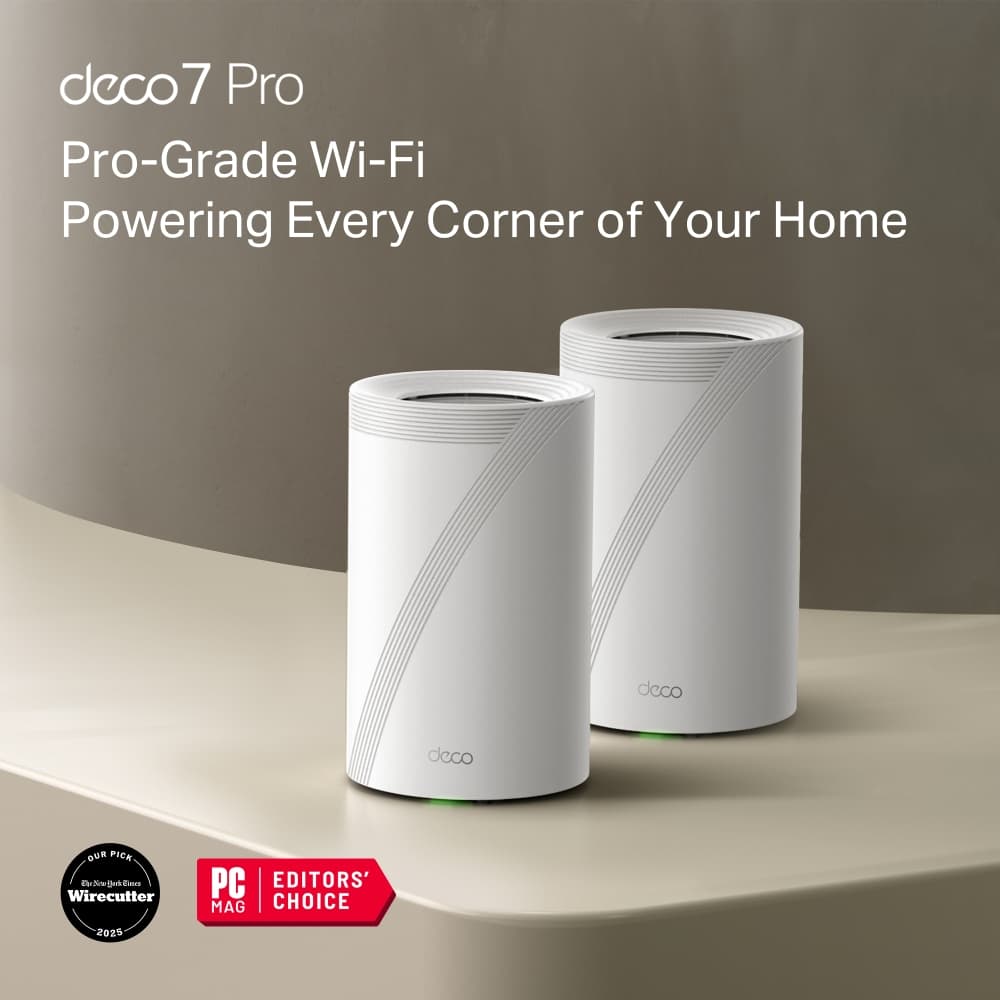
TP-Link Deco BE63 (Deco 7 Pro) BE10000 Tri-Band Mesh System, 2-pack
The Deco BE63 has the most wired ports of any pick: four 2.5 Gbps Ethernet ports and a USB port on every unit.
View at TP-LinkThat makes it the one to buy if each room has a desk, a console or a NAS to plug in. It is tri-band Wi-Fi 7 with 320 MHz channels on 6 GHz, rated for 200 devices, and the two-pack is rated for up to 5,800 sq. ft. The Decos can link over Ethernet, Wi-Fi or both at once using Multi-Link Operation. Buy it if you have lots of wired gear spread around the house. Skip it if you want advanced security or parental controls without a subscription.
What we like
- Four 2.5 Gbps ports and a USB port on each unit
- Wired and wireless backhaul together, using MLO
- Rated for 200 devices; router or access point mode
Watch out for
- Advanced HomeShield security and parental controls need a paid plan
- Two units, so a large house may need a third node
- Best if every node can be wired
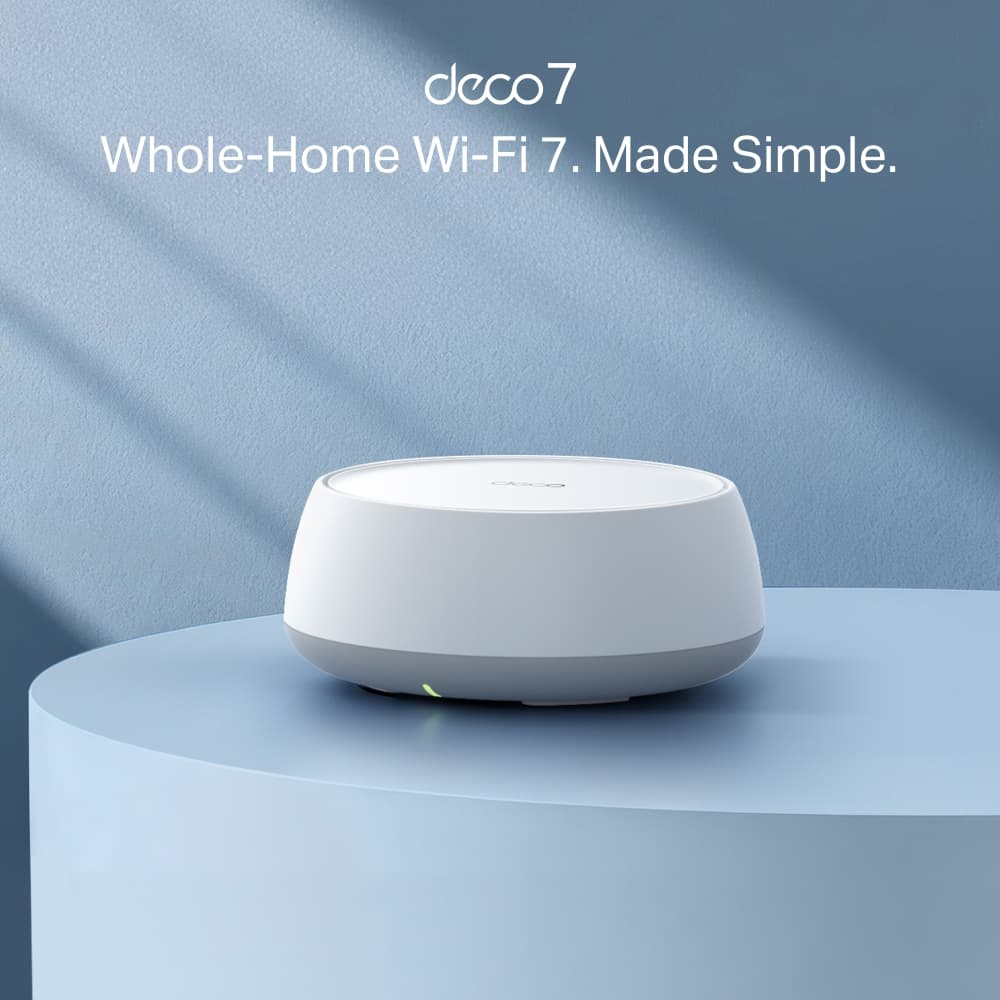
TP-Link Deco BE25 (Deco 7) BE5000 Dual-Band Mesh System, 3-pack
The Deco BE25 is dual-band: Wi-Fi 7 on 5 GHz and 2.4 GHz, with no 6 GHz band.
View at TP-LinkOn its own radio link, that leaves the nodes sharing bandwidth with your devices, so it is a weak pick for an unwired large house. Wire the units together and that stops mattering: each unit has two 2.5 Gbps ports and Ethernet backhaul and is rated for up to 2,600 sq. ft., and the system handles up to 150 devices. Buy it if your house already has Ethernet to each floor and your devices don’t use 6 GHz. Skip it if the nodes will connect over Wi-Fi, or if you own Wi-Fi 6E or Wi-Fi 7 laptops and phones.
What we like
- Two 2.5 Gbps ports and Ethernet backhaul on every unit
- Three units in the box, each rated for up to 2,600 sq. ft.
- Router or access point mode
Watch out for
- No 6 GHz band, so no 320 MHz channels and nothing for 6E devices
- No spare band for wireless backhaul
- Same HomeShield subscription as the BE63
Mesh replaces your router with a router plus nodes that share one network name. If you haven't yet tried moving the router or wiring your desk, start with our complete guide to home office Wi-Fi setup, which covers the free fixes first. We have not tested these systems; the specs come from the makers' pages, linked under Sources.
The short version
- Best for large homes: Netgear Orbi 770 three-pack. Dedicated backhaul and the biggest coverage rating.
- Best for multi-gig internet and no subscriptions: ASUS ZenWiFi BT10 two-pack. Two 10G ports per unit, security included.
- Easiest to set up and run: eero Pro 7 three-pack. App setup, two 5 GbE ports per unit and a smart-home hub.
- Best for many wired devices: TP-Link Deco BE63 two-pack. Four 2.5 Gbps ports and USB on every unit.
- Best if every node can be wired: TP-Link Deco BE25 three-pack. Dual-band, so it needs Ethernet backhaul to shine.
How they compare
System | Wi-Fi bands | Backhaul | Ethernet per satellite | Coverage rating | Devices | Paid add-on |
|---|---|---|---|---|---|---|
Netgear Orbi 770 (3-pack) | Tri-band: 2.4, 5, 6 GHz | Dedicated wireless, or 2.5 Gig wired | Two 2.5 Gig | 8,000 sq. ft. (3 units) | 100 | Armor; Smart Parental Controls Premium |
ASUS ZenWiFi BT10 (2-pack) | Tri-band: 2.4, 5, 6 GHz | Wireless, or 10G wired | Two 10G, one 1G | 6,000 sq. ft. (2 units) | Not published | None for security or parental controls |
eero Pro 7 (3-pack) | Tri-band Wi-Fi 7 | Wireless, or 5 GbE wired | Two 5 GbE | 2,000 sq. ft. per unit | 200+ per unit | eero Plus |
TP-Link Deco BE63 (2-pack) | Tri-band: 2.4, 5, 6 GHz | Wireless, wired, or both via MLO | Four 2.5 Gbps, plus USB | 5,800 sq. ft. (2 units) | 200 | HomeShield Security+ or Total Security |
TP-Link Deco BE25 (3-pack) | Dual-band: 2.4, 5 GHz | Wireless, or 2.5 Gbps wired | Two 2.5 Gbps | 2,600 sq. ft. per unit | 150 | HomeShield Security+ or Total Security |
Coverage and device figures are the makers' maximum ratings. Walls, floors and building materials cut them in practice, and no maker promises a figure for your house.
What decides a mesh purchase for a large home
Wired backhaul: count the ports on every node
Backhaul is the link between the nodes. If you can run Ethernet between them, do it: a cable carries the full speed between nodes and leaves every radio for your devices. Every pick here supports wired backhaul, so the question is what's left over. A satellite uses one port for the cable to the router, which leaves one free port on an Orbi 770 or eero Pro 7 satellite, three on a Deco BE63, two on a BT10 (one of them 1G) and one on a Deco BE25. If you want to plug a desk, a TV and a console into the same node, that decides it for the BE63, or for a small switch.
Port speed matters too. A 2.5 Gig or faster port lets a multi-gig plan reach the nodes; a 1G port caps it at about a gigabit. The BT10's 10G ports and the eero's 5 GbE ports leave the most headroom. A spare port at the node nearest your desk is worth planning for: it lets you wire a docking station with Ethernet or a NAS instead of relying on Wi-Fi. Our Ethernet vs powerline vs mesh guide covers ways to get a cable, or something close to one, between floors.
A dedicated backhaul band, if you can't run cable
Without a cable, the nodes talk over Wi-Fi. Netgear says the Orbi 770 uses dedicated backhaul: part of its tri-band radio is set aside for node-to-node traffic, so devices near a satellite don't slow the link back to the router. ASUS, eero and TP-Link don't say they reserve a band; eero says its tri-band design boosts backhaul speeds, and the Deco BE63 can combine wired and wireless links with Multi-Link Operation. A dual-band system such as the Deco BE25 has no spare band, so its wireless backhaul shares airtime with your laptops and phones. In an unwired house, that is why the Orbi is the top pick.
Wi-Fi 6E and Wi-Fi 7: can your devices use them?
Only Wi-Fi 6E and newer devices can use the 6 GHz band, and only Wi-Fi 7 devices get Multi-Link Operation, 4K-QAM and 320 MHz channels. Older phones, TVs and smart plugs connect as before, at their own speed. A Wi-Fi 6 laptop on a Wi-Fi 7 mesh has a Wi-Fi 6 connection.
Check before you pay for the newest features. On Windows, Wi-Fi 7 needs Windows 11 version 24H2 and a Wi-Fi 7 adapter. Apple's Wi-Fi 7 Macs and iPhones top out at 160 MHz channels, so they never use 320 MHz. Our Wi-Fi 7 vs Wi-Fi 6 comparison shows how to check your laptop. If several of your devices are 6E or 7, skip the dual-band BE25; if none are, the 6 GHz band mostly matters as a backhaul link.
How many nodes for a large home
Start with the per-unit rating: about 2,500 sq. ft. for an Orbi 770 unit, 2,600 for a Deco BE25, 2,000 for an eero Pro 7, and roughly 3,000 per unit for the BT10 and Deco BE63 two-packs. Divide your floor area by it and round up. Then add a node if your house has more floors than units, brick or concrete inner walls, or a long single-story layout where the router sits at one end.
For most large two-story homes that works out to three nodes. Mesh systems take extra units later, so buy the pack that matches your floor area and add a node if a room is still weak. A node only relays the signal it receives, so put it halfway between the router and the dead spot, not in the dead spot.
What the subscriptions lock away
Every system here works fully without a subscription, with WPA3 and automatic updates included. The differences are in security extras and parental controls.
Maker | Free | Paid |
|---|---|---|
Netgear | Network management in the Orbi app, guest and IoT networks, WPA3, automatic updates | Armor (annual plan, trial included): network threat protection, antivirus for up to 50 devices, VPN, ad blocking, breach monitoring, extended warranty and priority support. Smart Parental Controls Premium (30-day trial): schedules, time limits and rewards |
TP-Link | HomeShield Free: firewall, WPA3, security scan, guest and IoT network isolation, device identification, automatic updates | Security+: web protection, intrusion prevention, real-time IoT protection, alerts and reports. Total Security adds antivirus, VPN and a password manager. Advanced Parental Controls (time limits, bedtimes, app blocking) is a separate add-on |
eero | Speed tests, device blocking, profiles, pausing devices, guest Wi-Fi, WPA3, automatic updates, basic parental controls | eero Plus: ad blocking, threat protection, content filters, advanced scheduling, activity history, network insights, VPN, antivirus, password manager and identity protection |
ASUS | AiProtection Pro (malicious site blocking, two-way IPS, infected device blocking), parental controls with time scheduling, VPN server and client | Nothing needed for these; ASUS sells separate device security |
If you would pay for security or parental controls anyway, the BT10's included features are the strongest reason to choose it. If you wouldn't, the paid tiers don't matter: every system works fully without them.
How we chose
This guide is research-based. We have not tested these mesh systems. Every spec comes from the maker’s own product, spec or support page, linked under Sources. We started from tri-band and dual-band Wi-Fi 7 systems from four major mesh brands, and chose for large homes: wired backhaul and the ports left over on each node, whether the maker reserves a backhaul band, 6 GHz support, a published coverage rating, and what the maker charges extra for. We left out single routers and range extenders. We link to each maker's own store or product page, and we don't compare prices.
Questions people ask
What is the best mesh Wi-Fi system for a large home?
For most large homes, the Netgear Orbi 770 three-pack. It has dedicated backhaul, which keeps the link between nodes fast when you can’t run cable, and the three units are rated for up to 8,000 sq. ft. If you can wire the nodes, the ASUS ZenWiFi BT10 is a strong alternative with 10G ports and no subscriptions.
How many mesh nodes do I need for a large house?
Divide your floor area by the maker’s per-unit rating and round up, then add a node for thick walls or an extra floor. Most large two-story homes need three. You can add a unit later if a room is still weak.
Do I need wired backhaul for mesh Wi-Fi?
No, but it is the single biggest improvement you can make. A cable between nodes carries full speed and frees the radios for your devices. Every system in this guide supports it.
What is dedicated backhaul?
It is radio capacity a tri-band mesh system reserves for its nodes to talk to each other, so your devices don’t slow that link. Netgear says the Orbi 770 has it. A dual-band system such as the Deco BE25 has no spare band for it.
Do I need a subscription for a mesh Wi-Fi system?
No. Every system here works fully without one. Netgear Armor, TP-Link HomeShield’s paid tiers and eero Plus add security extras and advanced parental controls; ASUS includes its AiProtection Pro security and parental controls at no charge.
Do I need Wi-Fi 7 devices to use a Wi-Fi 7 mesh system?
To use Wi-Fi 7 features, yes. Older devices connect at their own speed, and only Wi-Fi 6E and newer devices can use the 6 GHz band.
Sources we used
- Netgear Orbi 770 Series 3-pack (RBE773) specs (Netgear)
- Netgear Armor: features and subscription (Netgear)
- Netgear Smart Parental Controls: free trial and Premium features (Netgear Support)
- ASUS ZenWiFi BT10 tech specs (ASUS)
- ASUS ZenWiFi BT10 2-pack: coverage, ports and wired backhaul (ASUS eShop USA)
- ASUS AiProtection: subscription-free security (ASUS)
- eero Pro 7 product page and specs (eero)
- eero: Can I connect my eeros with Ethernet? (eero Support)
- eero Plus: included and subscription features (eero)
- TP-Link Deco BE63 (Deco 7 Pro) specs (TP-Link)
- TP-Link Deco BE25 (Deco 7) specs (TP-Link)
- TP-Link HomeShield: free and paid features (TP-Link)
- TP-Link: How to Boost Your Wi-Fi Signal: Range Extender, Powerline, or Mesh