For most people, the RØDE NT-USB Mini is the USB microphone to buy: small, plug-and-play and supplied with its own desk stand, it suits a reasonably quiet spare room or study. If you share your home with noise, such as children, housemates or a busy road outside, choose the Shure MV7+ instead. It is a dynamic mic, which hears less of the room, and it adds a tap-to-mute panel, but you need to buy a stand for it.
Our picks at a glance
- View at Viking
Best for most people
- View at Andertons
Best for a noisy room
The picks in detail
- Top pick
Best for most people
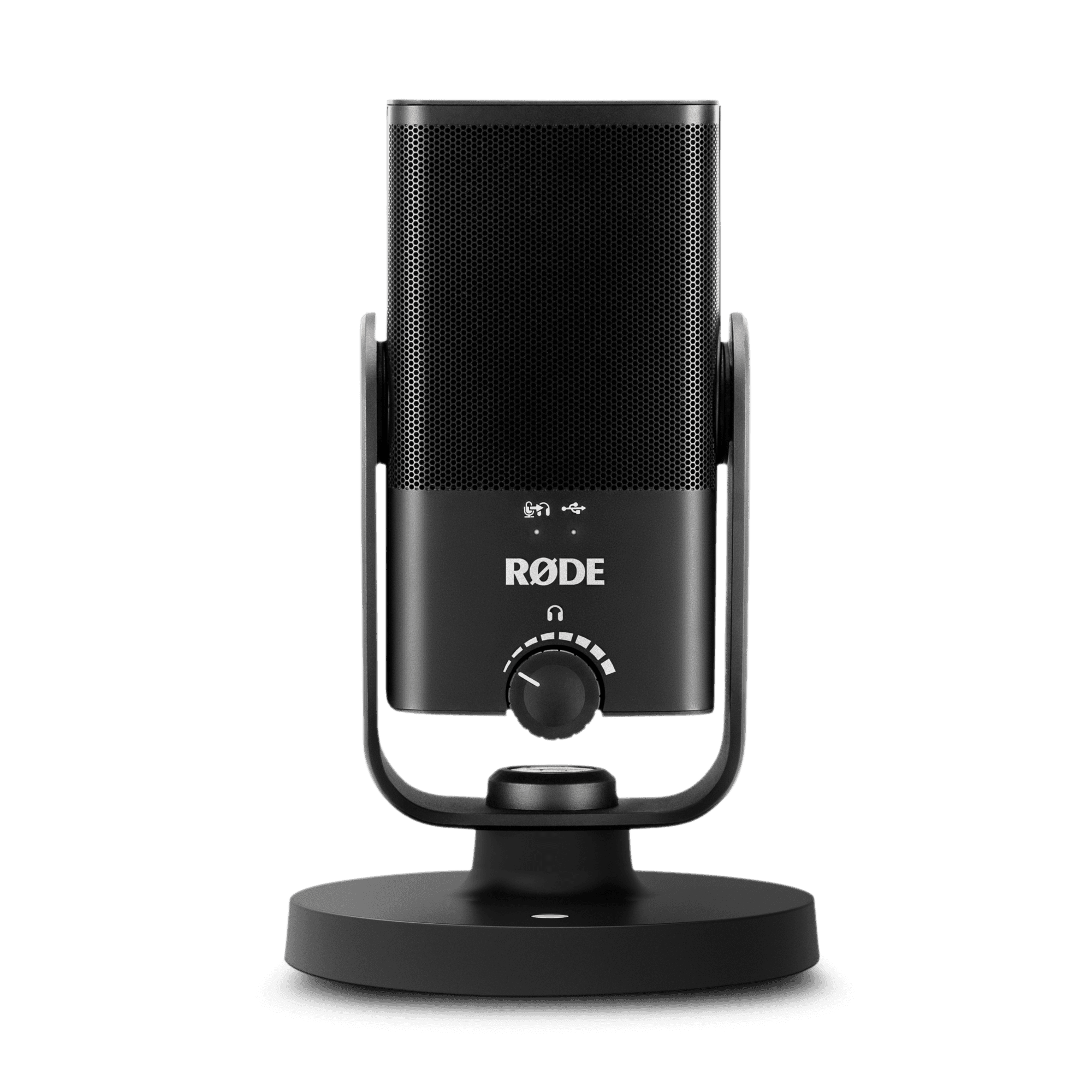
RØDE NT-USB Mini USB Microphone (NTUSBMINI)
For most UK home offices, the RØDE NT-USB Mini is the one to get.
View at VikingIt is a small condenser mic, 89 mm wide and 141 mm tall, with a cardioid pattern, a built-in pop filter and a headphone socket with zero-latency monitoring. Plug it in and it works, with no driver or software. A magnetic desk stand comes in the box, along with a thread adaptor if you later move it to a boom arm. One gotcha: the mic has a USB-C socket, but RØDE’s supplied lead (the SC20) ends in USB-A, so on a USB-C-only laptop you need an adapter or a USB-C to USB-C lead. RØDE Connect adds a compressor and noise gate, and RØDE Central handles settings and firmware. Skip it if you work in a busy shared house or a flat on a main road: a condenser hears more of the room than a dynamic mic. It also has no mute button, so you mute in the call app. Amazon UK and Viking sell it.
What we like
- Works on plug-in, no software needed for calls
- Desk stand and boom-arm thread adaptor in the box
- Headphone socket with zero-latency monitoring
Watch out for
- No mute button on the mic
- Supplied lead ends in USB-A; USB-C-only laptops need an adapter
- Hears more background noise than a dynamic mic
- Best for a noisy room
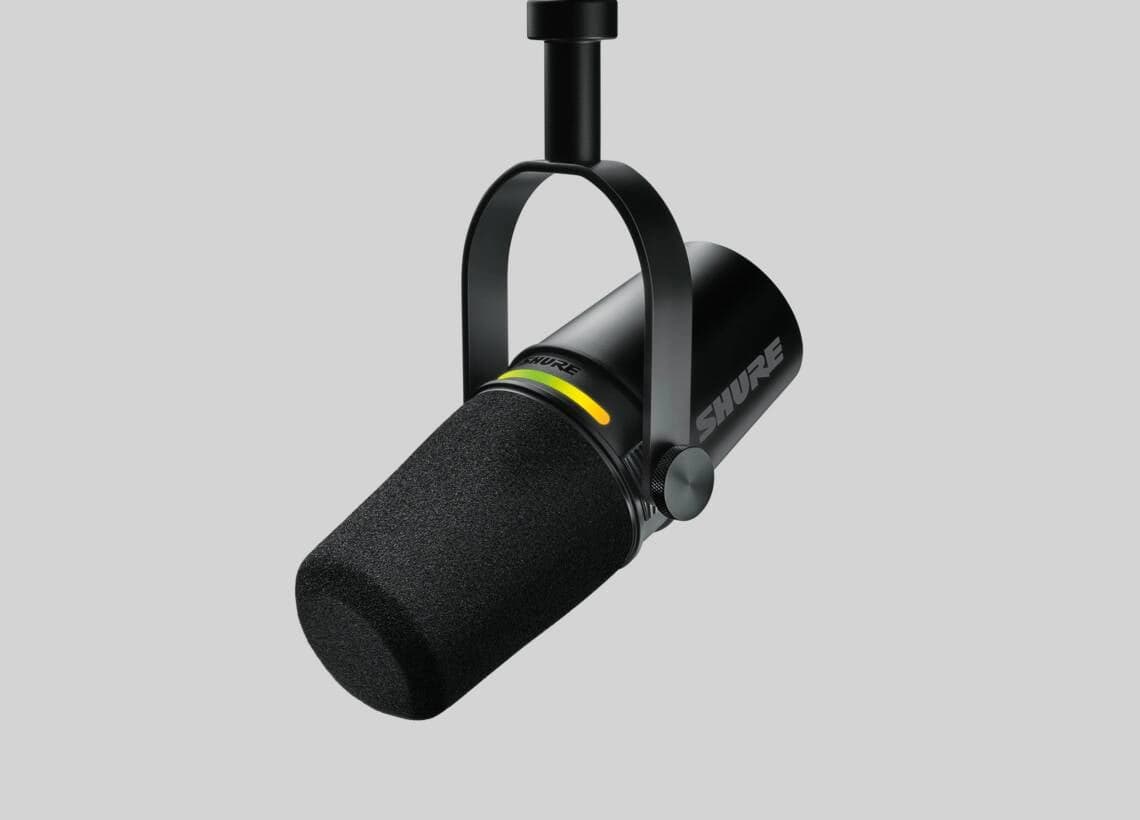
Shure MV7+ Podcast Microphone, Black (MV7+-K)
The Shure MV7+ is the pick for a noisy home and the only dynamic mic here.
View at AndertonsHeld close, a dynamic capsule picks up your voice and far less of the room. It has USB-C and XLR outputs, a 3.5 mm headphone jack, and an LED panel you tap anywhere to mute, which also shows your level. Shure lists Voice Isolation Technology, a real-time Denoiser, an improved Auto Level Mode and a Digital Popper Stopper. The box holds the mic, a USB-C to USB-C cable and a quick start guide, so you need to buy a desk stand or boom arm, and an older desktop with only USB-A sockets needs an adapter too. The panel and processing are set up in Shure’s free MOTIV Mix desktop app (Windows 10 or later, macOS 12 or later, at least 8 GB of RAM). Buy it if you share your space with noise and want a mute you can tap. Skip it if your computer falls short of those requirements, or you want everything in one box. Make sure the listing says MV7+, not MV7. Thomann and Andertons sell it.
What we like
- Dynamic capsule that suits a noisy room
- Tap-to-mute LED panel that doubles as a level meter
- Voice Isolation, real-time Denoiser and Auto Level Mode
Watch out for
- No stand in the box
- USB-C to USB-C cable only
- MOTIV Mix needs Windows 10 or macOS 12 or later and 8 GB of RAM
Before buying, check what your camera already does: our guide to the best webcams for Zoom and Teams covers the built-in mics on webcams sold in the UK, and the rest of our video calls guides cover the wider set-up.
The short version
- Best for most people: RØDE NT-USB Mini. Condenser, cardioid, USB-C on the mic, desk stand included. No mute button.
- Best for a noisy room: Shure MV7+. Dynamic, cardioid, USB-C and XLR, tap-to-mute LED panel, Voice Isolation and a real-time Denoiser. No stand in the box.
- Happy with your headset? Keep it. A headset already puts a mic by your mouth; a desk mic is for people on calls most of the day who want to drop the headband.
How they compare
Microphone | Type | Pickup pattern | Connection | Lead in the box | Stand in the box | On the mic |
|---|---|---|---|---|---|---|
RØDE NT-USB Mini | Condenser | Cardioid | USB-C | USB-C to USB-A | Magnetic desk stand, thread adaptor | Headphone socket and level control |
Shure MV7+ | Dynamic | Cardioid | USB-C and XLR | USB-C to USB-C | None | Tap-to-mute LED panel, 3.5 mm headphone jack |
Quiet room or noisy room?
Start here, because it decides which of the two you want. A condenser mic like the NT-USB Mini is sensitive. It picks you up from a little further back, but it also hears the washing machine, the dog and the echo off bare walls. In a carpeted study with the door shut, that is rarely a problem. A dynamic mic like the MV7+ is less sensitive: it needs to sit close to your mouth, and in return it lets much less of the room through. If colleagues already mention background noise, go dynamic.
Both picks are cardioid, which means they favour sound from the front and reject the sides and back. That suits one person at a desk. Point the front at your mouth, not at the ceiling or your screen.
Practical checks before you order
- Stand or boom arm. The NT-USB Mini comes with a desk stand. The MV7+ comes with nothing to stand on, so add a desk stand or boom arm to your basket. A boom arm also lifts the mic off the desk, away from keyboard thumps.
- USB-C or USB-A. The NT-USB Mini’s lead ends in USB-A; the MV7+’s lead is USB-C at both ends. Match them to your laptop or desktop, or pick up an adapter. A USB-C monitor with its own USB-A ports also helps (see our guide to the best USB-C monitors).
- Software. Neither mic needs software for a call. RØDE Connect and RØDE Central are optional for the NT-USB Mini. For the MV7+, MOTIV Mix is how you set up the panel and processing, so check that your computer meets its requirements and that a work laptop lets you install it.
- MV7+, not MV7. UK shops also list the older Shure MV7. Make sure the product name says MV7+.
- Bundles. Some listings add a boom arm or other extras. Check what is in the box before comparing two listings.
Using a USB microphone in Zoom, Teams and Google Meet
Plug the mic in, then select it in the app; a lot of poor call audio is simply the app still using the laptop’s own mic. In Zoom, go to Settings, then Audio, choose the mic and use Test microphone. In Teams, open Settings and more, then Settings, then Devices, and run Make a test call. In Google Meet, use More options, then Settings, then Audio.
Zoom’s default mic mode already applies noise suppression and echo cancellation, and Teams has noise suppression on by default. Microsoft only suggests switching it off for high-fidelity mics in a quiet, studio-like room, so in a typical home office leave it on.
Getting a clear sound
- Sit close, and wear headphones. Headphones stop your speakers leaking back into the mic.
- Record a few seconds first. Listen back before an important call.
- Mind the room. Curtains, a rug and full bookshelves all help to soften echo.
Your rights when buying in the UK
Under the Consumer Rights Act 2015, goods must be of satisfactory quality, fit for purpose and as described. If a mic is faulty, you can reject it for a refund within 30 days, and after that ask the retailer for a repair or replacement.
How we chose
We have not tested these microphones. We started from USB mics that RØDE and Shure list on their own sites, kept the ones we could find at UK retailers, and read every spec from the maker’s page or datasheet, linked under Sources. We wanted a cardioid pattern for one person at a desk, a headphone output, and one good answer each for a quiet room and a noisy one.
Questions people ask
What is the best USB microphone for Zoom and Teams in the UK?
For most people, the RØDE NT-USB Mini: compact, plug-and-play and sold with a desk stand. If your home is noisy, the Shure MV7+ is the better choice because it is a dynamic mic.
Is the Shure MV7+ the same as the Shure MV7 sold in UK shops?
No. The MV7+ is Shure’s refreshed model. Shure lists a new LED touch panel that mutes with a tap and shows your level, an improved Auto Level Mode, a new Digital Popper Stopper, Voice Isolation and a real-time Denoiser. A listing that just says MV7 is the older mic.
Is a dynamic or condenser microphone better for a noisy home?
A dynamic mic, kept close to your mouth. It is less sensitive, so it picks up less of the room. A condenser such as the NT-USB Mini suits a quieter room.
Do I need a boom arm?
Not for the NT-USB Mini, which comes with a desk stand. The Shure MV7+ comes with no stand, so you need either a desk stand or a boom arm for it.
Do I need a USB microphone if my webcam has one?
Not necessarily. A webcam mic sits wherever the camera does, usually further from your mouth than a desk mic. If people say you sound distant or echoey, a desk mic or a headset puts the mic closer.
Sources we used
- RØDE NT-USB Mini product page (RØDE)
- RØDE NT-USB Mini datasheet, included accessories (RØDE)
- Shure MV7+ podcast microphone (Shure UK)
- Changing settings in the Zoom Workplace desktop and mobile app (Zoom)
- Reduce background noise in Microsoft Teams meetings (Microsoft)
- Tips for video meetings (Google Workspace Learning Center)
- Consumer Rights Act 2015 (legislation.gov.uk)