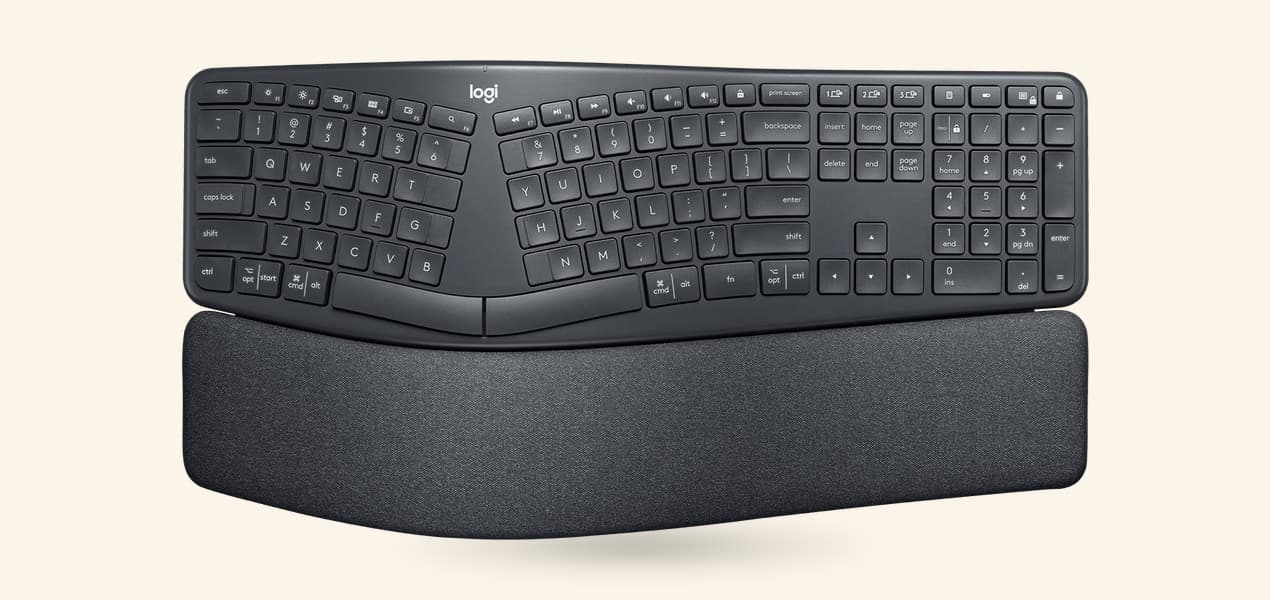
The best ergonomic keyboard for most people in the UK is the Logitech ERGO K860. It is a one-piece keyboard with the keys split and curved, a padded wrist rest built in and legs that tilt the front edge up (negative tilt), and it is sold here in a proper English UK layout. If you would rather have something smaller that feels closer to a normal keyboard, the Logitech Wave Keys keeps a number pad in a compact wave shape.
Our picks at a glance
The picks in detail
- Top pick
Best overall
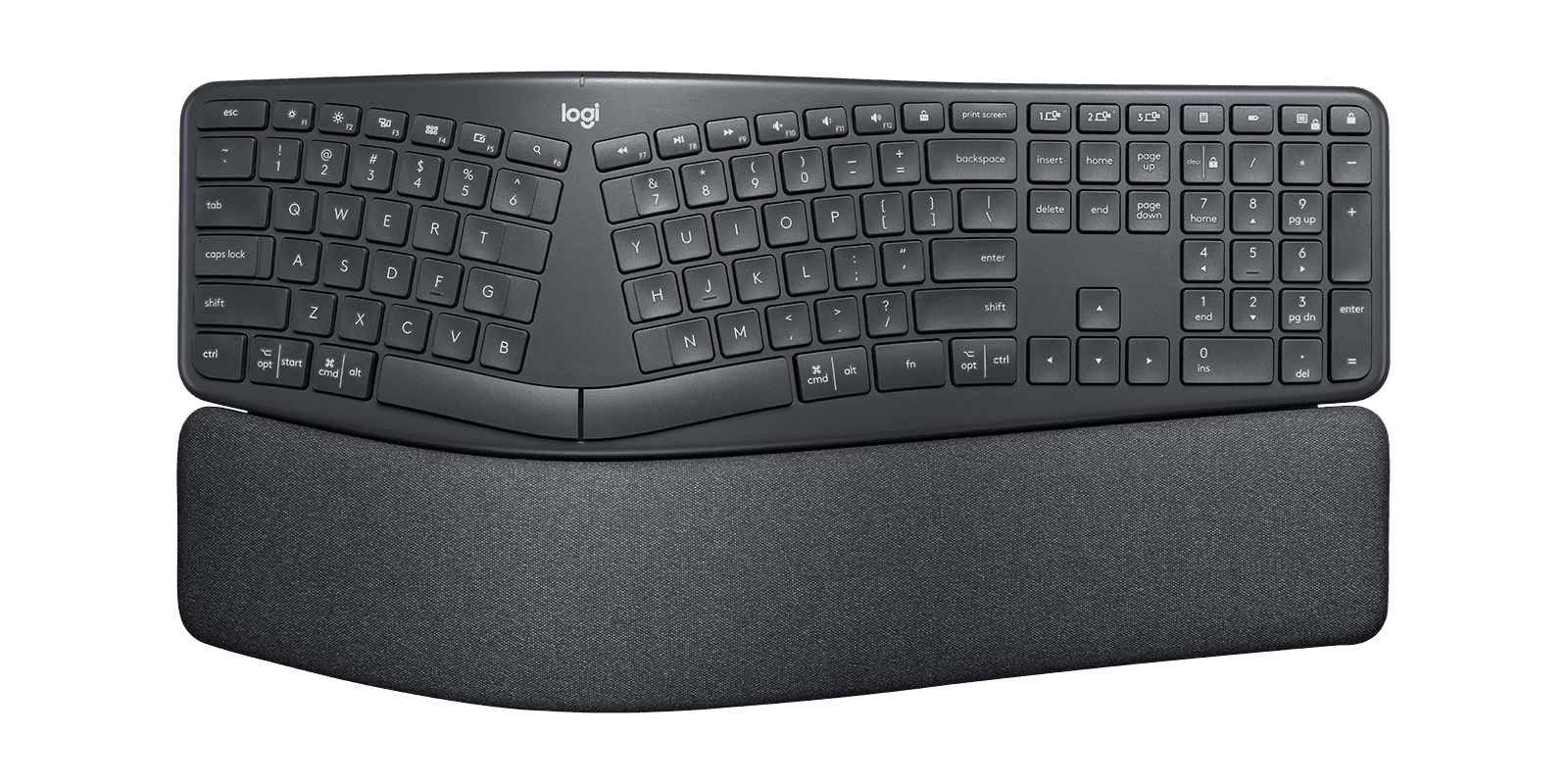
Logitech ERGO K860 Split Ergonomic Keyboard (920-009166)
Most people who want an ergonomic keyboard should buy the Logitech ERGO K860.
View at LogitechIt keeps everything in one piece, so there is nothing to set up, but the keys are split down the middle and the whole frame curves upward, with a padded wrist rest built in. It is the only keyboard here with negative tilt: legs under the front edge set it at 0°, -4° or -7°. It is full size with a number pad, pairs with three devices, and runs for up to 24 months on two AAA batteries. Buy the UK version, 920-010107 (Graphite, English UK QWERTY). Skip it if your desk is narrow, because at 456 mm wide it takes more room than a standard keyboard, or if you want a rest you can take off.
What we like
- The only pick with negative tilt, at 0°, -4° or -7°
- Clear split and curve with no setup, and a full number pad
- Sold in a genuine English UK layout (920-010107)
Watch out for
- The wrist rest is part of the frame and can’t be removed
- Uses Logitech’s older Unifying receiver, which won’t pair with Logi Bolt mice (Bluetooth works for both)
- No backlighting, and not spill-resistant
- Best compact pick
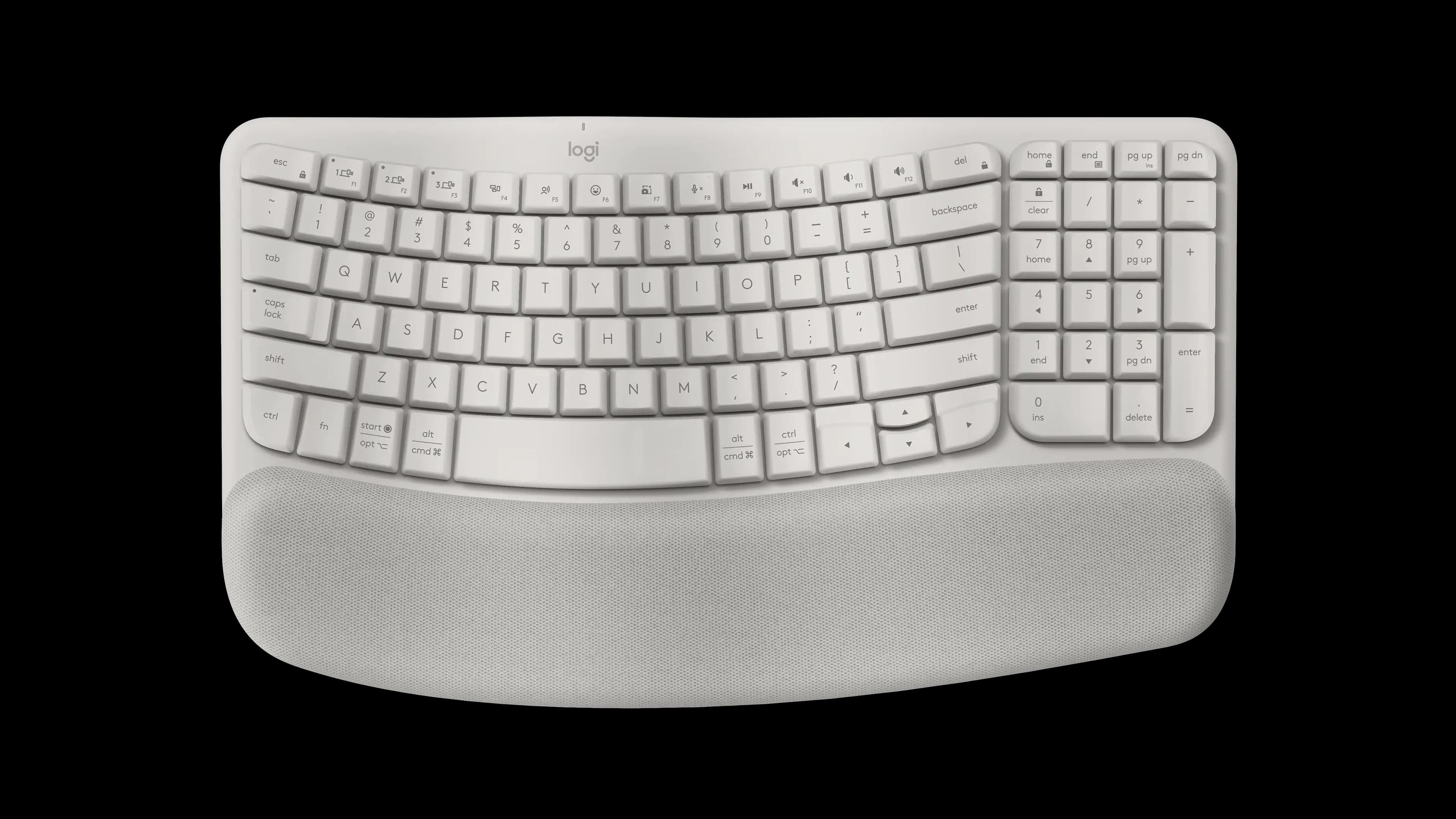
Logitech Wave Keys Wireless Ergonomic Keyboard, Sand (920-013925)
The Logitech Wave Keys is the gentler step away from a flat keyboard.
View at LogitechThe rows rise and fall in a soft wave rather than splitting, so it types almost like a normal keyboard, and it still fits a number pad into a body 376 mm long, 80 mm narrower than the K860. The palm rest is three layers of memory foam and is permanently attached. Its legs tilt it the conventional way, +4°, and it connects through the included Logi Bolt receiver or Bluetooth to up to three devices, for up to 36 months on two AAA batteries. In the UK it comes in Graphite as 920-012301, English UK QWERTY. Choose it over the K860 if you want something smaller that feels familiar; skip it if negative tilt is the point.
What we like
- Takes less desk room than the K860 but keeps the number pad
- Familiar feel: a gentle wave rather than a split
- Logi Bolt receiver, and up to 36 months on two AAA batteries
Watch out for
- Tilt legs go only one way (+4°); no negative tilt
- The palm rest is fixed
- Logitech’s UK store also sells an English International version, so check the layout menu
We have not tested these keyboards. Every figure in this guide comes from Logitech’s UK product pages, linked under Sources. For the wider picture, including mice and how to set up the rest of your desk, see our guide to ergonomic keyboards and mice.
The short version
- Best overall: Logitech ERGO K860 (UK model 920-010107). Curved split design in one piece, full number pad, fixed wrist rest, tilt legs at 0°, -4° or -7°.
- Best compact pick: Logitech Wave Keys (UK model 920-012301). Gentle wave shape, number pad, memory-foam palm rest, +4° tilt legs.
Why only two keyboards
Two is a short list, and we would rather be honest about it than pad it out. Our US guide also covers a fully split keyboard, a mechanical one and a rechargeable tenkeyless one. We don't currently link to a UK shop for those three in a UK layout, so they are not here. The two Logitech models are easy to buy in English UK layout from Logitech's own UK store and from Amazon UK.
How they compare
Keyboard | Shape | Wrist rest | Tilt legs | Connection | Power | Size |
|---|---|---|---|---|---|---|
Logitech ERGO K860 (920-010107) | Curved split, one piece, full size | Built in, fixed | 0°, -4°, -7° | Bluetooth LE or Unifying receiver, 3 devices | 2 x AAA, up to 24 months | 456 x 233 x 48 mm, 1160 g |
Logitech Wave Keys (920-012301) | Wave shape, compact with number pad | Built in, memory foam, fixed | +4° | Bluetooth LE or Logi Bolt receiver, 3 devices | 2 x AAA, up to 36 months | 376 x 219 x 31 mm, 750 g |
Both have dual-printed Windows and Mac keys, and neither is backlit.
Buying in the UK: check the layout first
An ergonomic keyboard is no use if half the symbols are in the wrong place. Keyboards are sold per layout, and several layouts can share one product page, so this matters more than any spec in the table.
ISO or ANSI
UK keyboards use the ISO shape. The Enter key is tall and spans two rows, there is an extra key between the left Shift and Z (backslash and pipe), and the # and ~ key sits beside Enter. US keyboards use the ANSI shape: a wide, single-row Enter key, a longer left Shift and no £ key. If you are used to a UK keyboard, an ANSI one takes some getting used to: Enter and the left Shift are not where your fingers expect them.
The symbols move too. On a UK layout, Shift+2 gives " and Shift+' gives @, the reverse of a US keyboard, and Shift+3 gives the £ sign.
AltGr
The right-hand Alt key on a UK keyboard is AltGr. On Windows, AltGr+4 types the euro sign and AltGr with a vowel types an acute accent (é, á and so on). Both Logitech keyboards here have AltGr in their UK versions.
English UK, not English International
Logitech sells both keyboards in several English layouts. On its UK store, choose English UK (QWERTY) in the layout menu: that is 920-010107 for the K860 and 920-012301 for the Wave Keys. The English International version is a different layout, without the UK Enter key and £ key.
Mac or Windows
Both keyboards are printed for Windows and Mac. On a Mac, the standard British layout puts some symbols, such as @ and ", on different keys from a PC keyboard. To make the keys match what is printed, add the British – PC input source in macOS keyboard settings. Logitech also makes a separate Wave Keys for Mac with Command and Option keys.
What to compare before you buy
Tilt
Most keyboards sit higher at the back. Negative tilt does the opposite and raises the front edge. The K860 is the one to buy if you want that: its legs give 0°, -4° or -7°. The Wave Keys only tilts the conventional way, with +4° legs, or lies flat.
Wrist rests
Both keyboards have a padded rest built in, and on both it is permanently attached. That suits most people, since there is nothing to line up. If you already own a wrist rest you like, or want to clean or replace the rest on its own, neither keyboard will suit you. The two rests differ in feel: the K860's is a pillowed rest running the full width of the frame, while the Wave Keys rest is cushioned with three layers of memory foam. Logitech suggests wiping the Wave Keys rest with a slightly damp, lint-free cloth.
Size and the number pad
Both keep a full number pad. The K860 is much the larger of the two, 456 mm wide against 376 mm for the Wave Keys, so measure your desk, and remember your mouse has to sit beside it. If you want the mouse closer, our vertical mouse vs trackball comparison covers mice that take up less room.
Receivers and batteries
Both connect by Bluetooth or a USB receiver and switch between three devices with Easy-Switch keys. They use different receivers, though. The Wave Keys comes with a Logi Bolt receiver, Logitech's current type. The K860 uses the older Unifying receiver, and the two don't mix: a Logi Bolt mouse can't share the K860's receiver. If your computer has Bluetooth, you can ignore the receivers and connect both that way.
Both run on two AAA batteries: up to 24 months for the K860 and up to 36 months for the Wave Keys, by Logitech's figures. Neither has a rechargeable battery.
Which should you buy?
- Buy the K860 if you want a clear split, the option of negative tilt and a full-size keyboard, and you have the desk space.
- Buy the Wave Keys if you want the least change from your current keyboard, a smaller footprint and a newer receiver.
- If you type mostly in code or want mechanical keys, our MX Keys S vs MX Mechanical comparison covers Logitech's flat keyboards, which are sold in UK layout too.
How we chose
We started from the five keyboards in our US guide, a curved split, a wave, a fully split, a mechanical and a rechargeable tenkeyless design, and kept the ones we could link to in a UK shop in a confirmed English UK layout. We opened each UK listing to check its layout and part number, then read Logitech's UK product pages for the tilt, wrist rest, connection and battery details. We have not tested these keyboards. We don't compare prices.
Questions people ask
Is a US-layout keyboard fine to use in the UK?
It works, but the Enter key is a different shape, there is no £ key, and @ and " swap places. If you are used to UK keyboards, buy the English UK version: 920-010107 for the K860 and 920-012301 for the Wave Keys.
What is negative tilt on a keyboard?
Negative tilt means the front edge sits higher than the back, the reverse of most keyboards. The Logitech ERGO K860 has legs for 0°, -4° and -7°; the Wave Keys only tilts up at the back.
Do these ergonomic keyboards work with a Mac?
Yes. Both have dual-printed Windows and Mac keys. On a Mac, choose the British – PC input source so the symbols match the keycaps.
Can I remove the wrist rest on the K860 or Wave Keys?
No. On both keyboards the padded rest is permanently attached to the frame.
Do I need the USB receiver?
Not if your computer has Bluetooth: both keyboards connect directly over Bluetooth Low Energy. The Wave Keys includes a Logi Bolt receiver and the K860 a Unifying receiver, and the two types are not interchangeable.